Band leaders · TouringFor touring acts
Promoter deals and settlement
Set the deal when you book, then settle on the night: the app works out what the band is owed from tickets and promoter expenses.
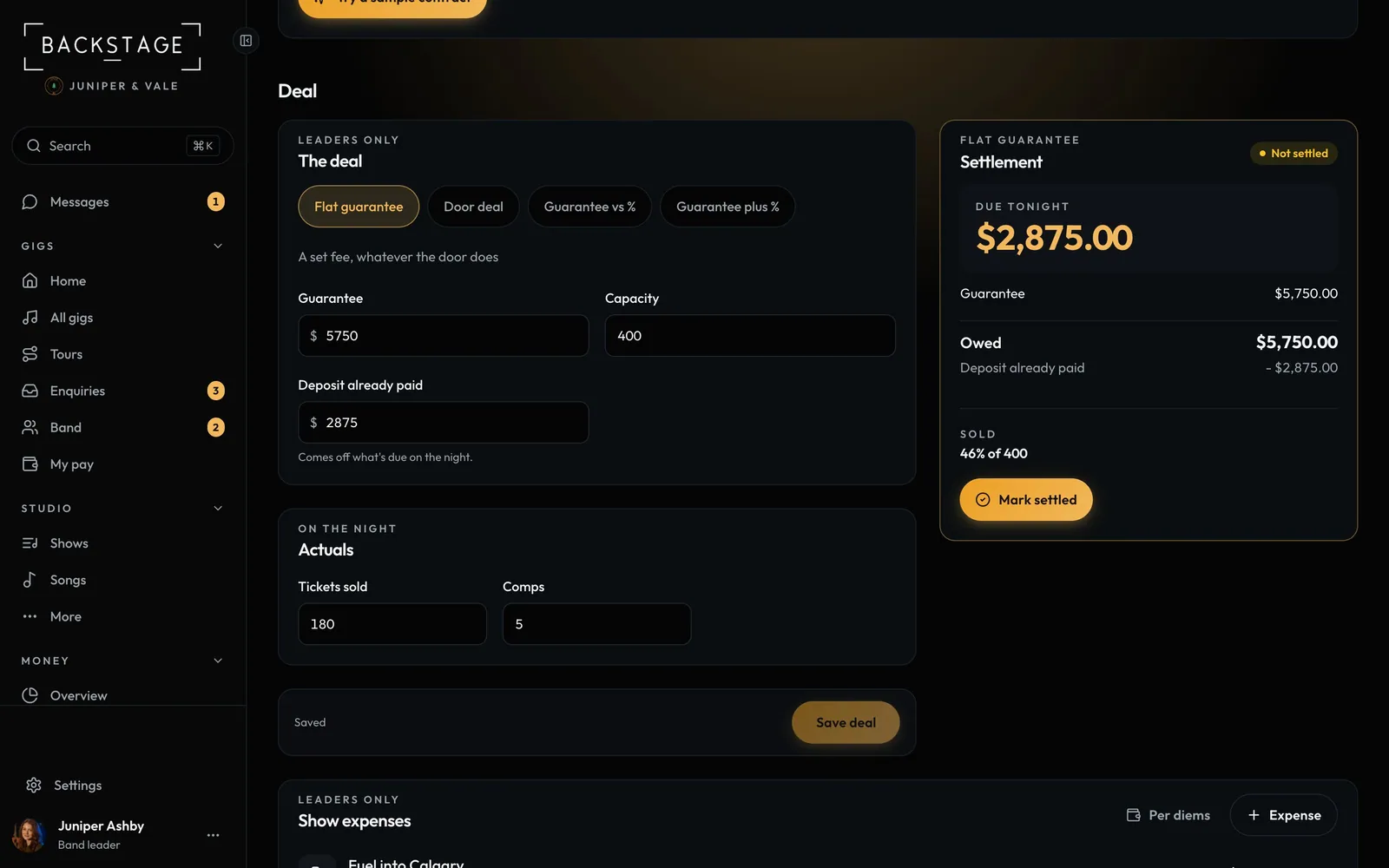
Swipe sideways to see the whole screen. Tap a number for its tip.
- SettlementThe breakdown to go through with the promoter.
- What's dueWhat the band is owed, less any deposit. Updates as you type.
- Deal typeFlat, door, guarantee vs %, or guarantee plus %.
- On the nightTickets sold and comps.
How to
- Open a show, tap Money, then Deal (leaders only).
- Pick the deal type and fill in the guarantee, percentage and ticket price.
- On the night, enter Tickets sold, comps and promoter expenses under Actuals.
- Check what is due under Settlement, then Mark settled when you're paid.
Tip
Tip
The settlement card also shows what you'd earn at a sellout, and the ticket count where the percentage beats the guarantee.