Artist managersFor managers
The roster dashboard
Every artist's money and bookings side by side: revenue, booked ahead, gigs in the next 30 days, what's outstanding and your commission.
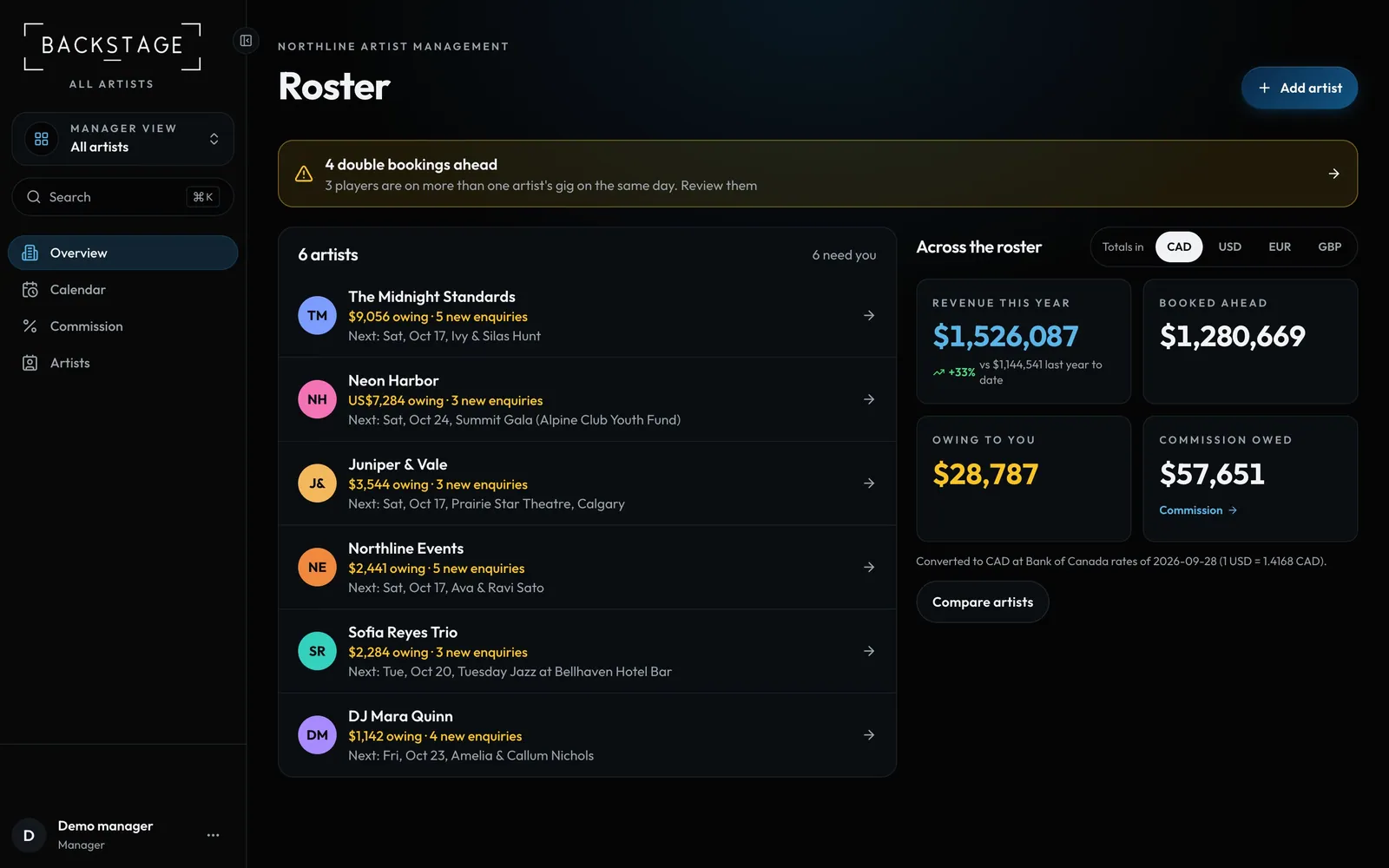
Swipe sideways to see the whole screen. Tap a number for its tip.
- Double-booking alertPlayers on two artists' gigs the same day.
- Across the rosterRevenue, booked ahead, gigs, outstanding.
- Each artistWhat clients owe, new enquiries and the next gig. Tap to open the artist.
- Your commissionEarned this year, and what's still owed.
How to
- Pick All artists in the switcher to land on Roster.
- Read the totals across every artist at the top.
- Scroll to each artist's card and click Open to work inside it.