DJs · On the night
Guest requests by QR
Guests scan a code on the table and ask for a song, no sign-in. The same song again is a vote, so the queue shows what the room wants most. Songs on the do-not-play list are turned away kindly.
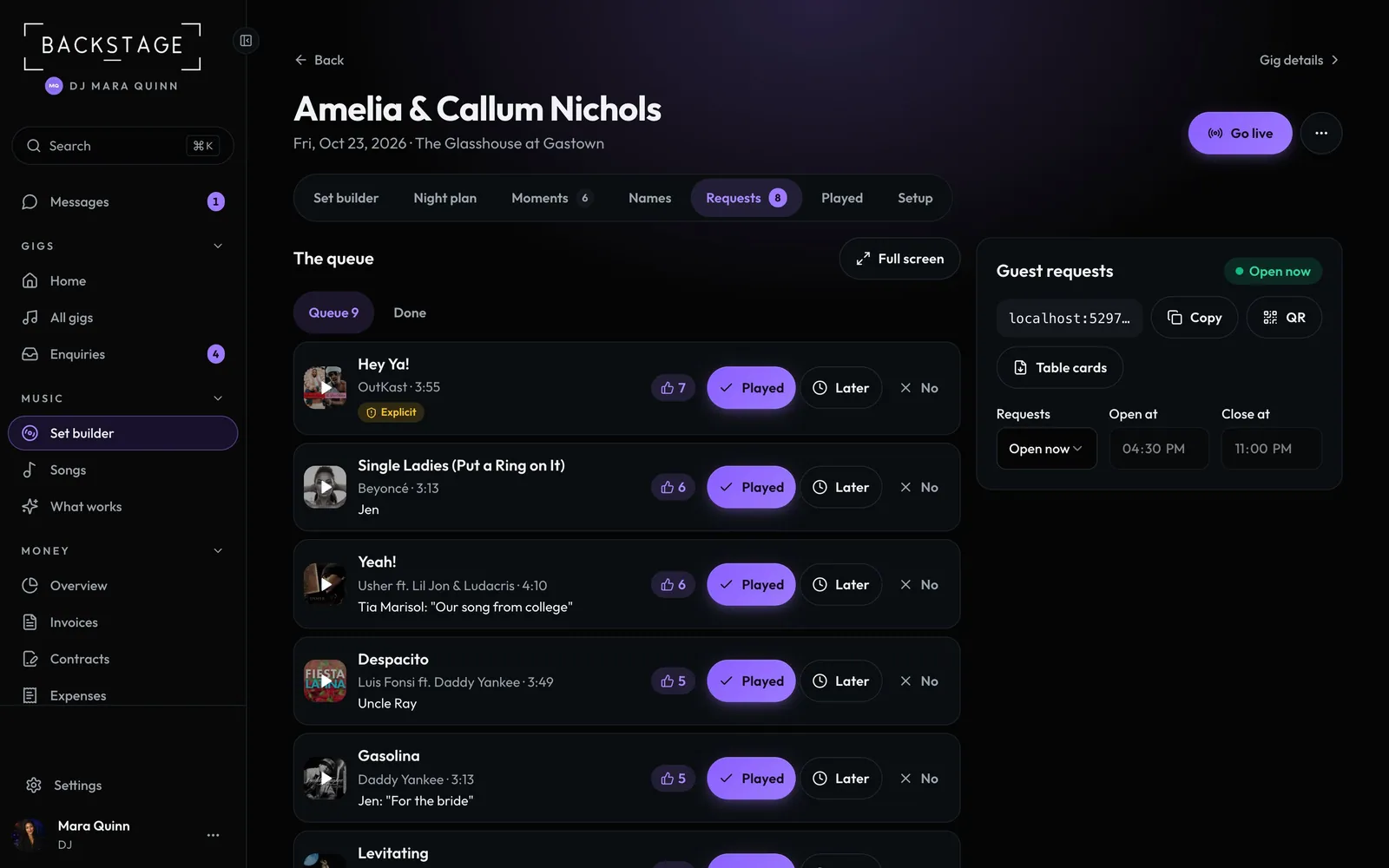
Swipe sideways to see the whole screen. Tap a number for its tip.
- VotesMost wanted first.
- QR and table cardsCopy the link, show the QR, or print cards.
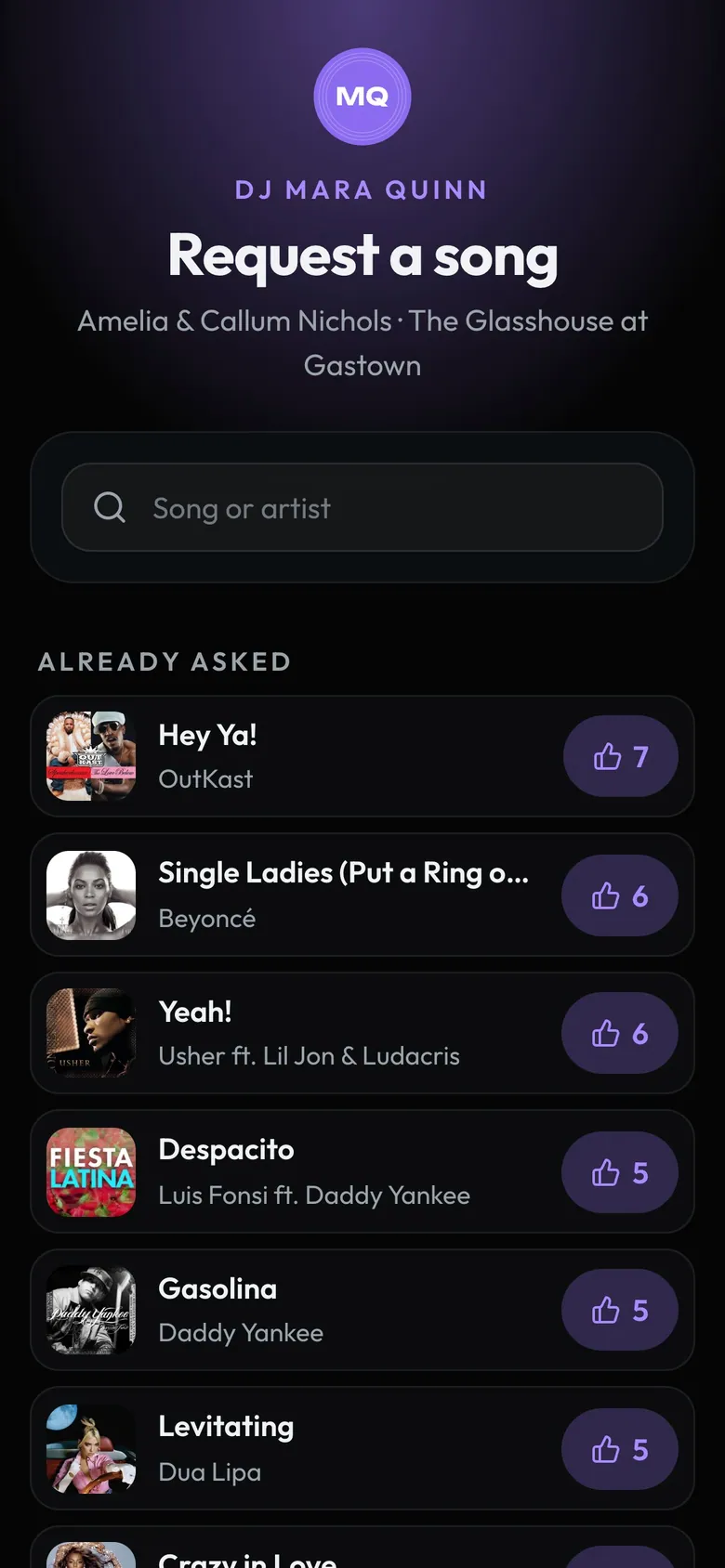
- Search a songAdd a name and a message if they like.
- VoteTap the thumb to back a song.
How to
- Open the gig's Requests. Print Table cards or show the QR (on a phone, Link, QR and times).
- Requests open at the gig's start and close at its end. Change it with Open at and Close at.
- On the night, tap Played, Later or No. In the booth, R hides or shows the queue.
- One code for every night: Settings > Profile > Song requests has your permanent QR for a banner.
Tip
Tip
The client can turn on Approve requests first in their app. Requests also land in the crate's request block, with the guest's name and message.