In the demo · SingersFor everyone
Harmonies
For singers: the lead and the harmony lines as notes, moving with the music, and a soft guide tone that sings your line with you.
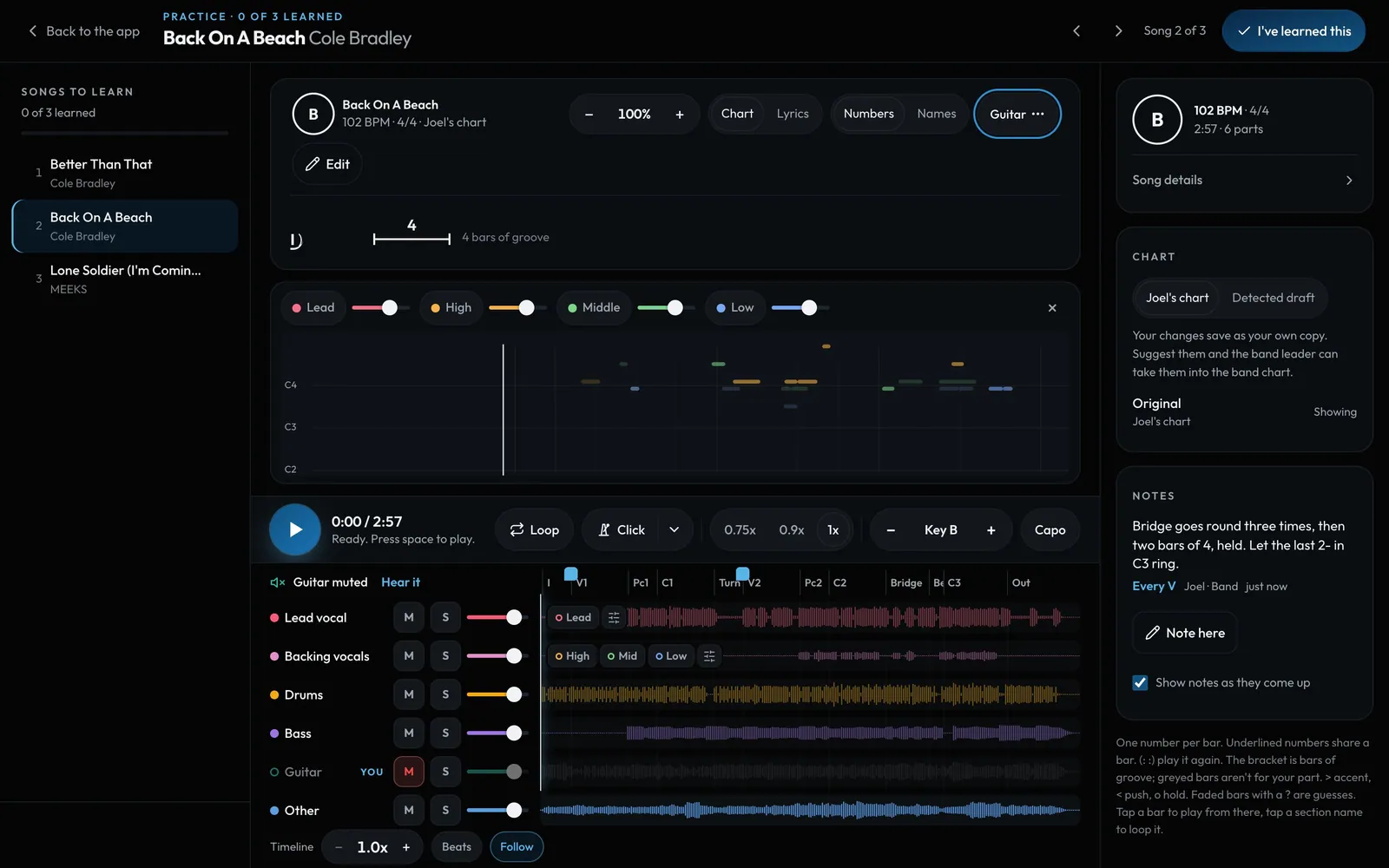
Swipe sideways to see the whole screen. Tap a number for its tip.
- Harmony notesOff to start. Switch them on in Show chart as.
- Guide tonesTap a line to hear it played softly, with its own volume.
- Lead and backingTwo parts, so a singer can mute their own.
How to
- Harmony notes are optional and start off. Open the chart options (Show chart as) and switch on Harmony notes. The lead and up to three harmony lines (high, middle, low) scroll past as notes, with the chords on top. Your choice is remembered on this device.
- Tap a line's name to hear it as a guide tone. It follows the speed, the loop and the key.
- Singers: Mute my part mutes the lead for a lead singer, or the backing vocals for a harmony singer. Sing my line plays just your line.
- Faded notes are ones the app wasn't sure of.