TouringFor touring acts
Backline and flights
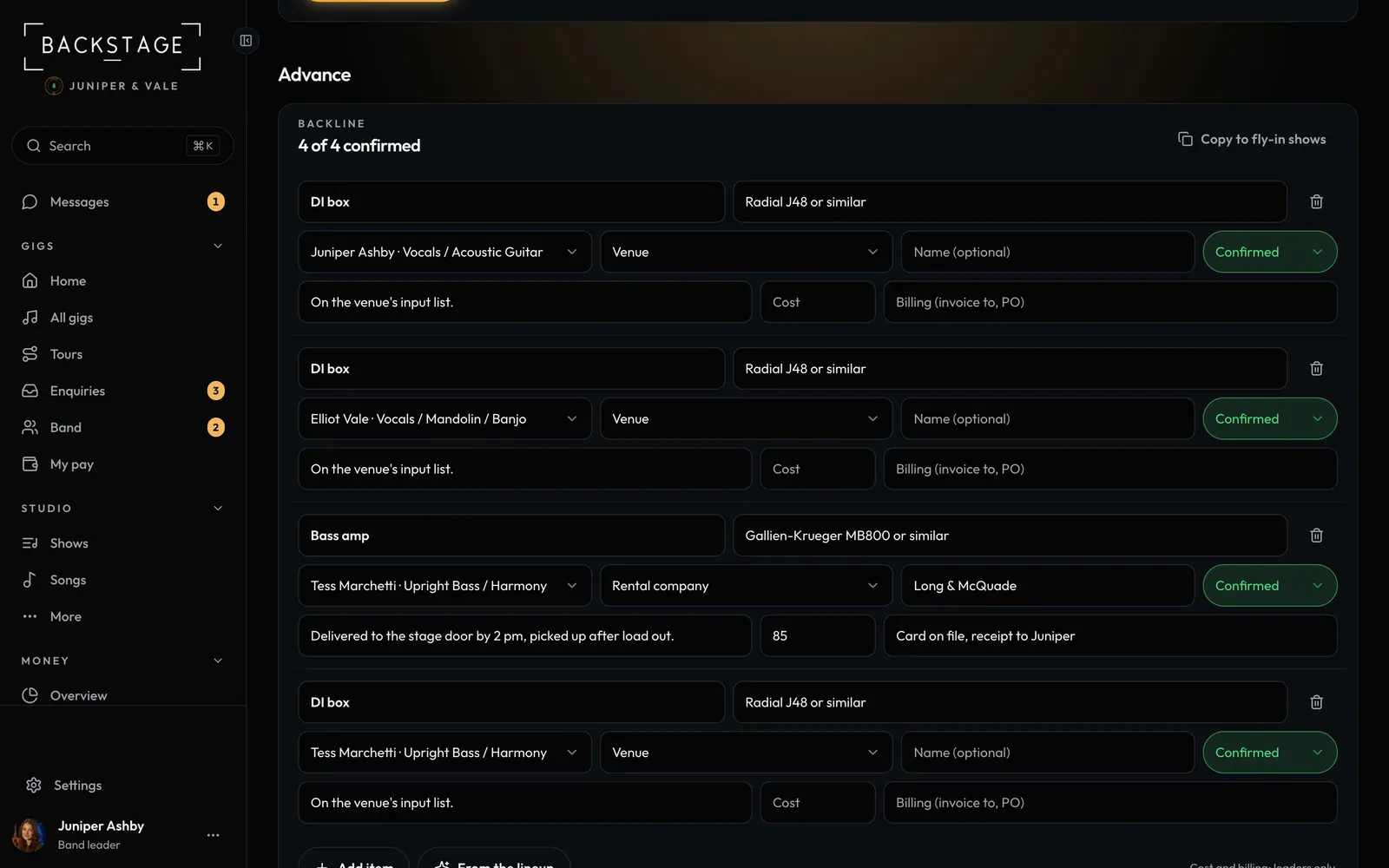
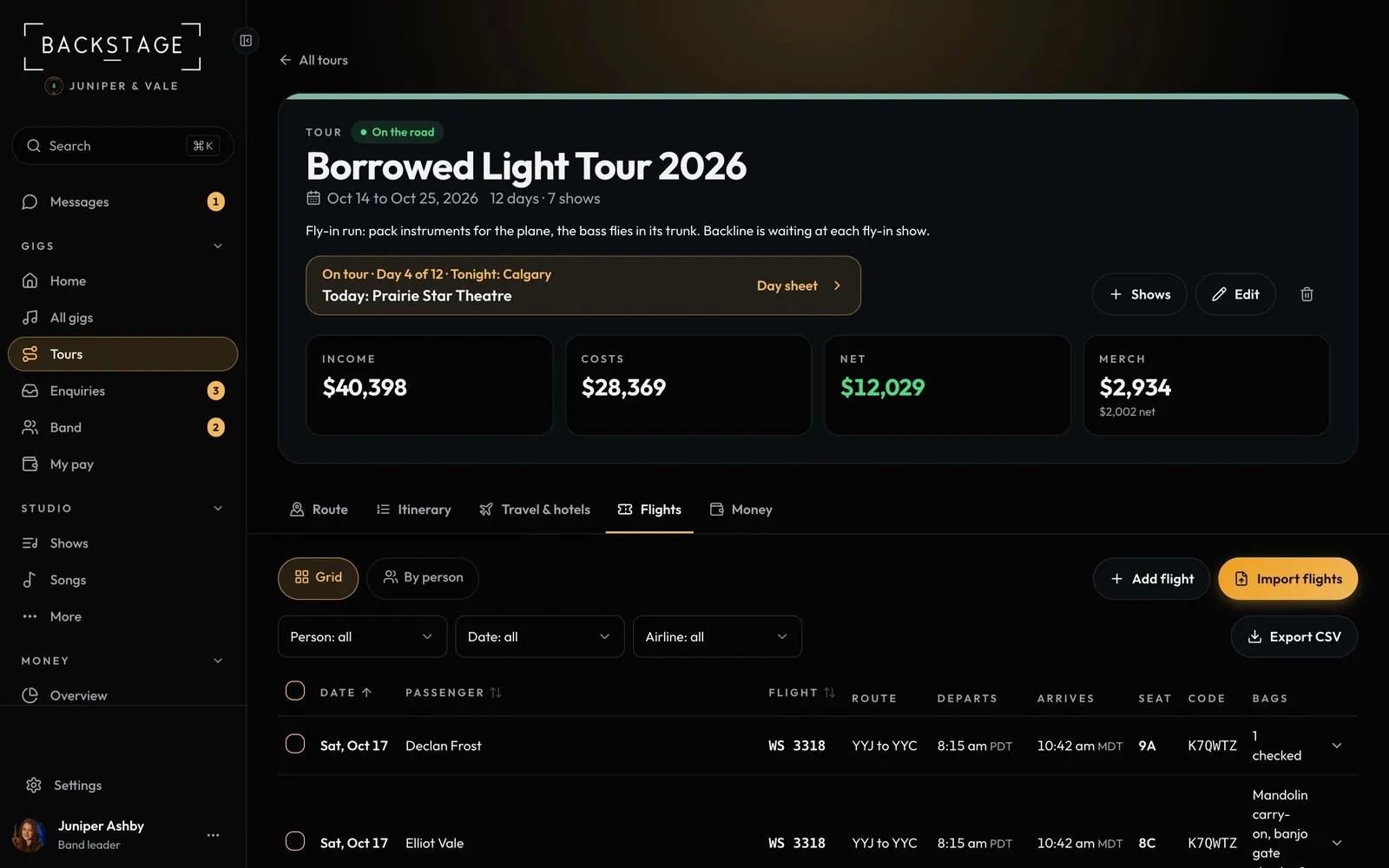
Flying in? Amps, a kit and keys have to be waiting at the venue. List the backline once, copy it to every fly-in show, and keep every flight per person in one log.
Swipe sideways to see the whole screen. Tap a number for its tip.
- What's confirmedNeeded, Asked or Confirmed.
- Copy to fly-in showsEvery fly-in show gets it.
- Each itemThe spec, like Fender Twin.
- Who provides itVenue, rental company or band.
Swipe sideways to see the whole screen. Tap a number for its tip.
- Grid or by personEvery flight in one grid, or each person's flights together.
- Add or importType one in, or paste an itinerary.
- FilterBy person, date or airline.
- ExportA spreadsheet for the tour book.
How to
- Open a fly-in show, then Tour → Advance. Click From the lineup to start the list.
- Set who provides each item and its status, then Copy to fly-in shows.
- The tour's Flights: a grid or By person. Add flight, Import flights, filter and Export CSV.
Tip
Tip
Players see the backline read only on the day sheet. Costs never reach them.