Band leaders
Stages and follow-ups
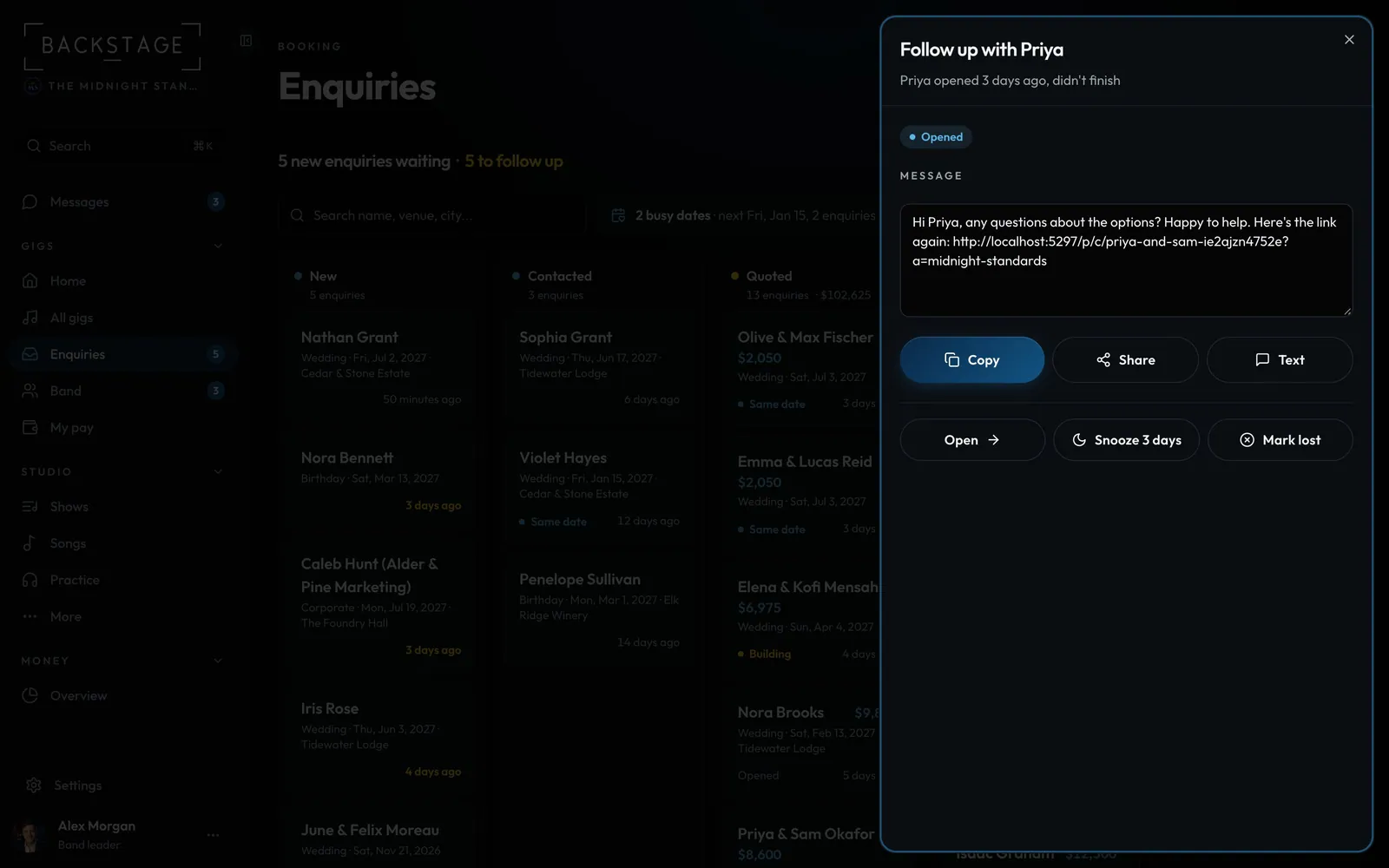
See where each client is, from Invited to Booked, and nudge the ones who stopped. Needs you shows who to follow up with and gives you a message that fits where they stopped.
Swipe sideways to see the whole screen. Tap a number for its tip.
- A message that fitsPicked for where they stopped, with their link. Edit it if you like.
- Not nowSnooze it, or mark it lost with a reason.
How to
- Stages: New, Invited, Opened, Building, Requested, Confirmed, Signed, Booked or Lost. They show on Enquiries and in each gig's Client section.
- On Enquiries, cards marked Follow up need a nudge, and the count shows at the top. Rows in Needs you on Home say what happened, like "Priya opened 3 days ago, didn't finish".
- Tap one for a short message picked for that stage. Send it by copy, share, text or email.
- Snooze 3 days, or Mark lost with a reason.
Tips
Tip
Gentle reminders can go to clients automatically: after 2 days and again after 6, then they stop. Switch them in Settings → Client portal → People who don't finish. They never go out in quiet hours.Tip
The Client section's activity shows each step with the time, so you know where things stand before you call.