DJs
Export to your DJ software
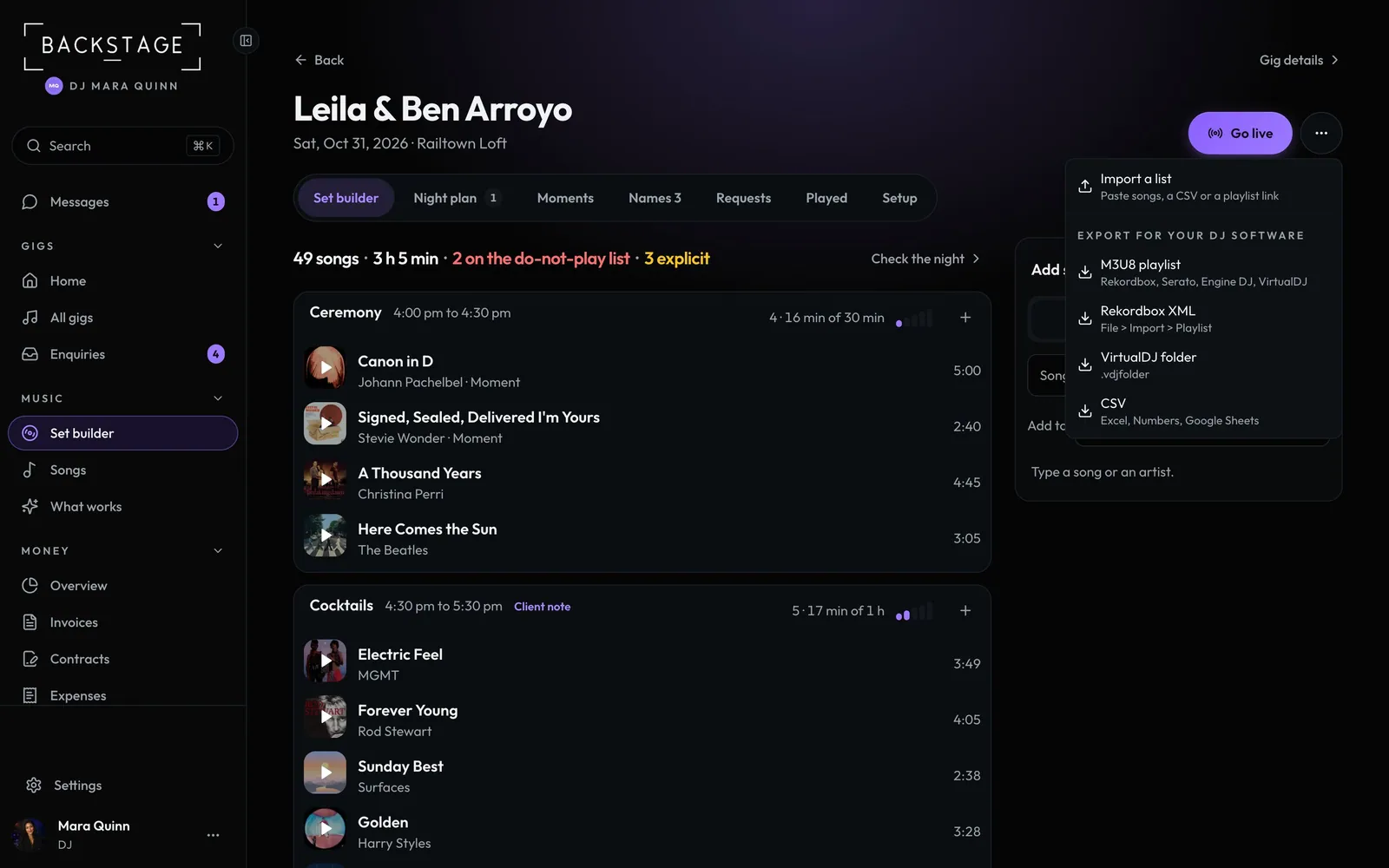
Take the crate into Rekordbox, Serato, Engine DJ or VirtualDJ as a playlist, in order. The file has song names, not audio: your software matches them to your own tracks.
Swipe sideways to see the whole screen. Tap a number for its tip.
- M3U8Rekordbox, Serato, Engine DJ and VirtualDJ.
- Rekordbox XMLFile, Import, Playlist in Rekordbox.
- VirtualDJA .vdjfolder playlist.
- CSVFor Excel, Numbers or Google Sheets.
How to
- Open the gig's Set builder and click ··· at the top.
- Pick a format under Export for your DJ software. The file downloads, named for the gig and date.
- Import it in your DJ software. It finds your files by artist and title.
Tip
Tip
Songs on the do-not-play list stay in the crate so you can see them. Check the playlist after import and skip them.