Band leaders · Set up
Packages and prices
Every price the client sees lives here: a price for each lineup, your add-ons, your packages, travel, deposit and busy dates. Clients build their booking from it, and you confirm the final price.
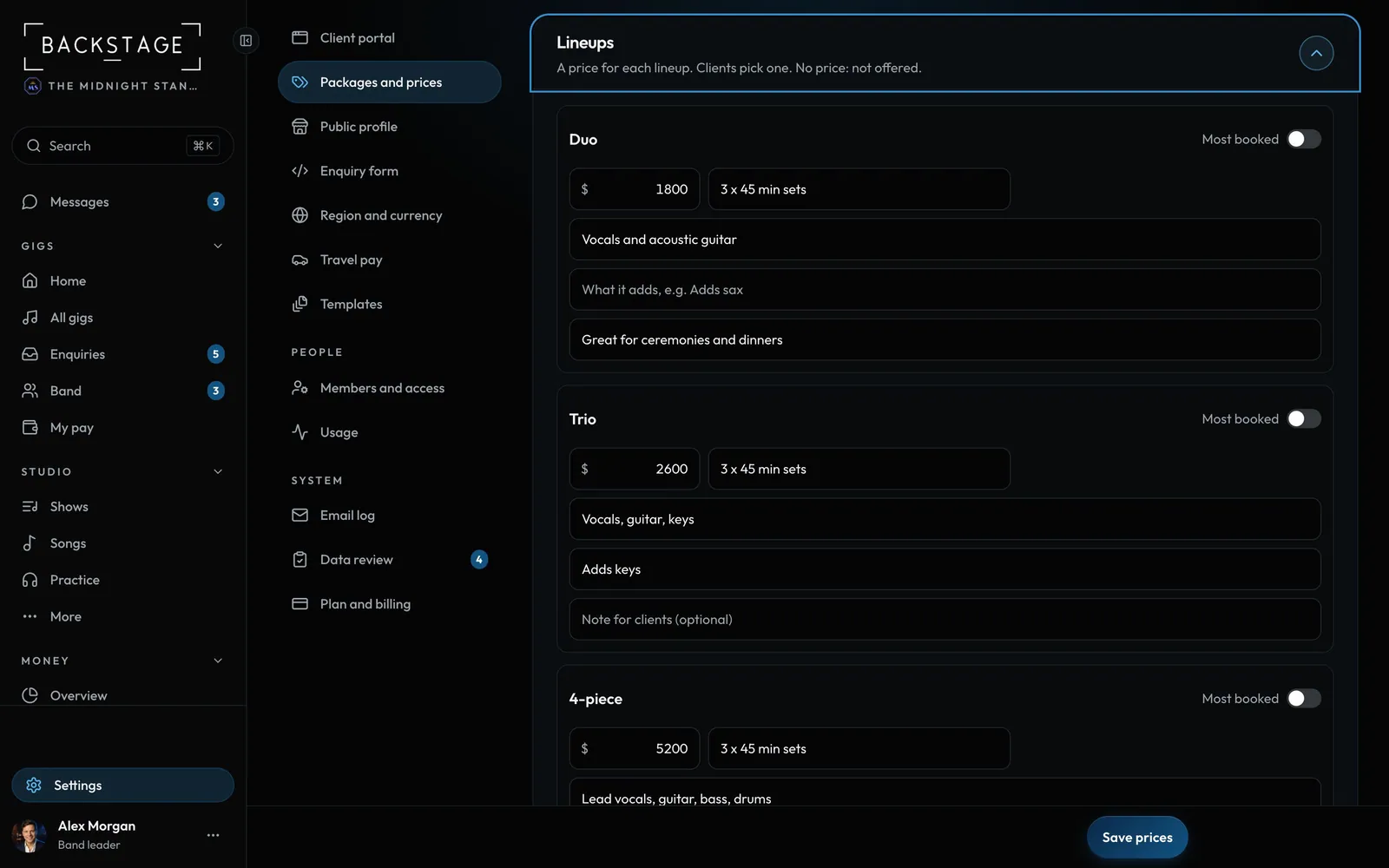
Swipe sideways to see the whole screen. Tap a number for its tip.
- A price per lineupWhat's included, who's on stage and what it adds.
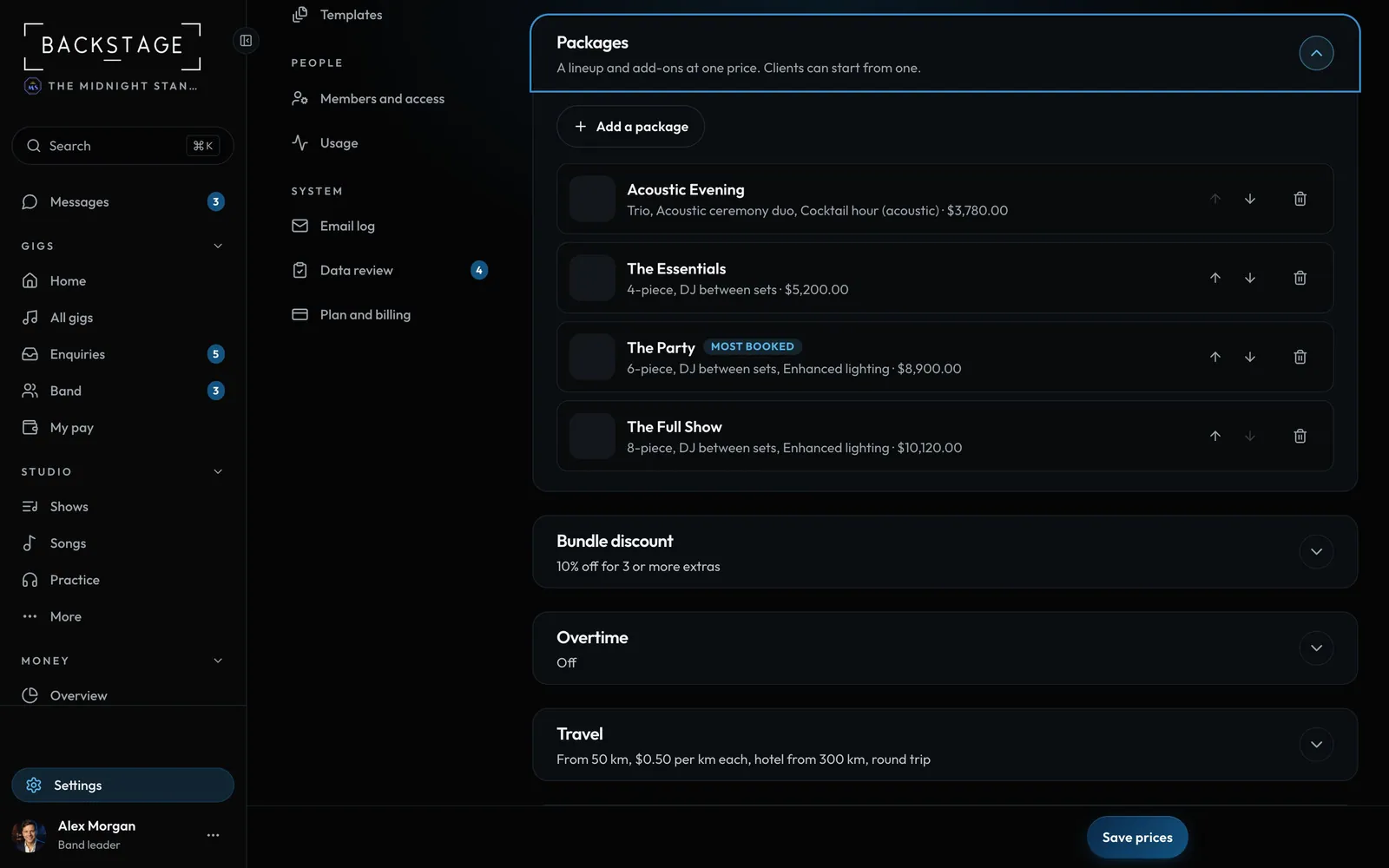
Swipe sideways to see the whole screen. Tap a number for its tip.
- PackagesA lineup plus included add-ons, at a set price or a saving.
- Add a packageWorks straight away, even before a lineup has a price.
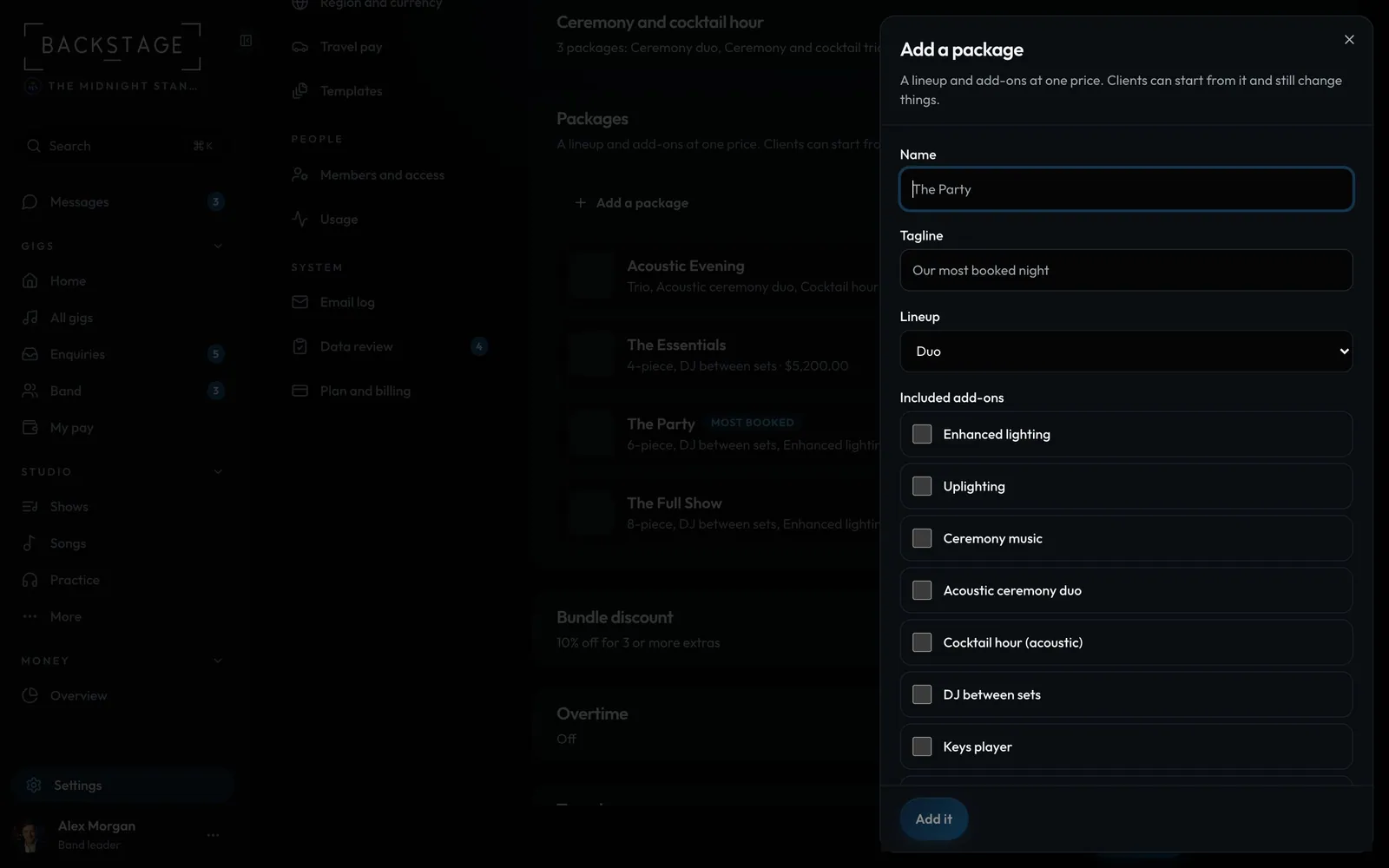
Swipe sideways to see the whole screen. Tap a number for its tip.
- NameLike The Party or The Full Night.
- LineupNo price on it yet? Set it right here. It's saved to Lineups too.
- Add itThen Save prices at the bottom of the page.
How to
- Open Settings → Packages and prices. Lineups: a price for each. Add-ons: extras, or a preset like Singer-guitarist.
- Packages: tap Add a package, name it, pick the lineup and tick its add-ons.
- Lineup with no price yet? Set it in the form. It's saved to Lineups too.
- Set a price or Items less a discount, tap Add it, then Save prices.
Tip
Tip
A quote keeps its prices once it's sent. Changing your price list later never changes a quote a client already has.