Band leaders
Receipts for clients
Every payment you record sends the client a receipt: your business details, what they paid, how, and what's still owing. Once per payment, and an updated one if you fix the amount or method.
Swipe sideways to see the whole screen. Tap a number for its tip.
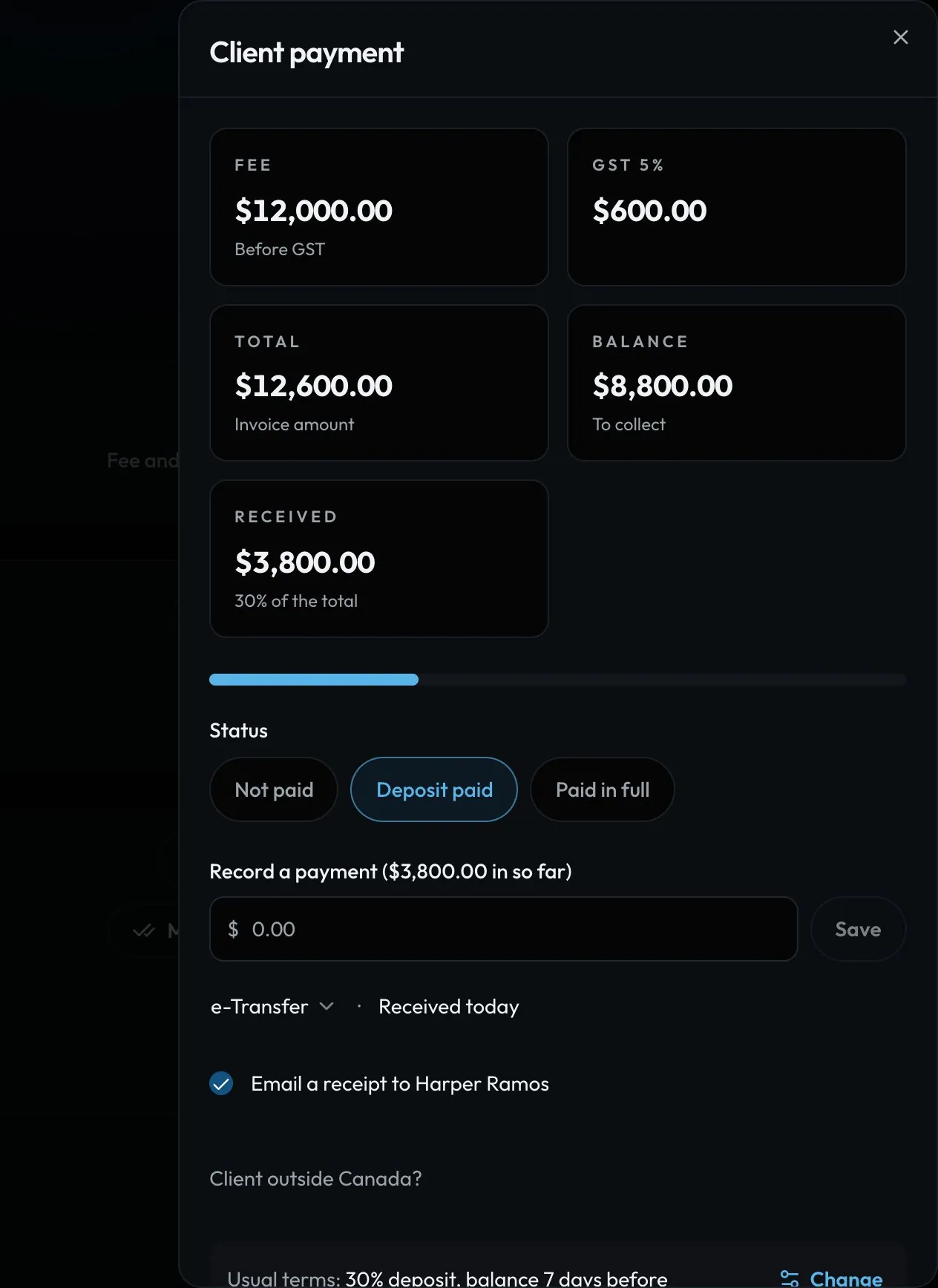
- The amountType it and tap Save.
- Method and dateYour usual method and today. Tap to change.
- ReceiptOn by default. Untick it for cash between friends.
Swipe sideways to see the whole screen. Tap a number for its tip.
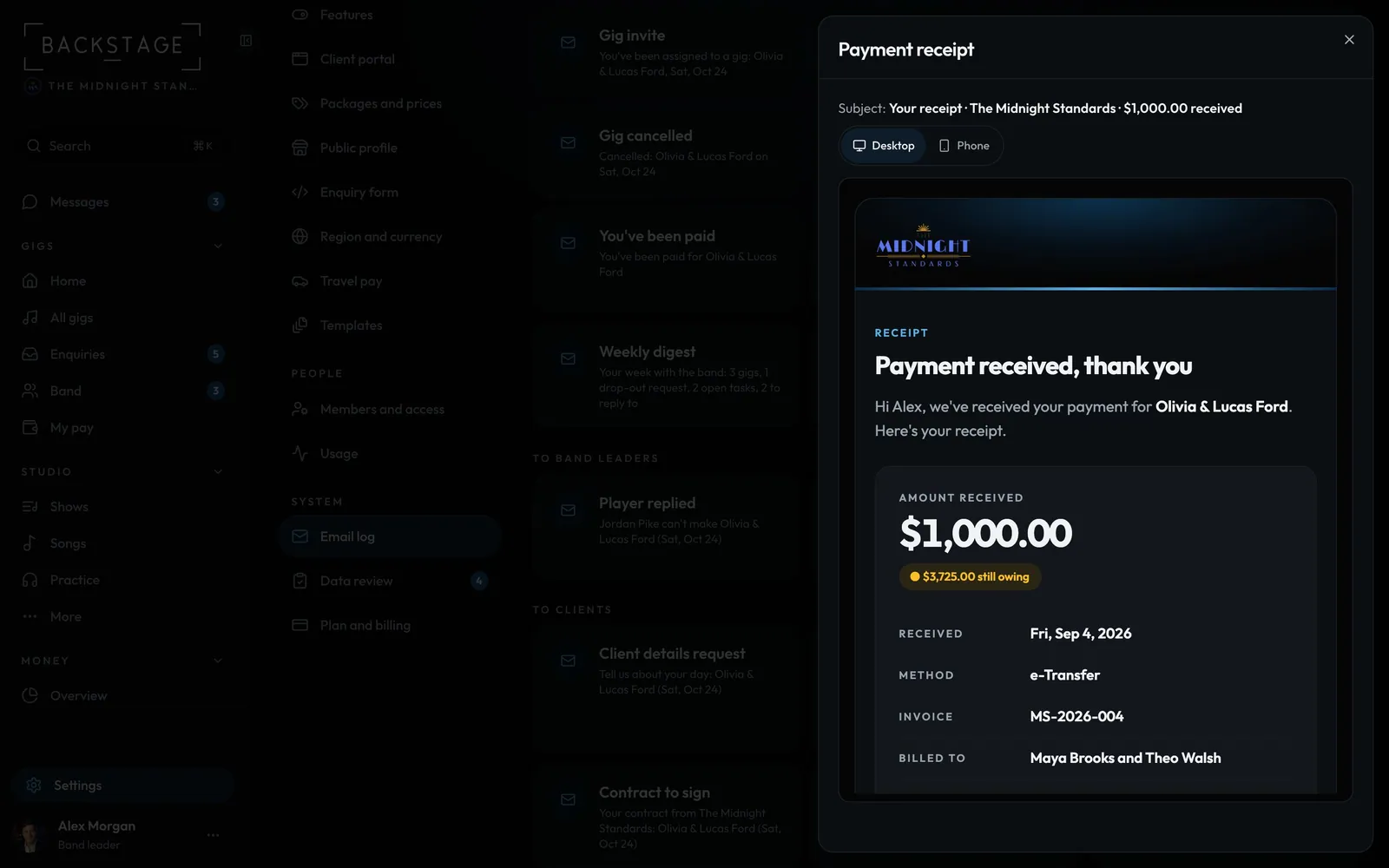
- Desktop or PhoneSee it the way they read it.
- The receiptYour business details, the payment, paid so far and what's left.
How to
- Record the payment on the gig's Money section (Fee and payments) or the invoice's Record a payment.
- Email a receipt to the client is ticked for you. Card payments and a deposit marked paid send one too.
- Fixed the amount or method? They get an Updated receipt. Each one is in the Email log.
Tip
Tip
Mark paid on the Money overview sends nothing: record the payment to send a receipt.