Chapter 12
For DJs
For solo DJs, DJ companies and bands that play DJ sets. Plan the night with the client, build the crate, run the cue sheet and guest requests from the booth, export to your DJ software, and run a team of DJs with lanes, kits and DJ pay.
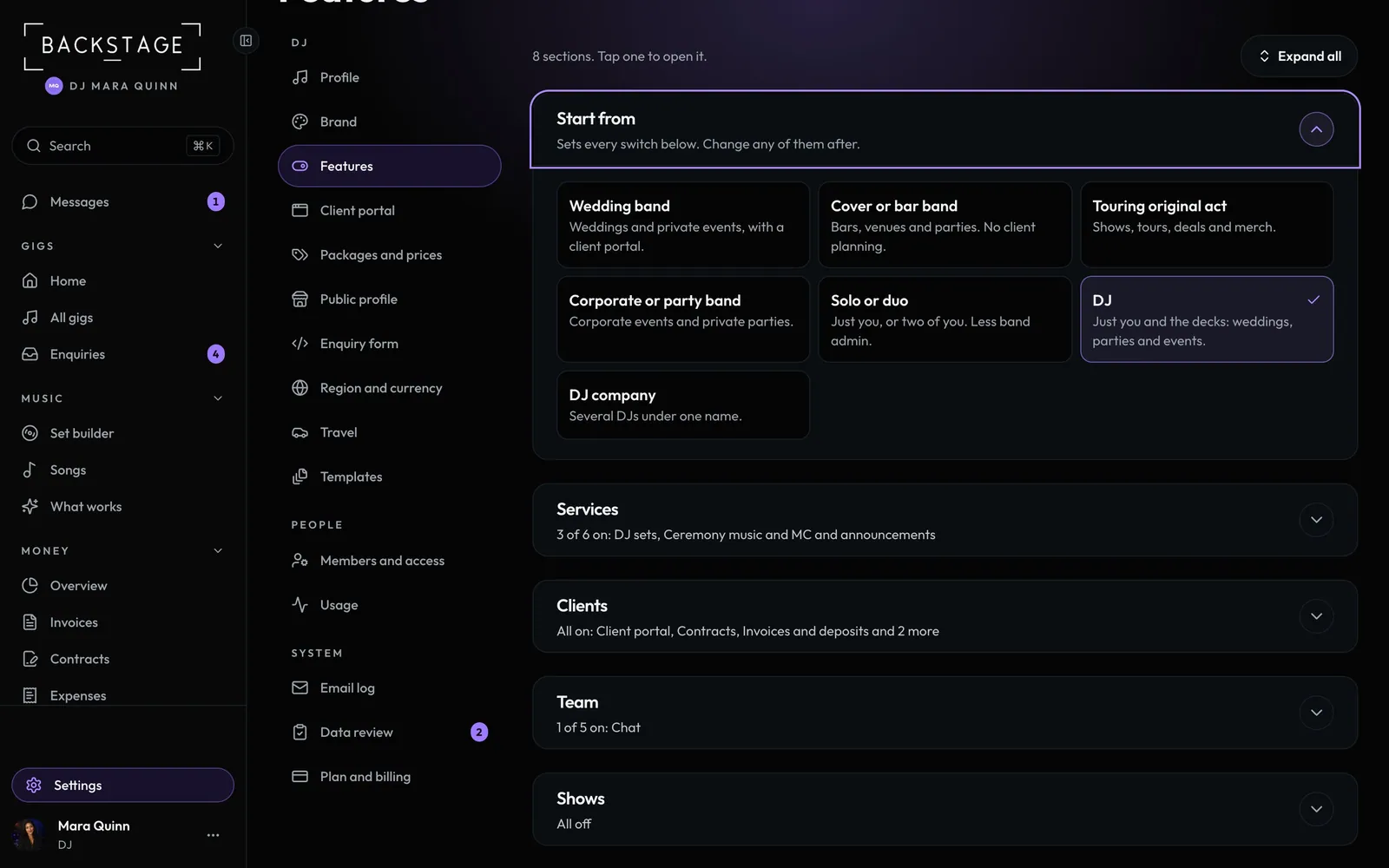 01 · DJs · Setting upSet up as a DJPick the DJ preset and the app fits one person and the decks. Band admin goes away, Music takes the place of Setlist Studio, and each gig gets a DJ setup sheet instead of a stage plot.Read
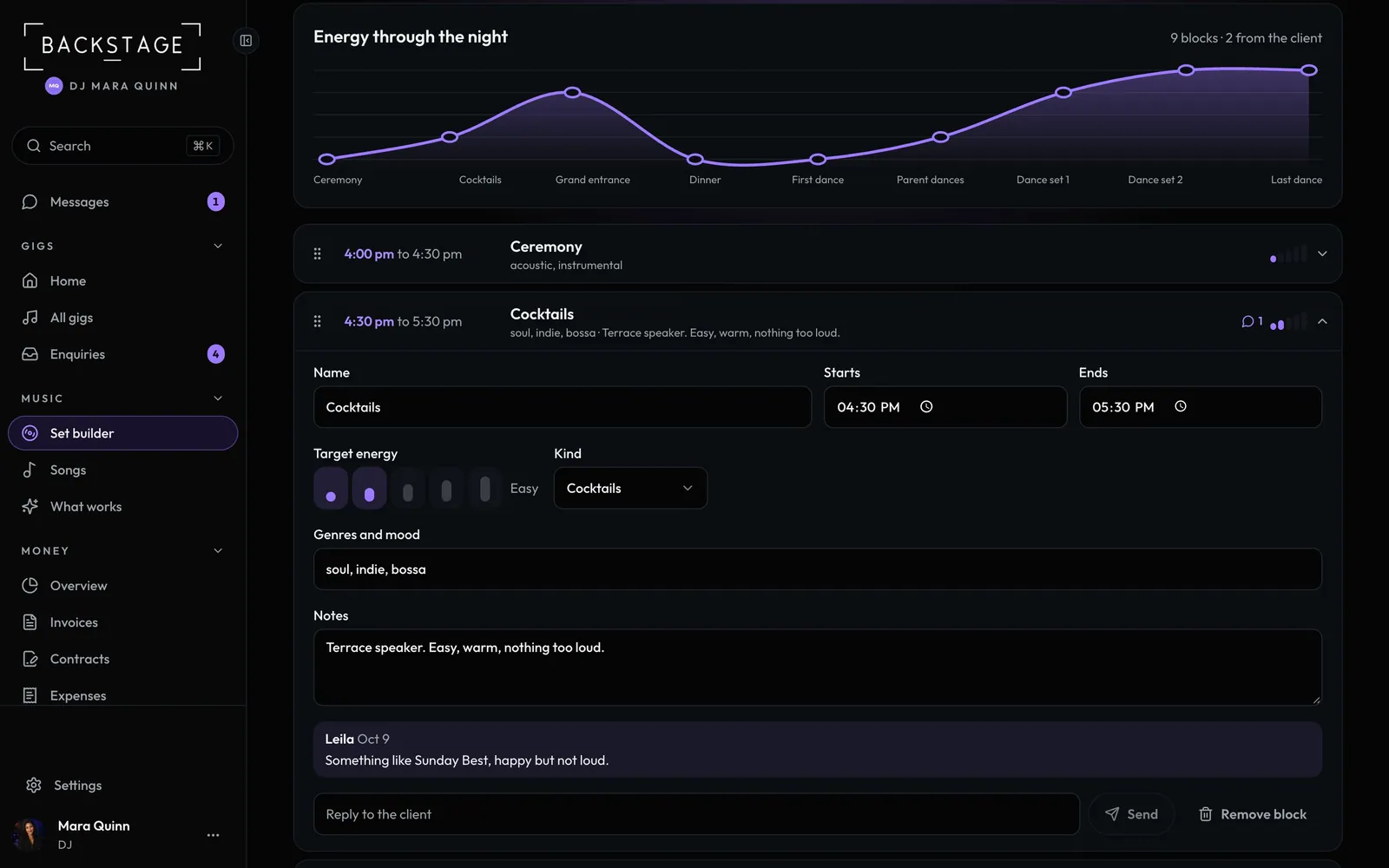 02 · DJs · Desktop or iPadPlan the night with the clientLay out the evening as blocks, from the ceremony to the last dance, each with times and a target energy. The client sees the same plan in their app and can leave a note on any part.Read
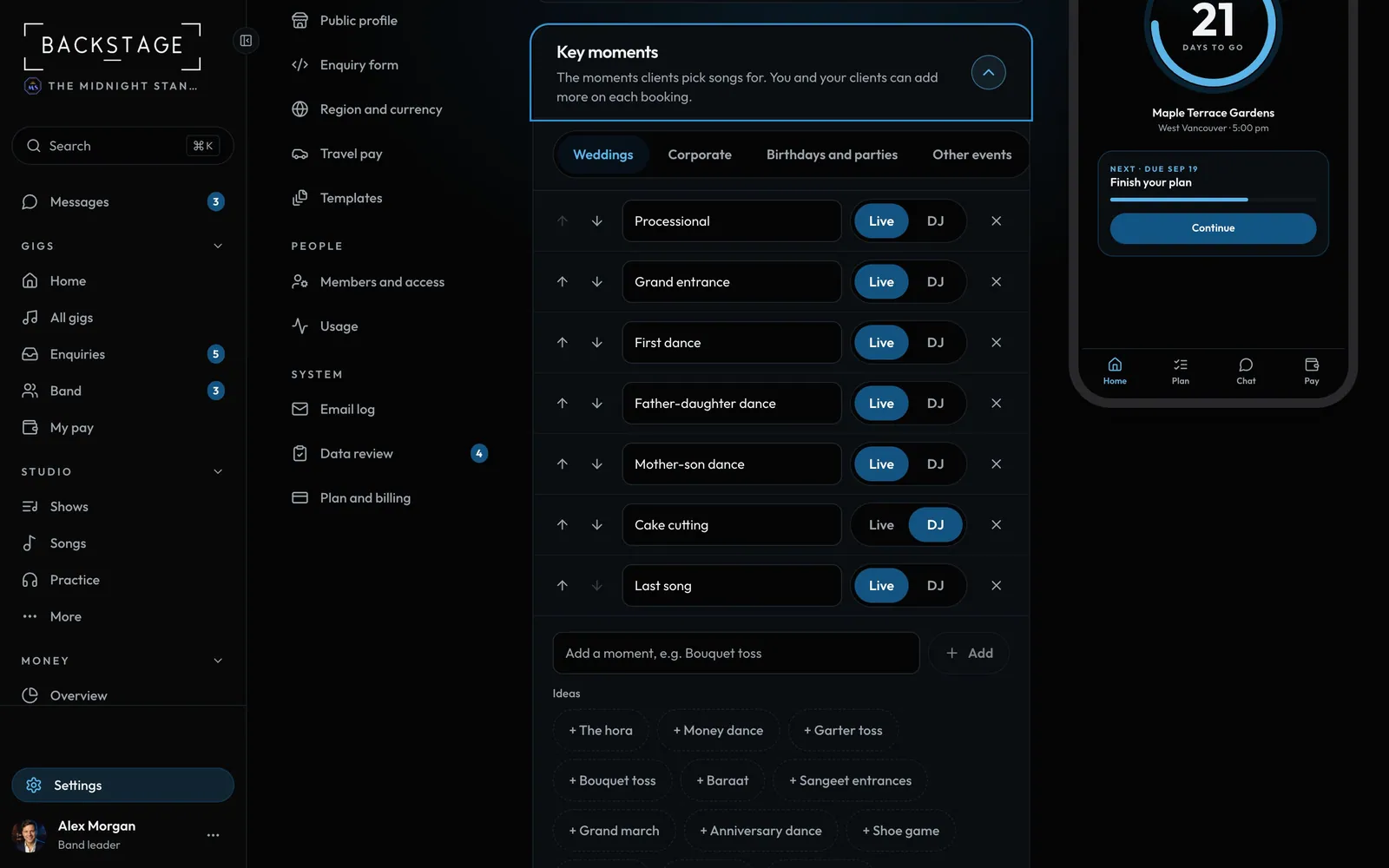
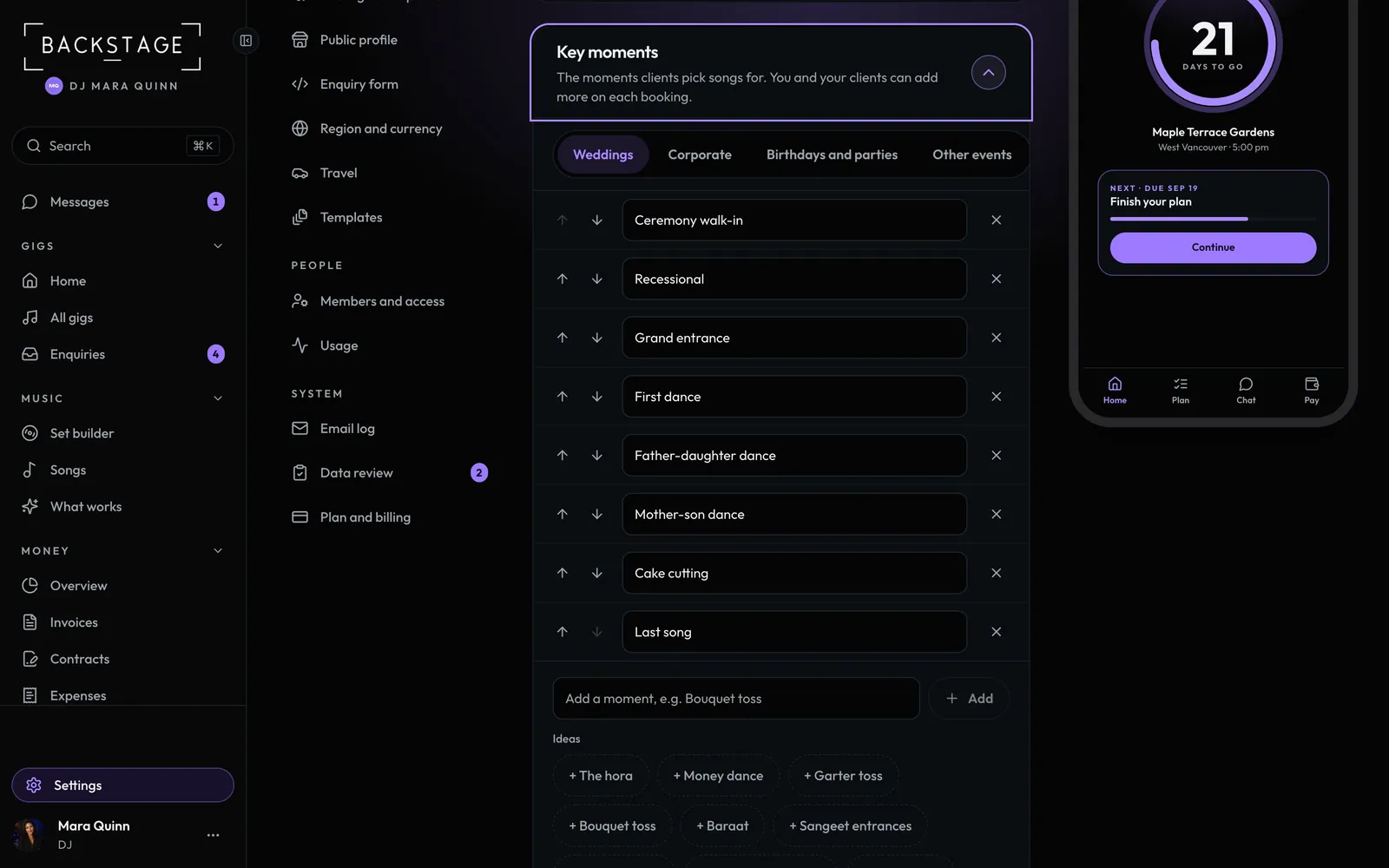 03 · DJsKey moments and the cue sheetThe client picks a song for each key moment. You add the version, where to start, where to fade and what to announce. It prints on one page and shows on Gig day with times.Read
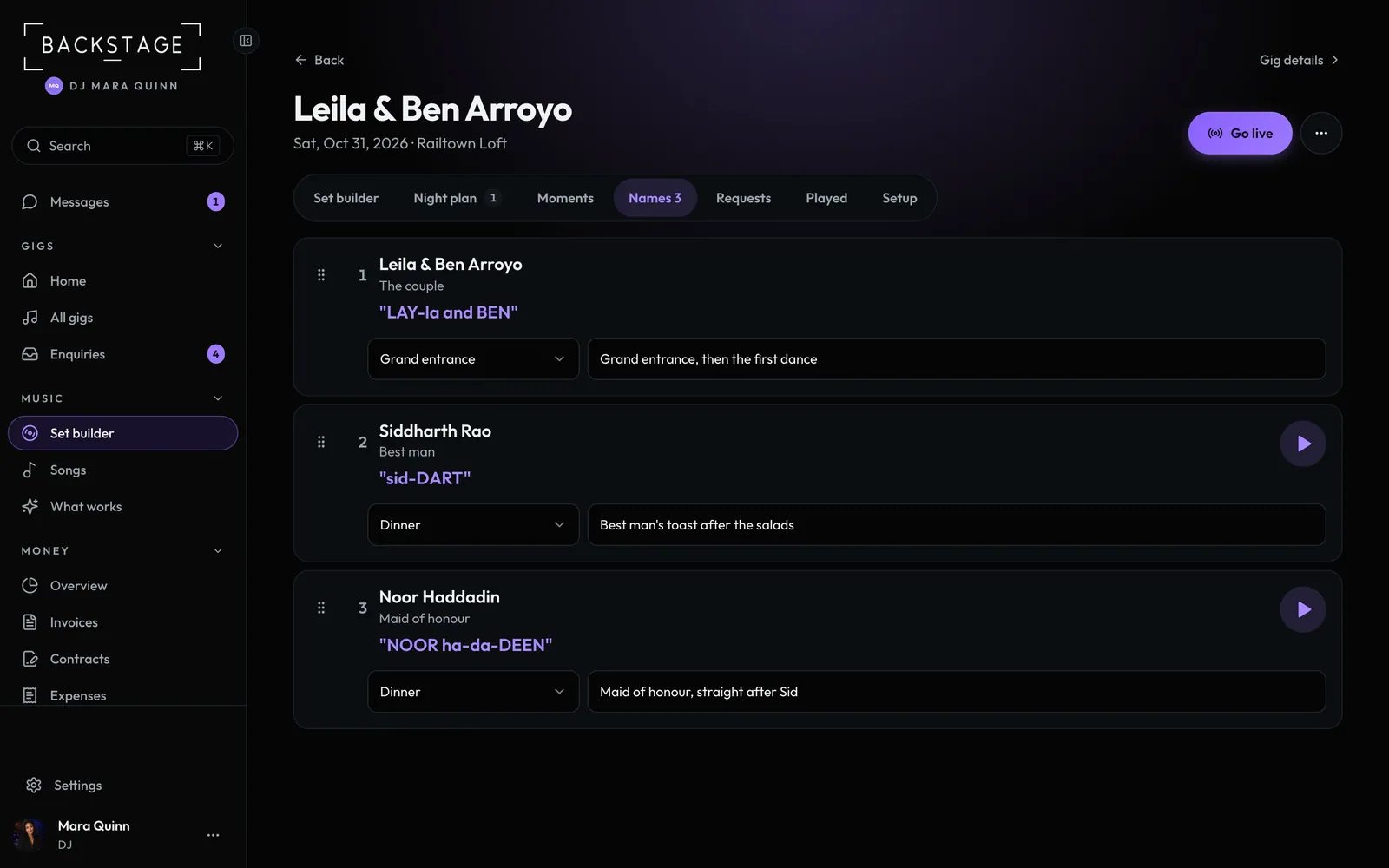 04 · DJs and MCsNames on the micNever guess a name again. The client adds everyone you'll announce, how to say it, and a short recording. You set the order and when each is called.Read
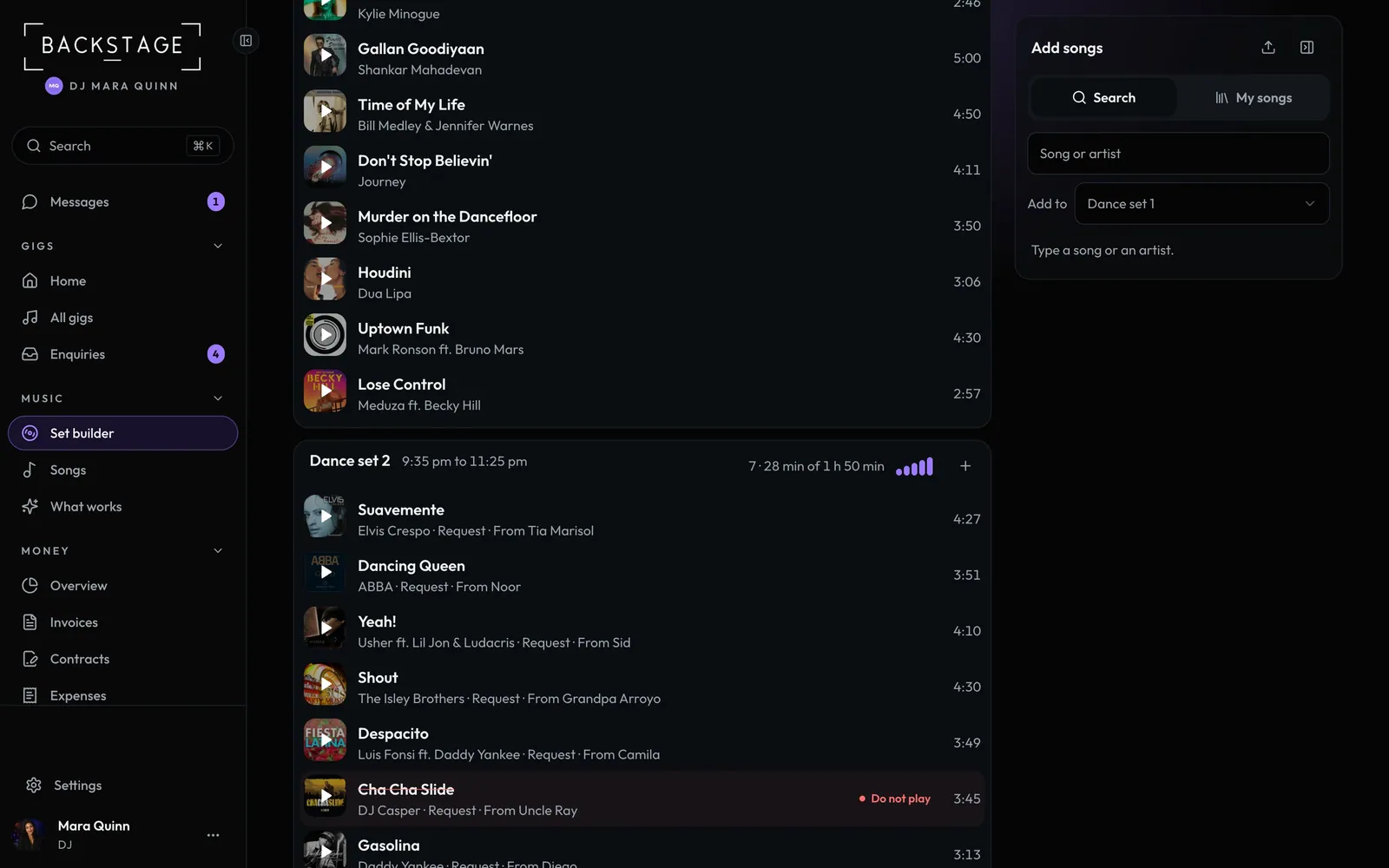 05 · DJs · Desktop or iPadBuild the crateEvery song for the night in one list, grouped by the night plan. Must-plays, moment songs and guest requests come in on their own. You add your picks, and anything on the do-not-play list is flagged. One line on top says what needs a look.Read
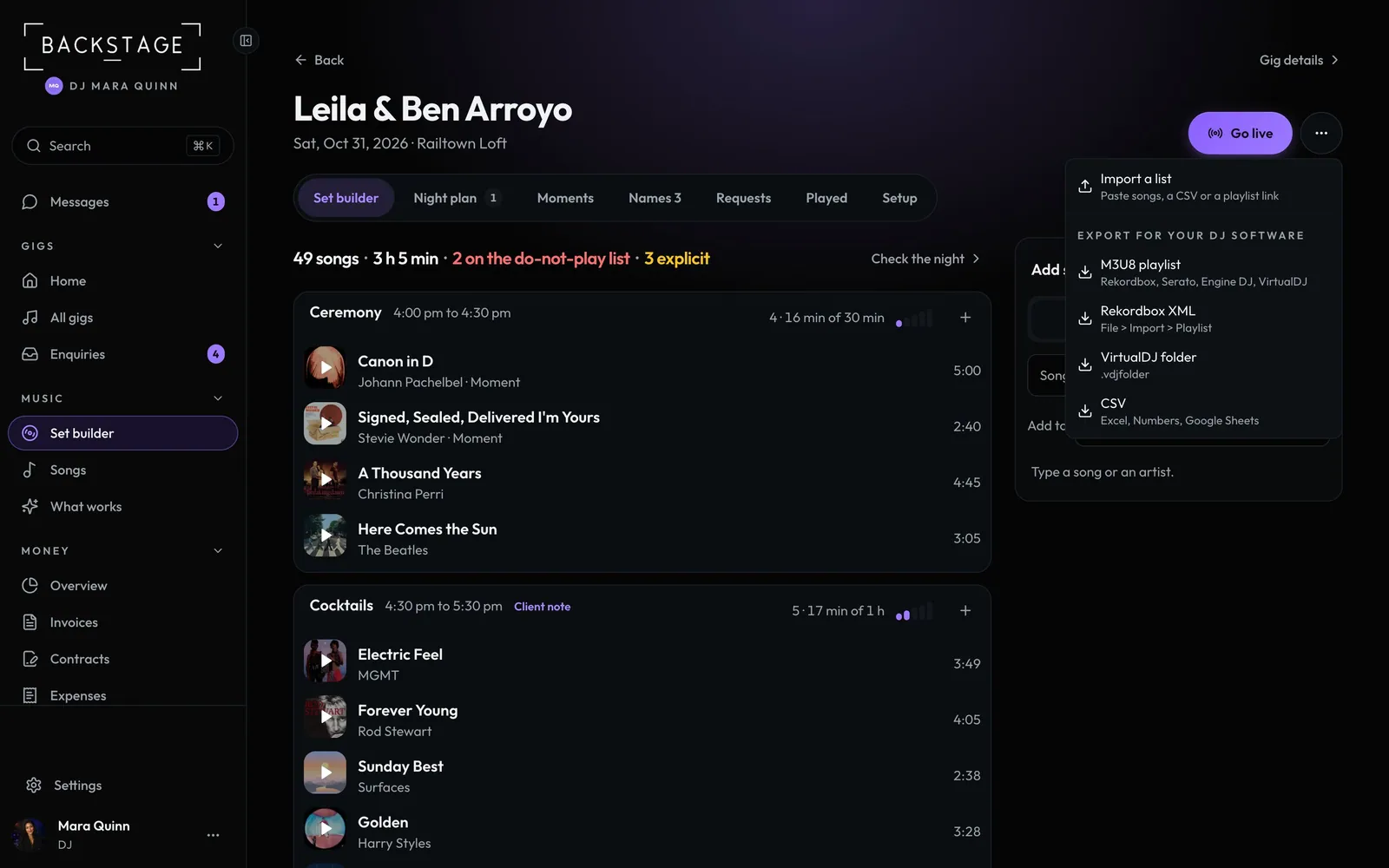 06 · DJsExport to your DJ softwareTake the crate into Rekordbox, Serato, Engine DJ or VirtualDJ as a playlist, in order. The file has song names, not audio: your software matches them to your own tracks.Read
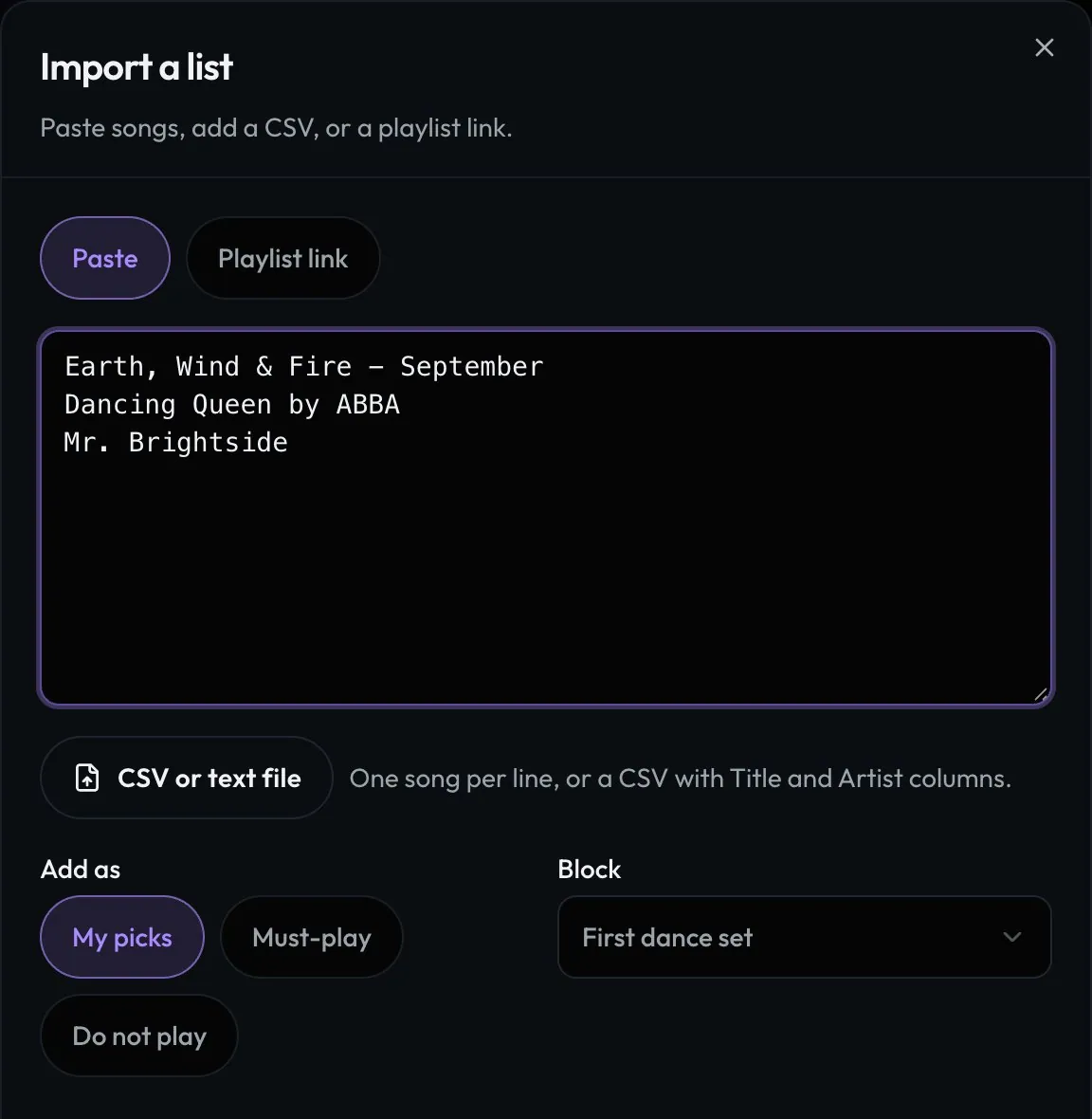 07 · DJsImport a client's listClients send lists in every shape. Paste them, add a CSV or a playlist link, and every song is matched. Sure matches are ticked; the unsure ones wait for you to pick.Read
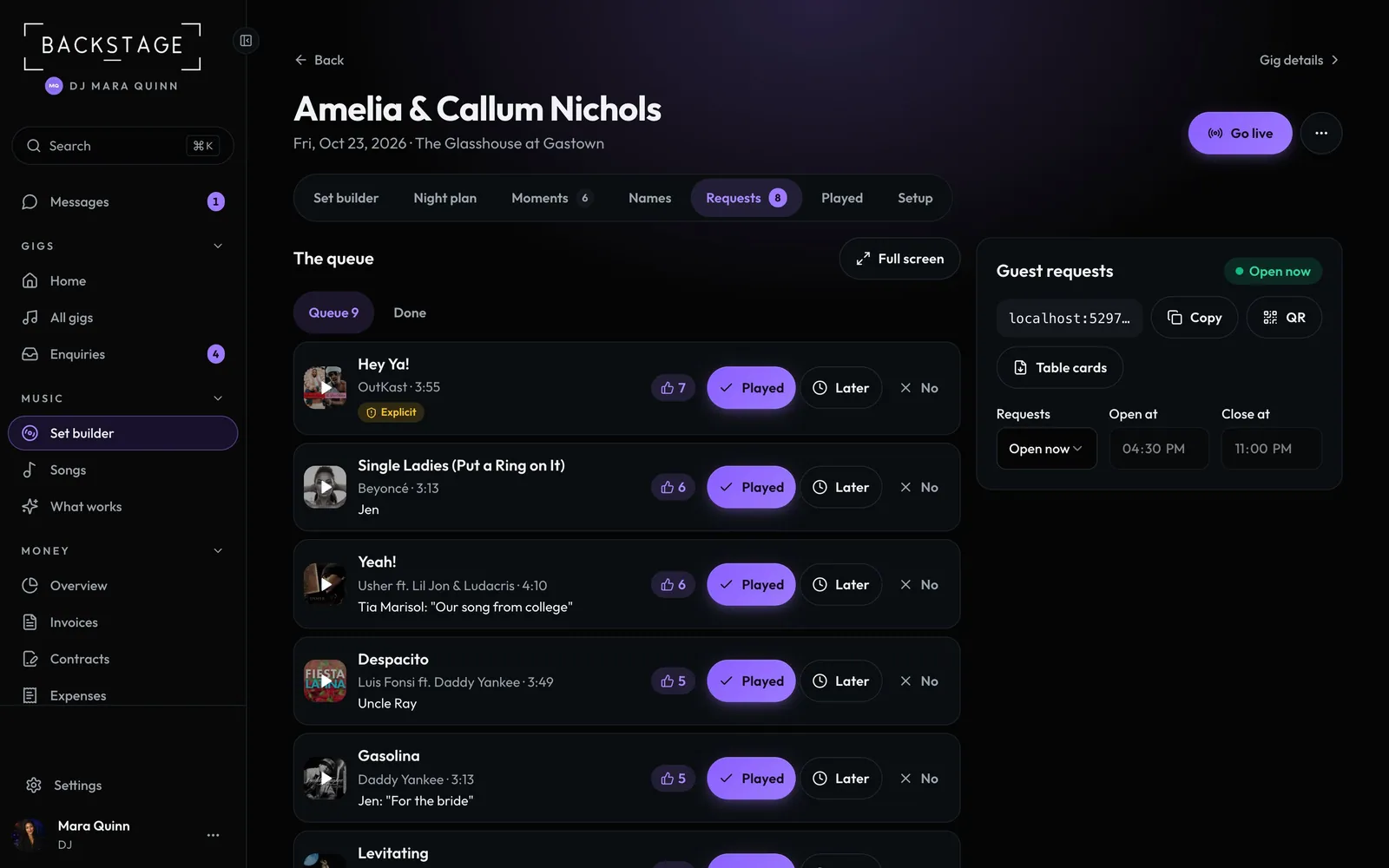 08 · DJs · On the nightGuest requests by QRGuests scan a code on the table and ask for a song, no sign-in. The same song again is a vote, so the queue shows what the room wants most. Songs on the do-not-play list are turned away kindly.Read
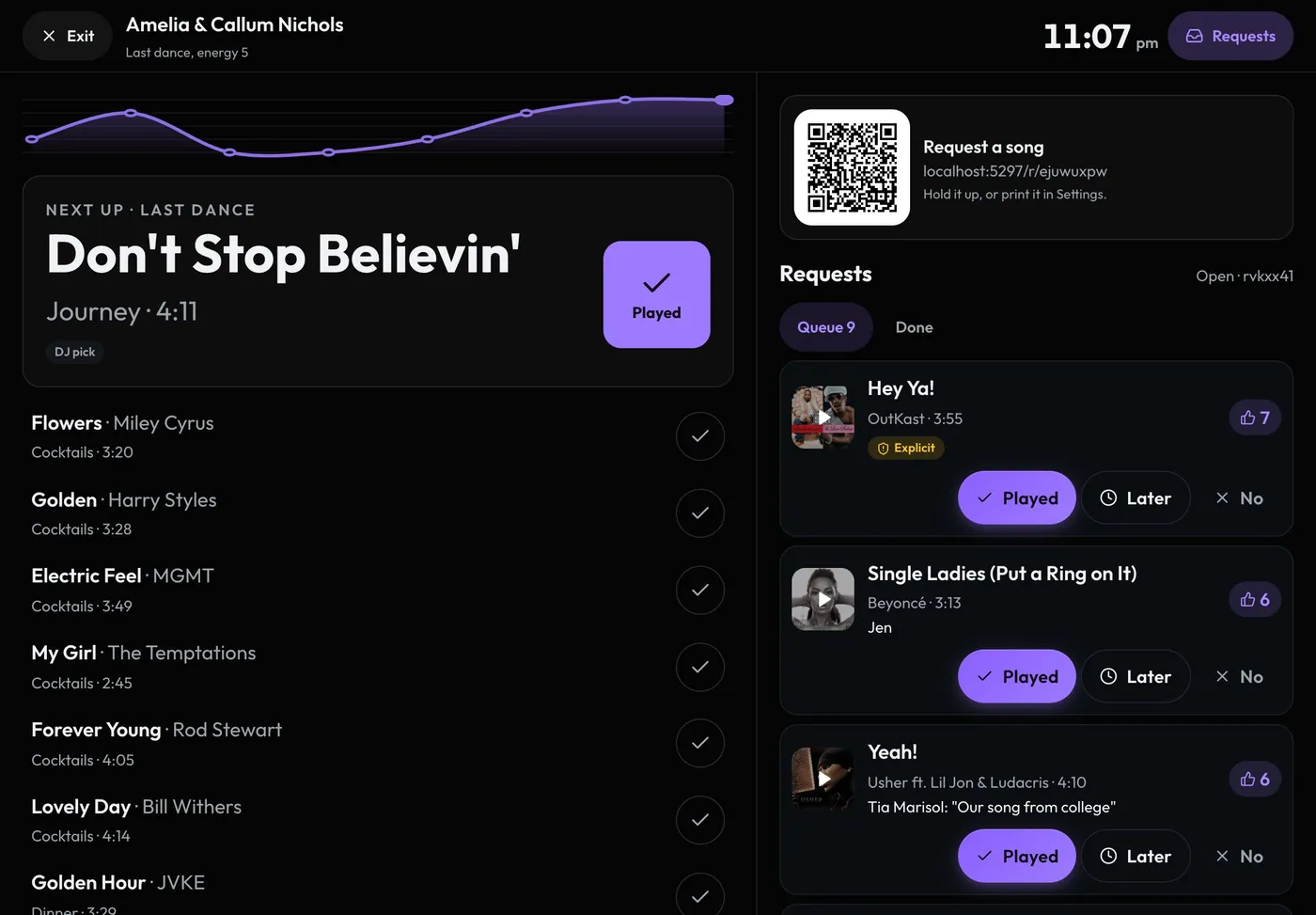 09 · DJs · Laptop or iPad at the boothThe boothGo live and the screen turns dark with big type: the block you're in, the next song, the next key moment with its cue, and the live request queue. Every song you mark played goes in the played log.Read
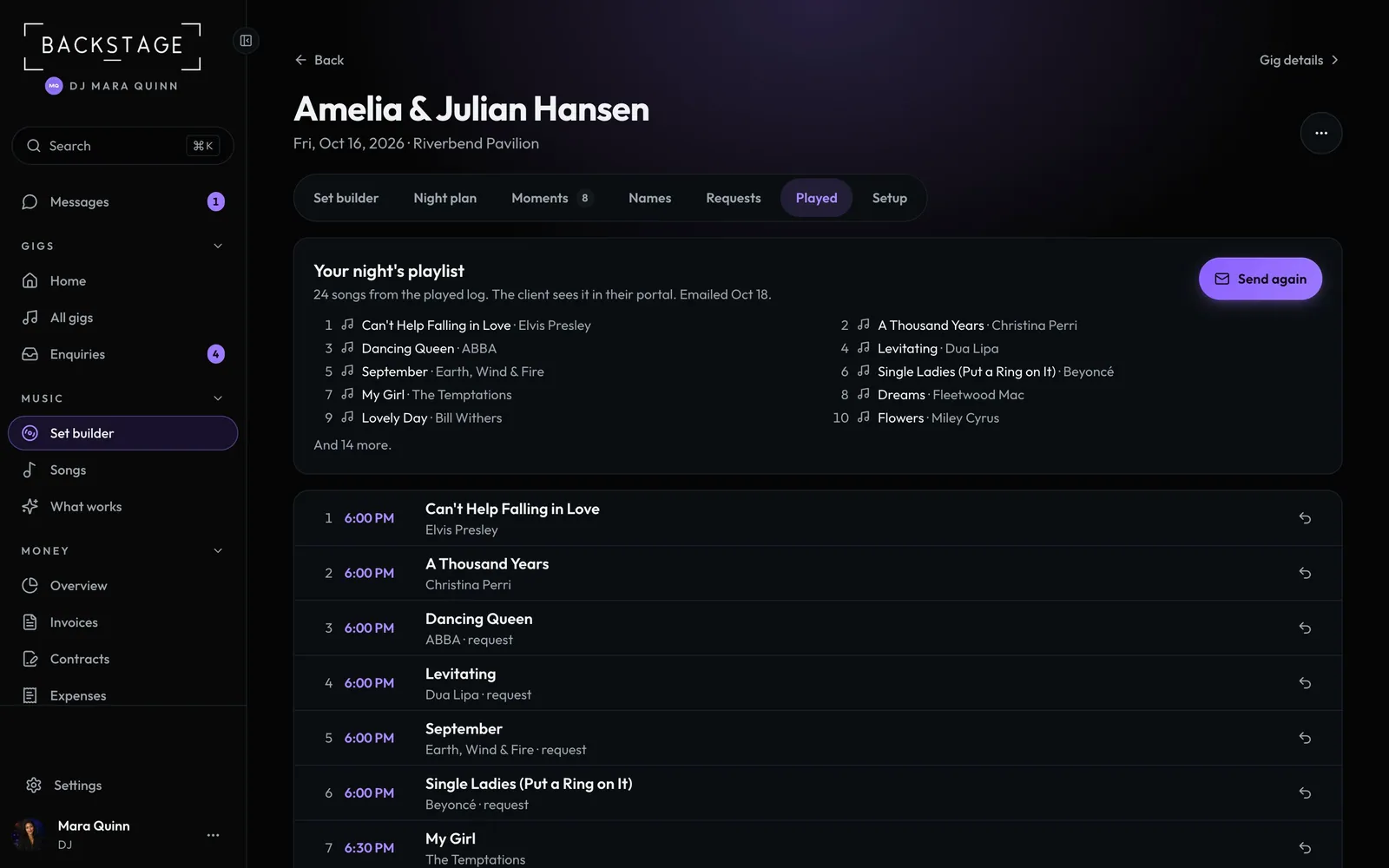 10 · DJs · After the nightYour night's playlistAfter the gig the client gets the songs from their night, in order, with a preview and links to Spotify and Apple Music. Email it with your review link in the same message.Read
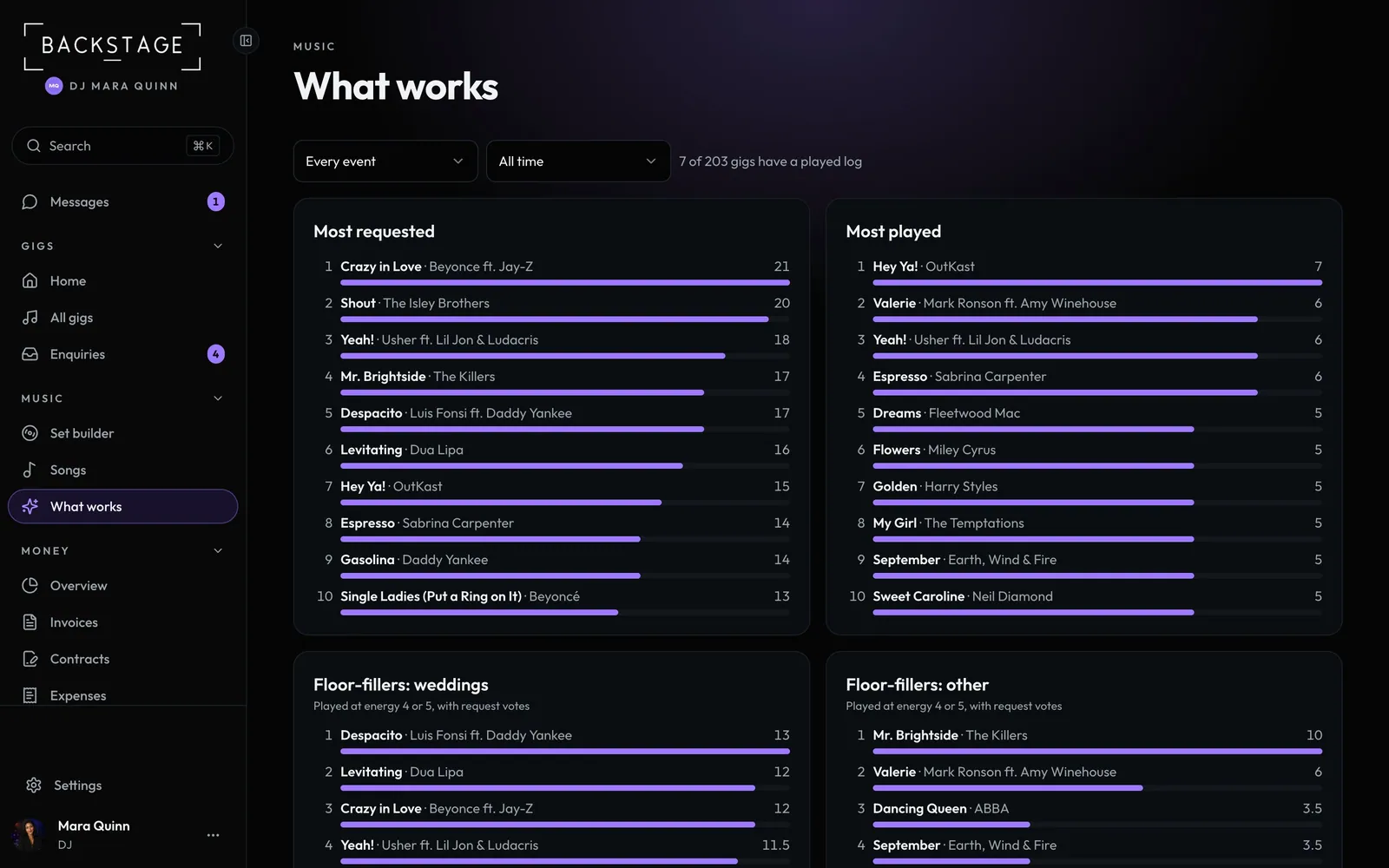 11 · DJsWhat worksEvery played log and request adds up. See what gets requested most, what you play most, the floor-fillers for each kind of event and what clients keep putting on the do-not-play list.Read
 12 · Bands with DJ setsBands that play DJ setsPlay DJ sets between live sets or after the band? Switch on DJ sets and every gig gets the same DJ tools: the night plan, a crate, moments, names, requests and the booth, next to your setlists.Read
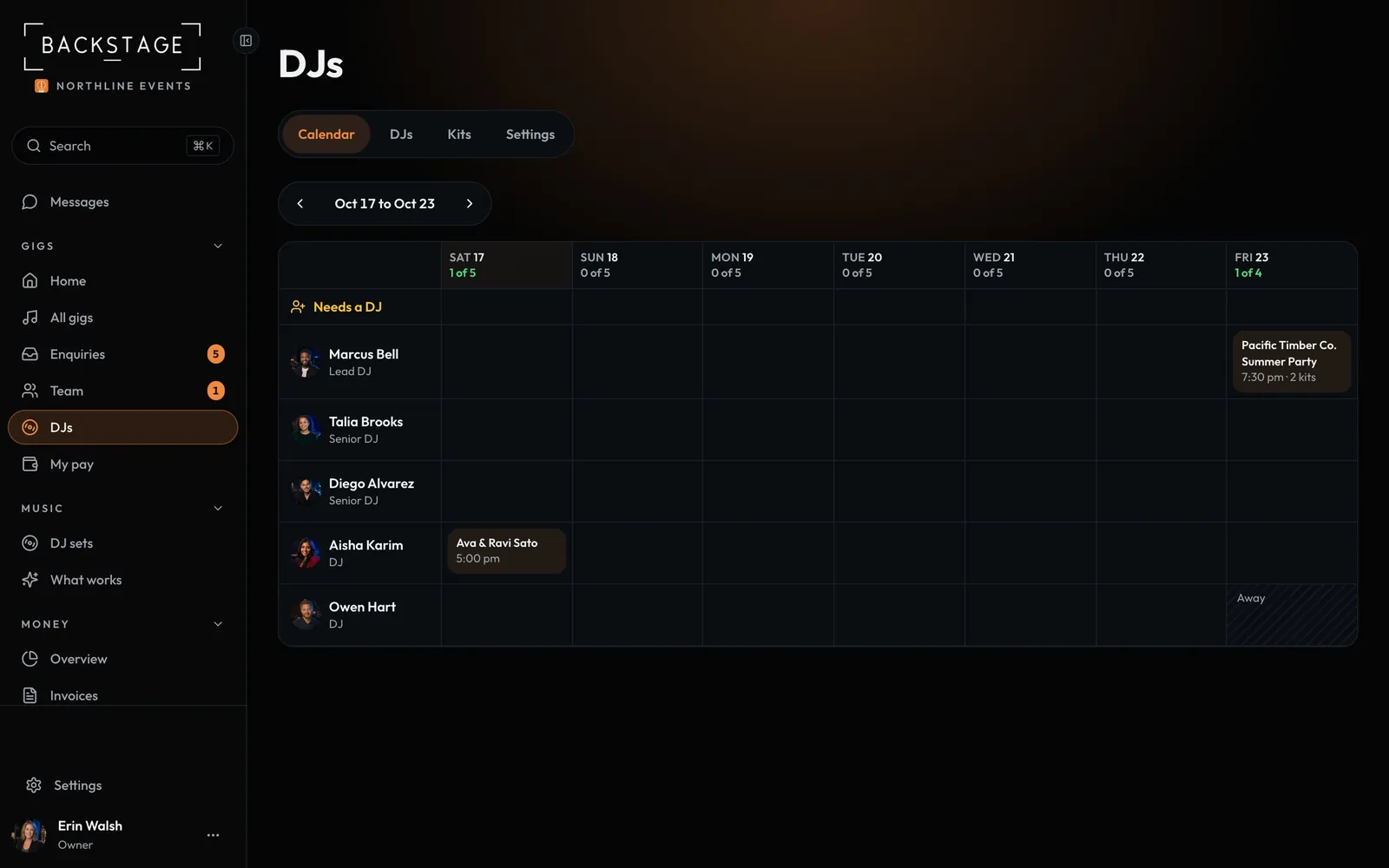 13 · DJ companies · Owner · Desktop or iPadDJ lanesOne row per DJ, one column per day. See who's on which gig, who's free and how full each date is, with the gigs that still need a DJ on top. A date only shows Full when no DJ or speaker kit is free.Read
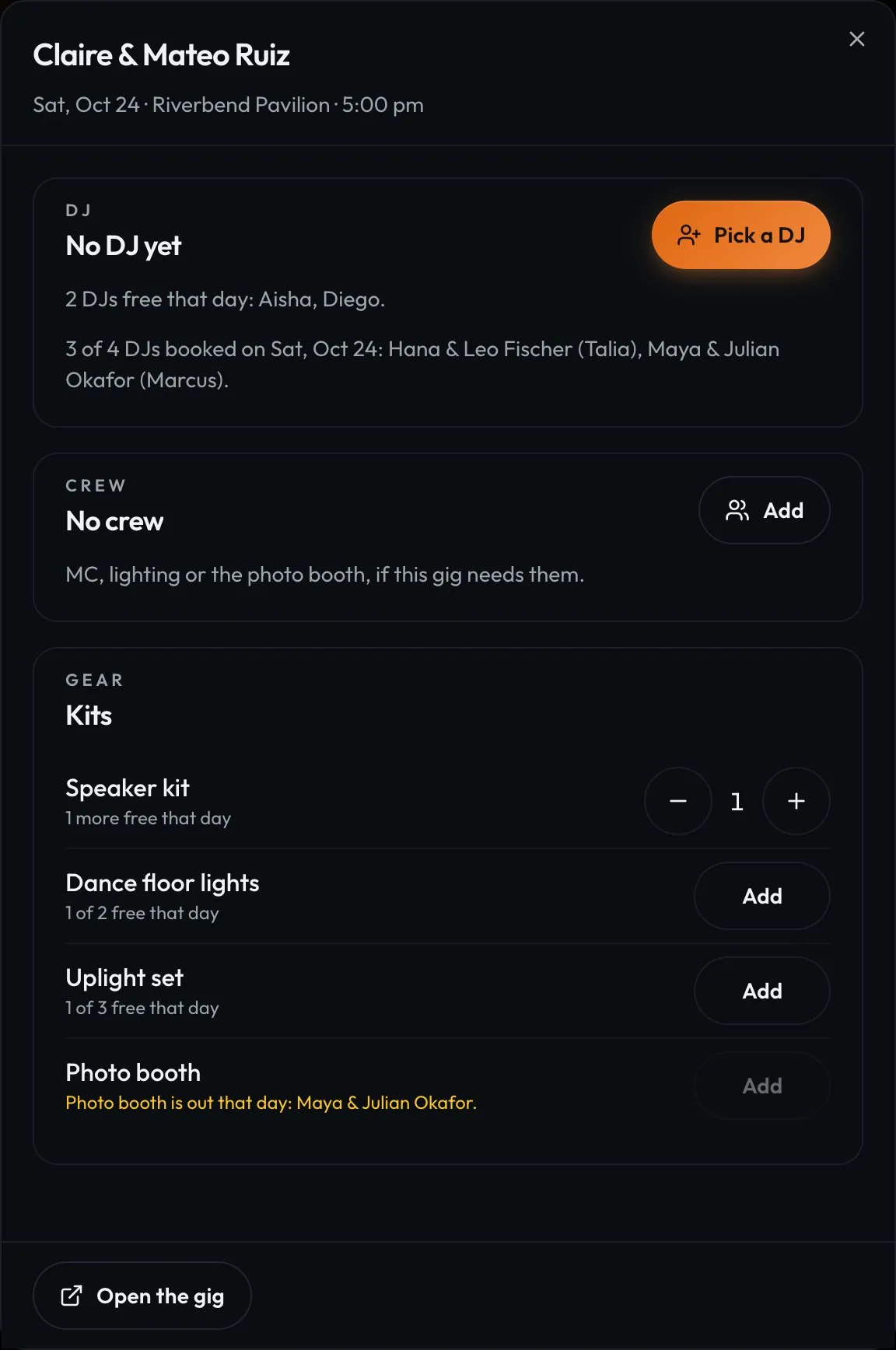 14 · DJ companies · OwnerBook or offer a gig to a DJPick a DJ for a gig and the app ranks who's free by fit, reviews and the client's request. Book them straight on, or offer it and they say yes on their phone. Nobody can be double-booked.Read
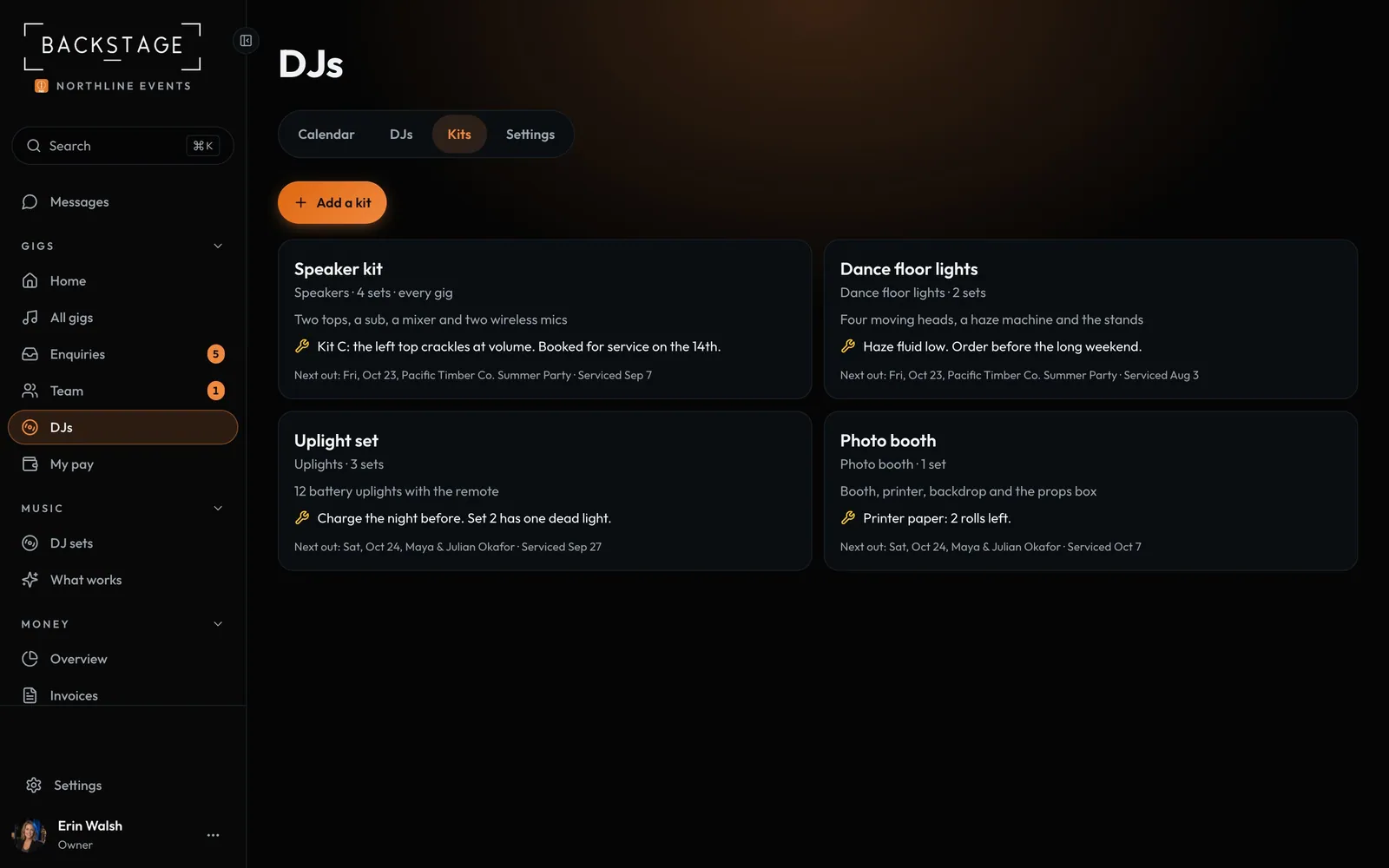 15 · DJ companies · OwnerGear kitsSpeakers, lights, uplights and the photo booth, with how many sets you own and their maintenance notes. Put kits on a gig and the app stops you sending out more than you have on one date.Read
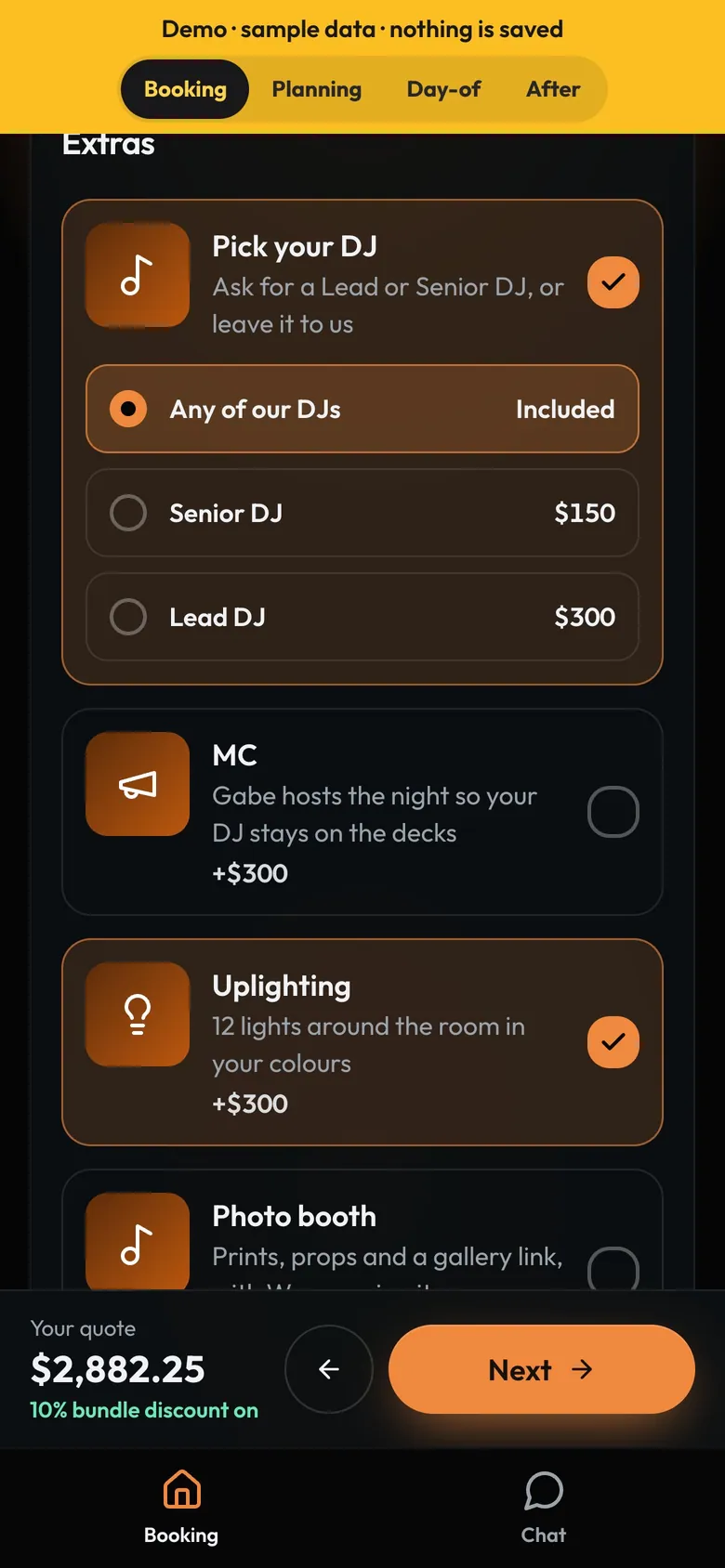 16 · DJ companies · The client appYour DJClients book the company, then meet their DJ: photo, a short bio and their styles. Before then they can pay to ask for a Lead or Senior DJ, or ask for a DJ by name.Read
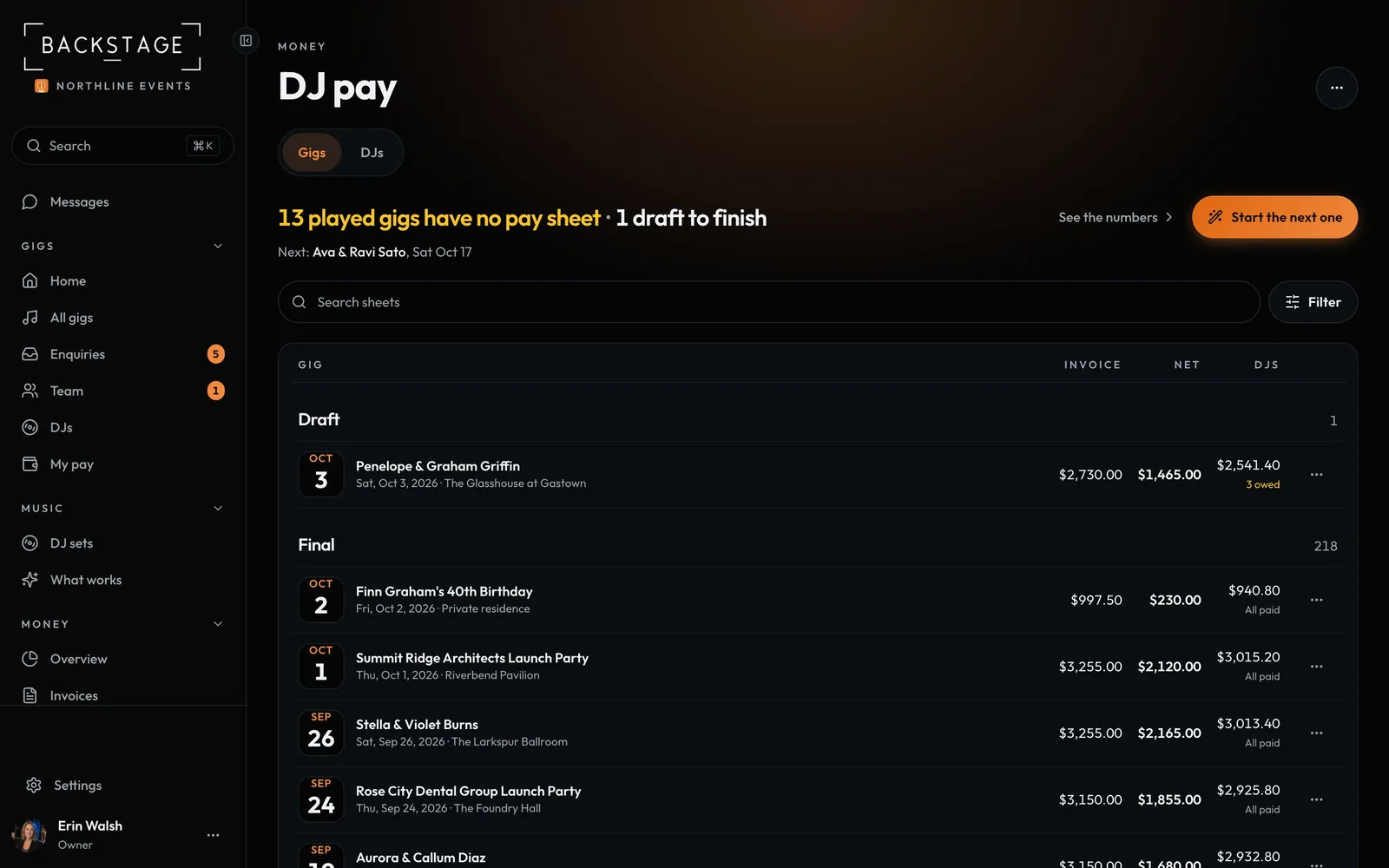 17 · DJ companies · OwnerDJ payEach DJ has a rate per gig, plus extra for Lead and Senior DJs. Settle every gig with what each DJ and crew member gets, and what the company keeps.Read
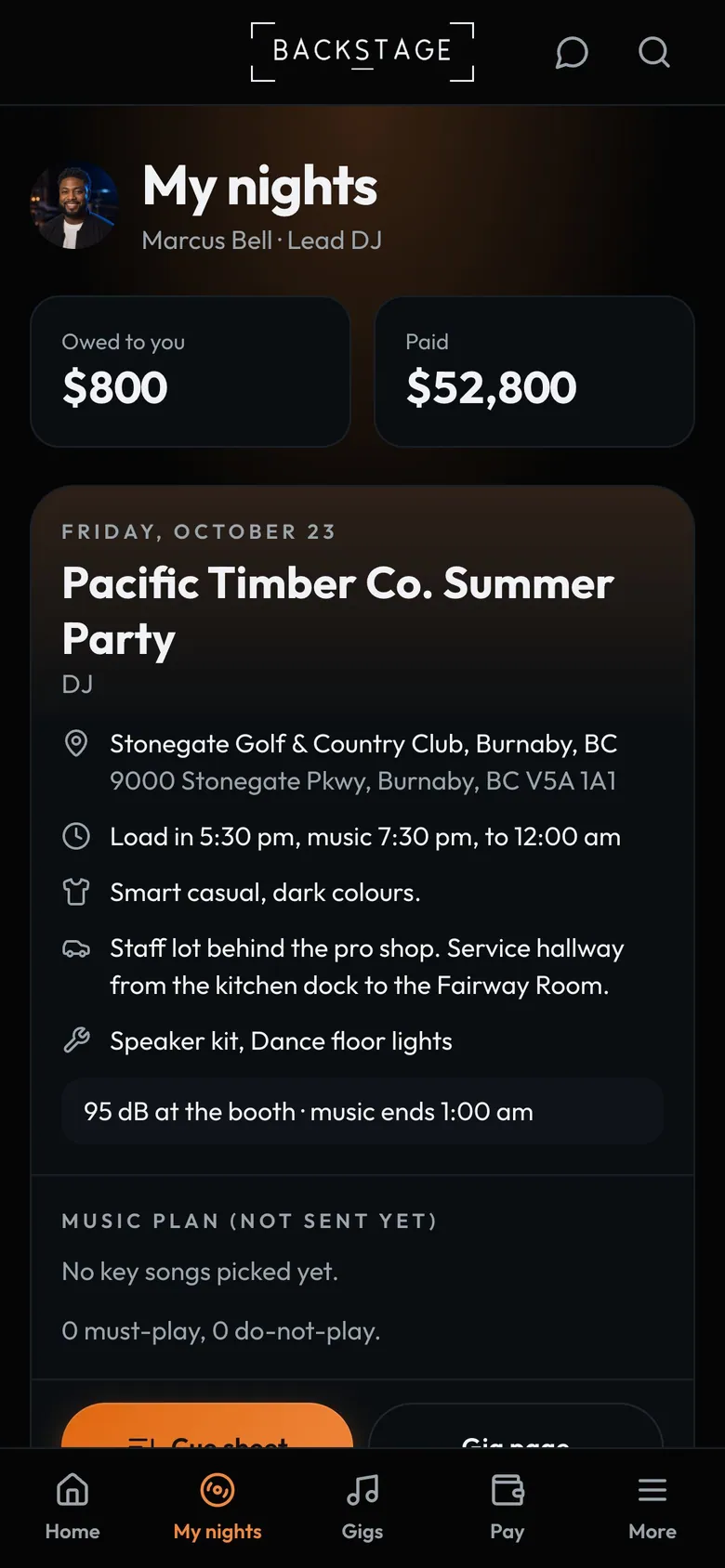 18 · DJ companies · The DJ's phoneWhat each DJ seesA DJ on your team sees their own gigs only: where and when, the gear and crew, the client's music plan, the cue sheet, requests and their own pay. Never the company's money, other DJs' gigs or client contacts.Read