Band leaders
Enquiries
Every booking enquiry in one place, wherever it came from: your website form, Instagram, a phone call or a wedding show. The page opens on how many new ones are waiting, with Reply to the oldest one.
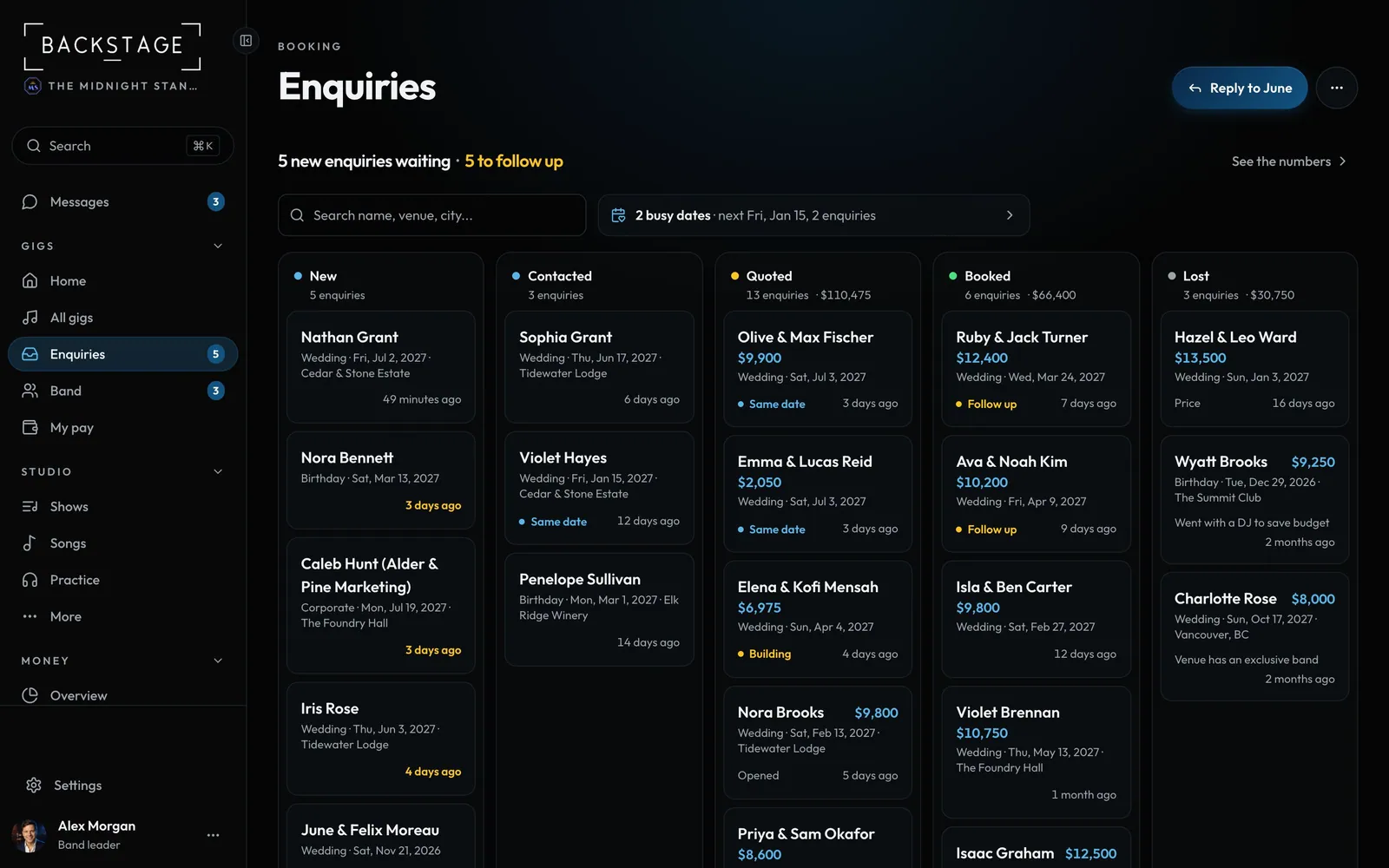
Swipe sideways to see the whole screen. Tap a number for its tip.
- MoreAdd enquiry, your form link and form settings.
- ReplyOpens the oldest new enquiry. Add enquiry when none are waiting.
- What's waitingNew ones, and any to follow up. See the numbers for the rest.
- Busy datesDates more than one client wants.
How to
- Open Enquiries. The top line says how many new ones are waiting; Reply to opens the oldest.
- New ones come first. A card shows one status when there's something to know: Follow up, a booking being built or requested, or Same date (another client wants that date). Where it came from is on the enquiry.
- Tap a card to check the date, hold it, or send a booking link. See the numbers has open, quoted and your win rate.
- ... has Add enquiry, Copy form link and Form settings.
Tip
Tip
Mark an enquiry Lost with a reason (price, date taken, went elsewhere, no reply). Insights uses it to show what's working.