In the demo · EveryoneFor everyone
Move the bar lines
A chart made from a recording sometimes starts its bars a beat or two off. Show it where the 1 really is, and the chart, the click and the loops all follow.
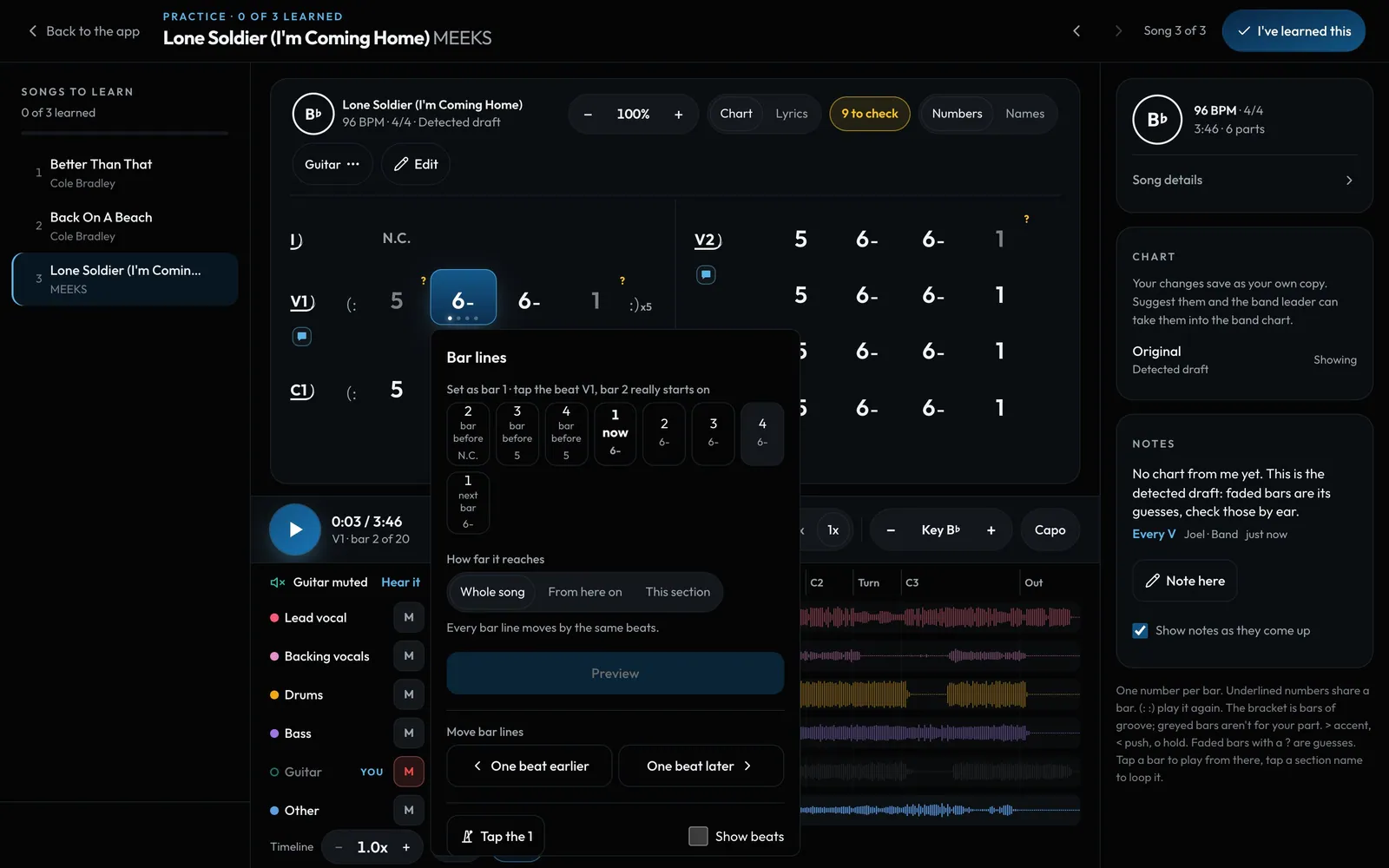
Swipe sideways to see the whole screen. Tap a number for its tip.
- To checkChords the app wasn't sure of.
- How farThe whole song, from here on, or just this section.
- Move bar linesOne beat earlier or later.
- Tap the 1Tap along on every 1 while it plays.
How to
- Tap a bar, then Bar lines. In Edit mode it's in the toolbar.
- Tap the beat the bar really starts on. Each beat shows the chord heard on it.
- Pick how far it reaches: Whole song, From here on (for a song that shifts after a short bar) or This section.
- Or tap Tap the 1 and tap on every 1 for a few bars while it plays.
- You see a preview first. Save keeps it as a version you can undo.