DJ companies · Owner
DJ pay
Each DJ has a rate per gig, plus extra for Lead and Senior DJs. Settle every gig with what each DJ and crew member gets, and what the company keeps.
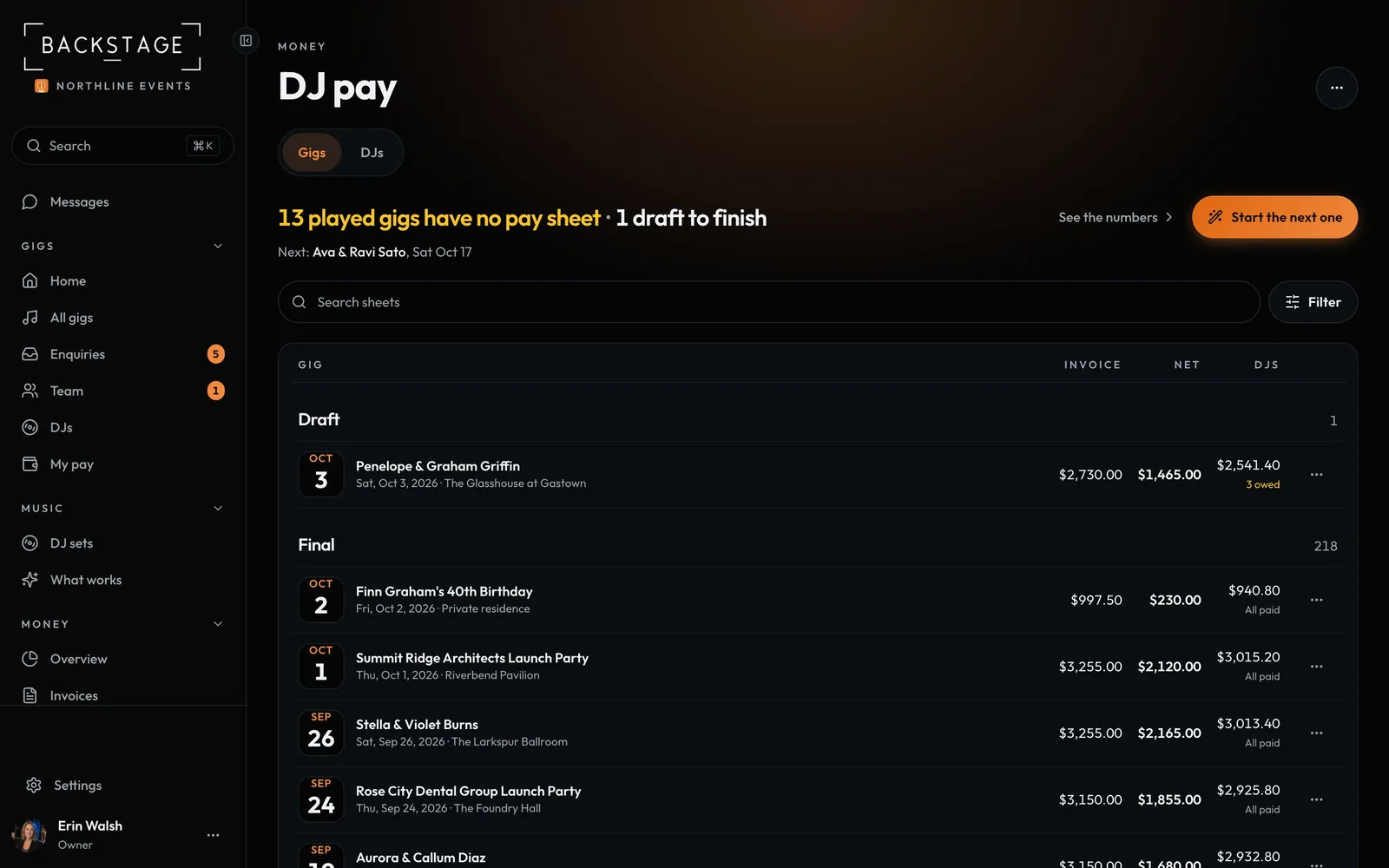
Swipe sideways to see the whole screen. Tap a number for its tip.
- To settlePlayed gigs with no sheet yet.
- Start the next oneThe fee and the DJ filled in.
- Paid outWhat the DJs got, and if it's all paid.
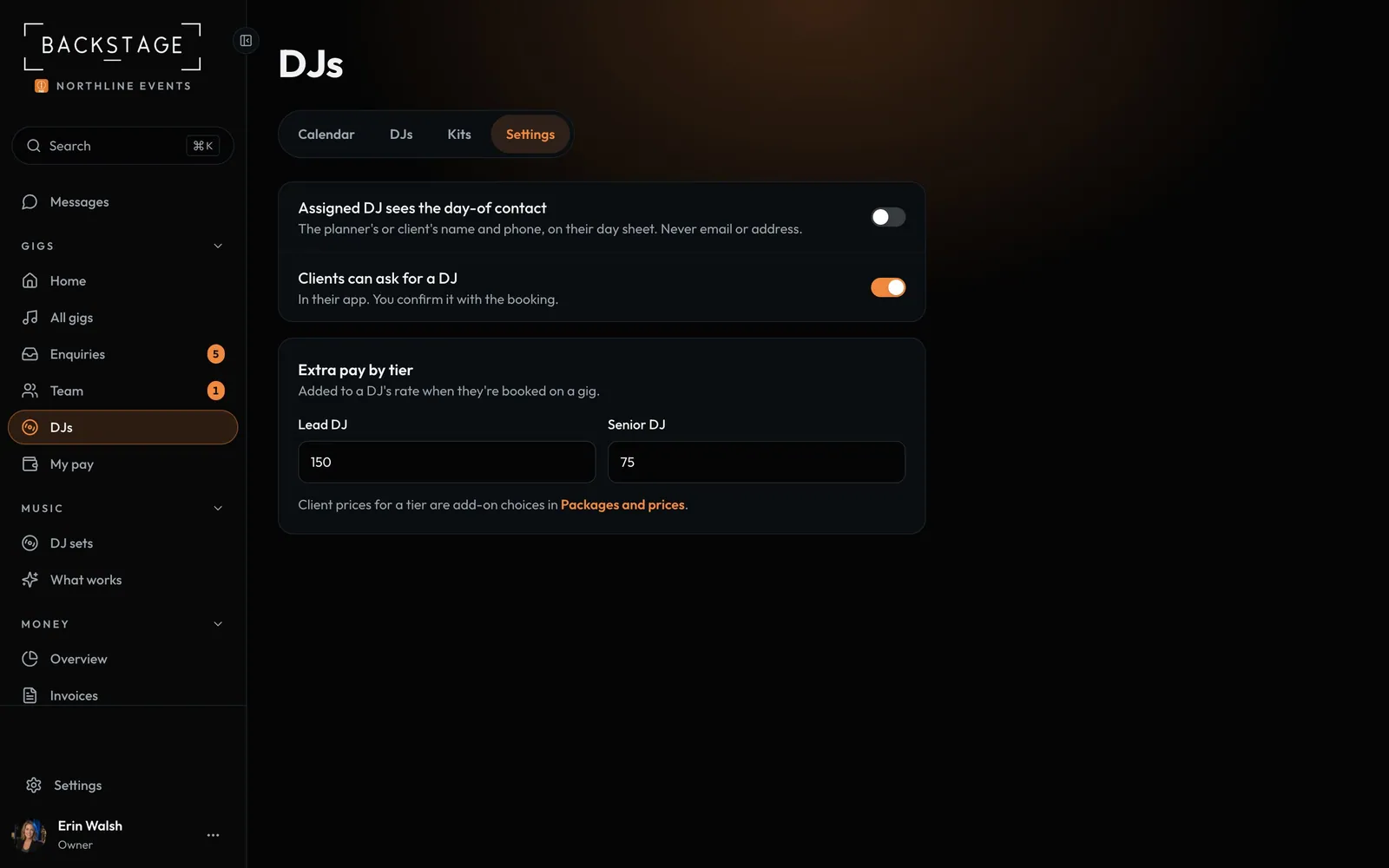
Swipe sideways to see the whole screen. Tap a number for its tip.
- Extra pay by tierAdded to a DJ's rate on each gig.
- Client pricesWhat clients pay for a tier is an add-on.
How to
- Set each DJ's Rate per gig on DJs (tap the pencil).
- Set Extra pay by tier in DJs → Settings.
- After the gig, open Money → DJ pay, click Start the next one and then Mark final.
- Needs you on Home reminds you who's still to pay.
Tip
Tip
Each DJ sees only their own pay: what's owed and what's paid, on My nights.