Everyone · Phone
Turn on notifications
Once the app is on your home screen, switch on notifications so new gigs, changes and reminders reach your lock screen.
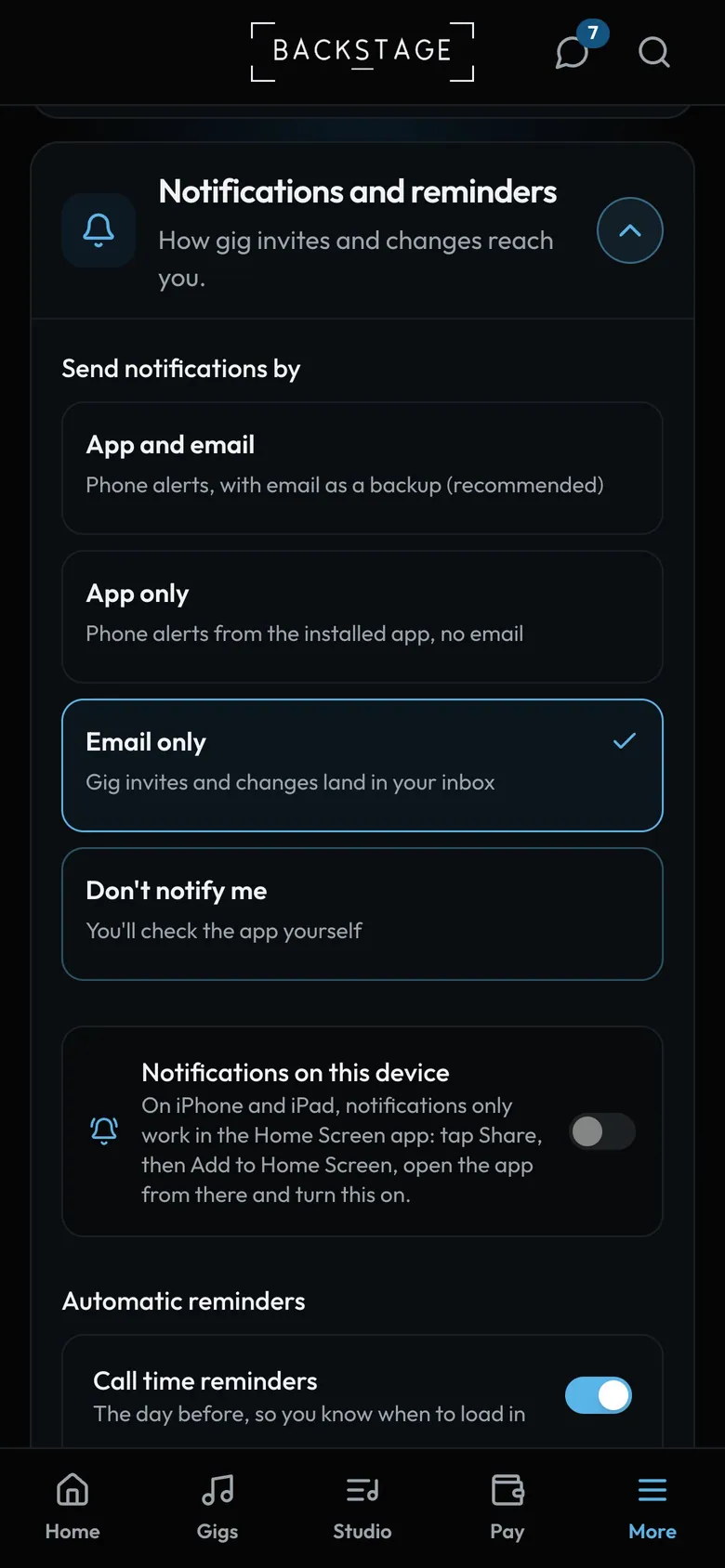
- This phoneSwitch it on in the installed app, then tap Allow.
- Send notifications byApp and email, app only, email only, or off.
- RemindersCall time and dress code, the day before.
How to
- Install the app first (previous page), then open it from the icon.
- Go to My profile → Notifications and choose App and email.
- Switch on phone notifications for this device and tap Allow when asked.
- Set Quiet hours for no alerts overnight. Day-before and gig-day reminders include when to leave.
Tip
Tip
iPhone only shows notifications for home-screen apps (iOS 16.4 or later). If the switch won't turn on, install first and open the app from its icon.