Band leaders · Money
Expenses and Scan a receipt
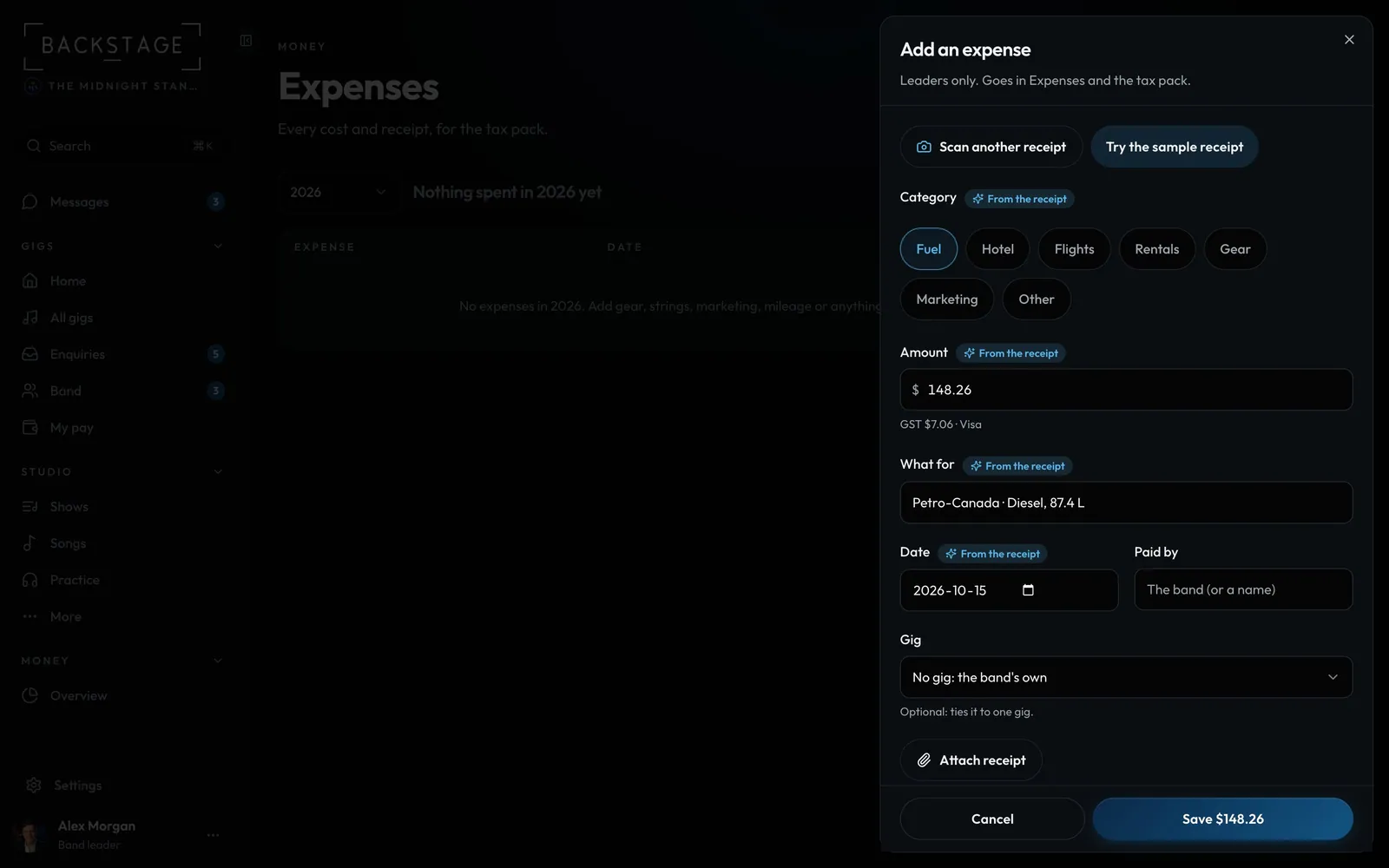
Every band now has Expenses under Money: gear, fuel, marketing and the rest, by month, with the tax on each receipt. Snap a receipt and the details fill in. It all feeds the tax pack.
Swipe sideways to see the whole screen. Tap a number for its tip.
- Scan a receiptA photo or a PDF.
- Check the marksAmount, tax, category, date and what it was.
- The band, a gig or a tourA gig on the same day is suggested.
How to
- Open Money → Expenses and click Add an expense.
- Tap Scan a receipt and take a photo or pick a PDF. The amount, tax, date, category and what it was fill in, marked From the receipt.
- Pick the gig or tour it belongs to, or leave it as a band cost. A gig on the same day is suggested.
- Save. The receipt is kept with it, and the year's expenses show up in the Tax pack.
Tip
Tip
Expenses are for band leaders only. Tours and shows keep their own expenses too, in the same list.