Players in more than one bandFor members
My bands
Play in more than one band? One login covers them all. See every gig, clash, payment and chat in one place, and set time off once for every band.
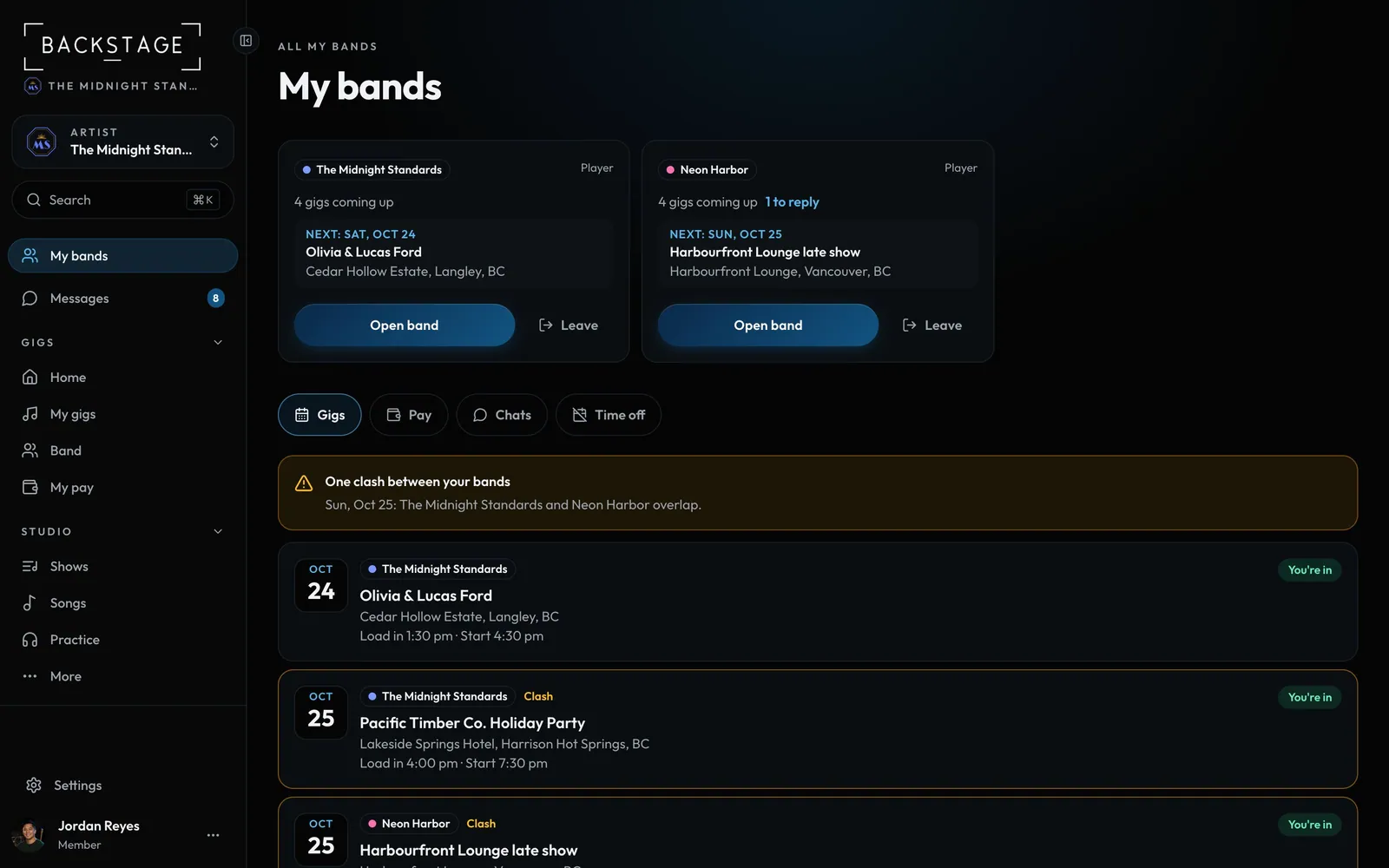
Swipe sideways to see the whole screen. Tap a number for its tip.
- Replies dueGigs waiting on you, per band.
- Your bandsThe next gig, and Open band.
- Gigs, Pay, Chats, Time offAcross all your bands.
- ClashesTwo bands on one day.
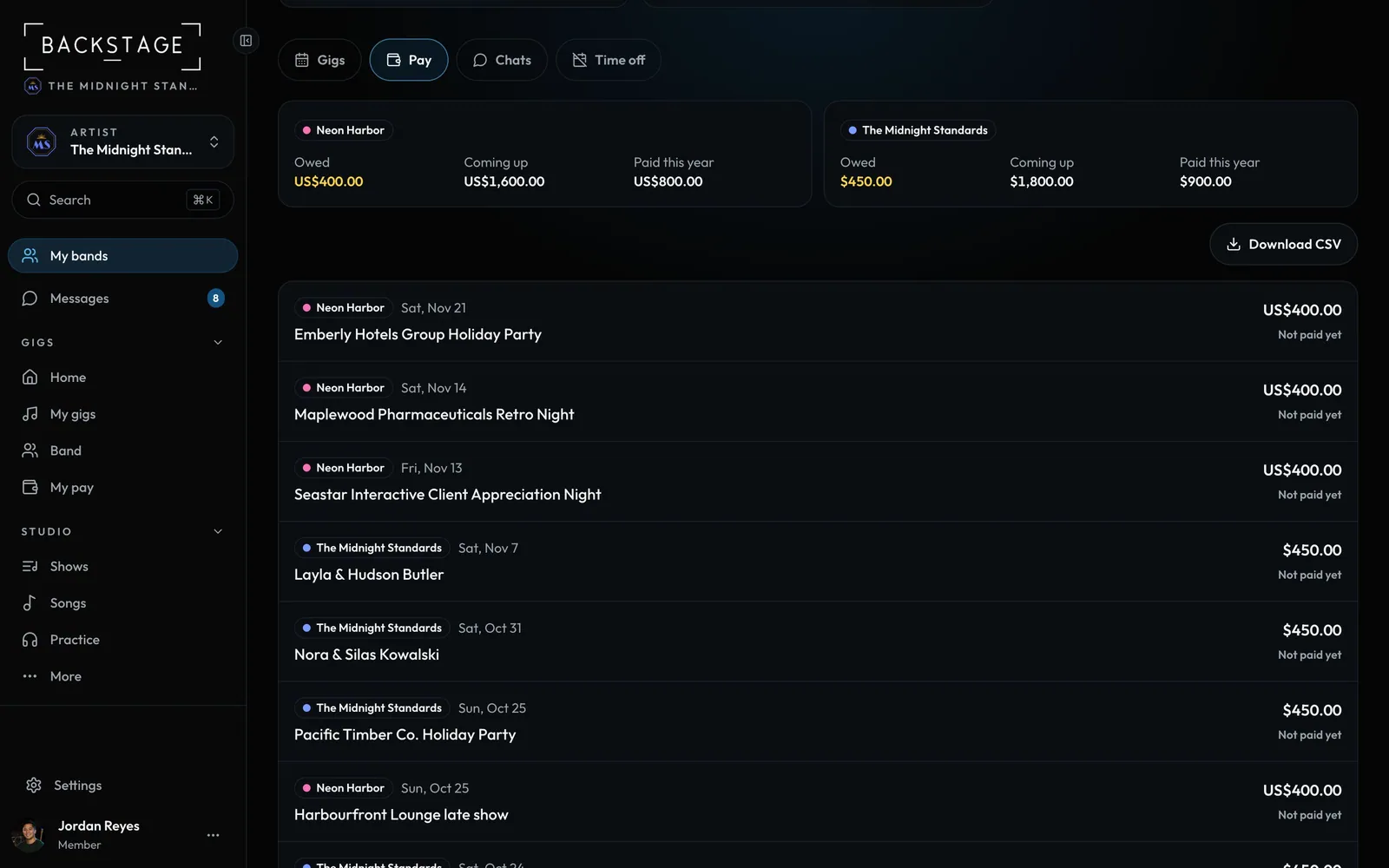
Swipe sideways to see the whole screen. Tap a number for its tip.
- Pay per bandOwed, upcoming and paid.
- Download CSVEvery band's pay, one file.
- Each gigPaid, owed, or not paid yet.
How to
- Open My bands from the menu. Each band has a card with its next gig.
- Tap a gig or a chat. The app switches to that band first. Links in emails do the same: each one names its band and opens the app in it.
- Pay shows what each band owes you. Download CSV for your records.
- Going away? On Time off, click Add time off once. Every band gets it.
Tip
Tip
Each band sees only your gigs, pay and time off with them. Never your other bands.