Everyone
Messages and groups
Chat that stays with your band. Every gig has its own chat, the whole band has one, clients have theirs, and you can start a group with anyone in the band. Nothing crosses to other bands.
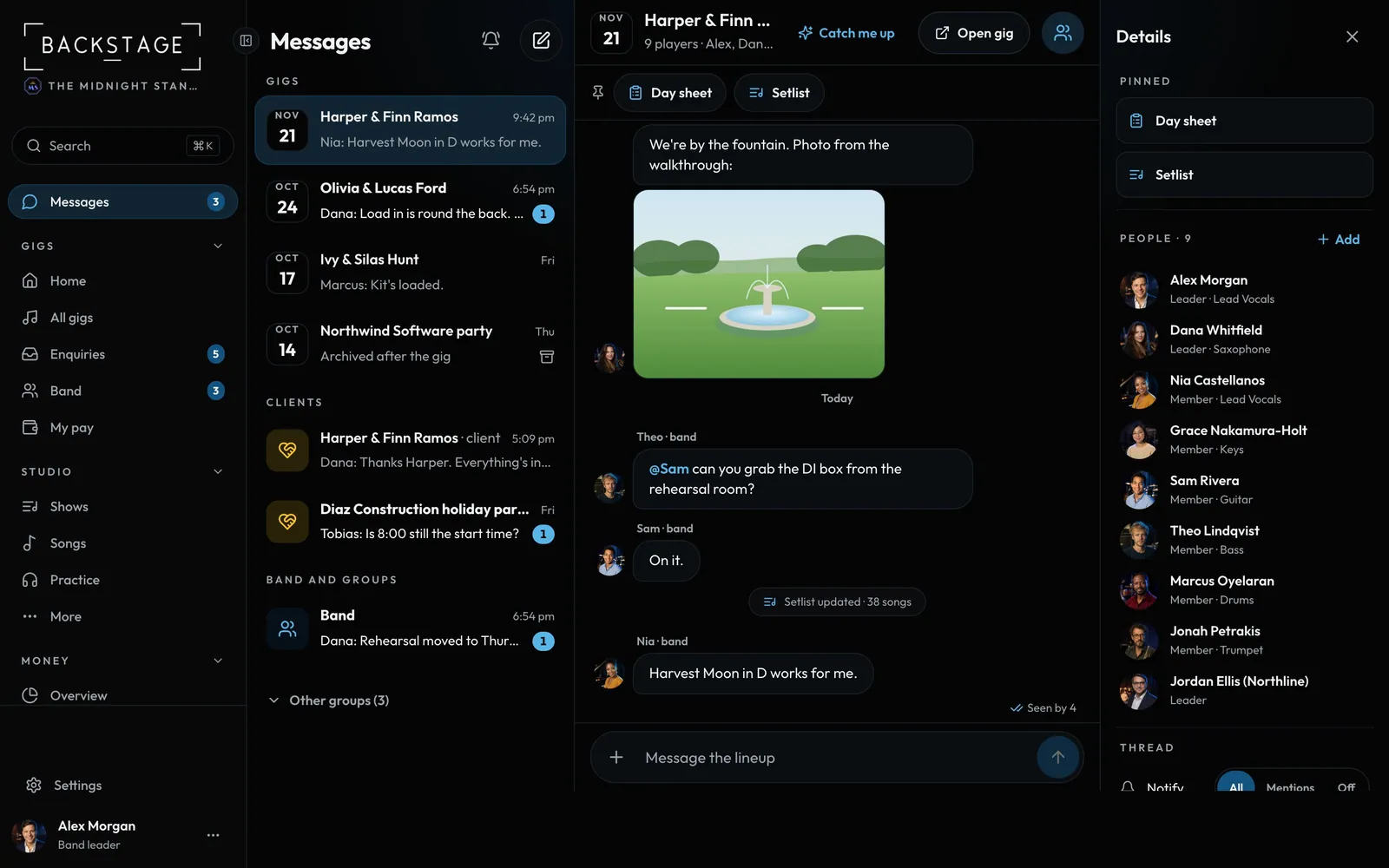
Swipe sideways to see the whole screen. Tap a number for its tip.
- New groupPick people from your band. A one-to-one is a group of two.
- Gig chatsEveryone booked on that gig.
- Client chatsOne per booking, with the client.
- Band and groupsThe whole band, plus groups you make.
How to
- Open Messages in the sidebar, or Gig chat on a gig.
- Tap New message to start a group with anyone in your band.
- Add a photo or PDF with +. Tap a file to open it in the app, with Close to come back.
- Set notifications per chat: all, mentions or off.
Tips
Tip
Band leaders can read every chat in their band. They only get alerts from chats they're in.Tip
Switch chat on or off in Settings → Features.