DJ companies · Owner · Desktop or iPad
DJ lanes
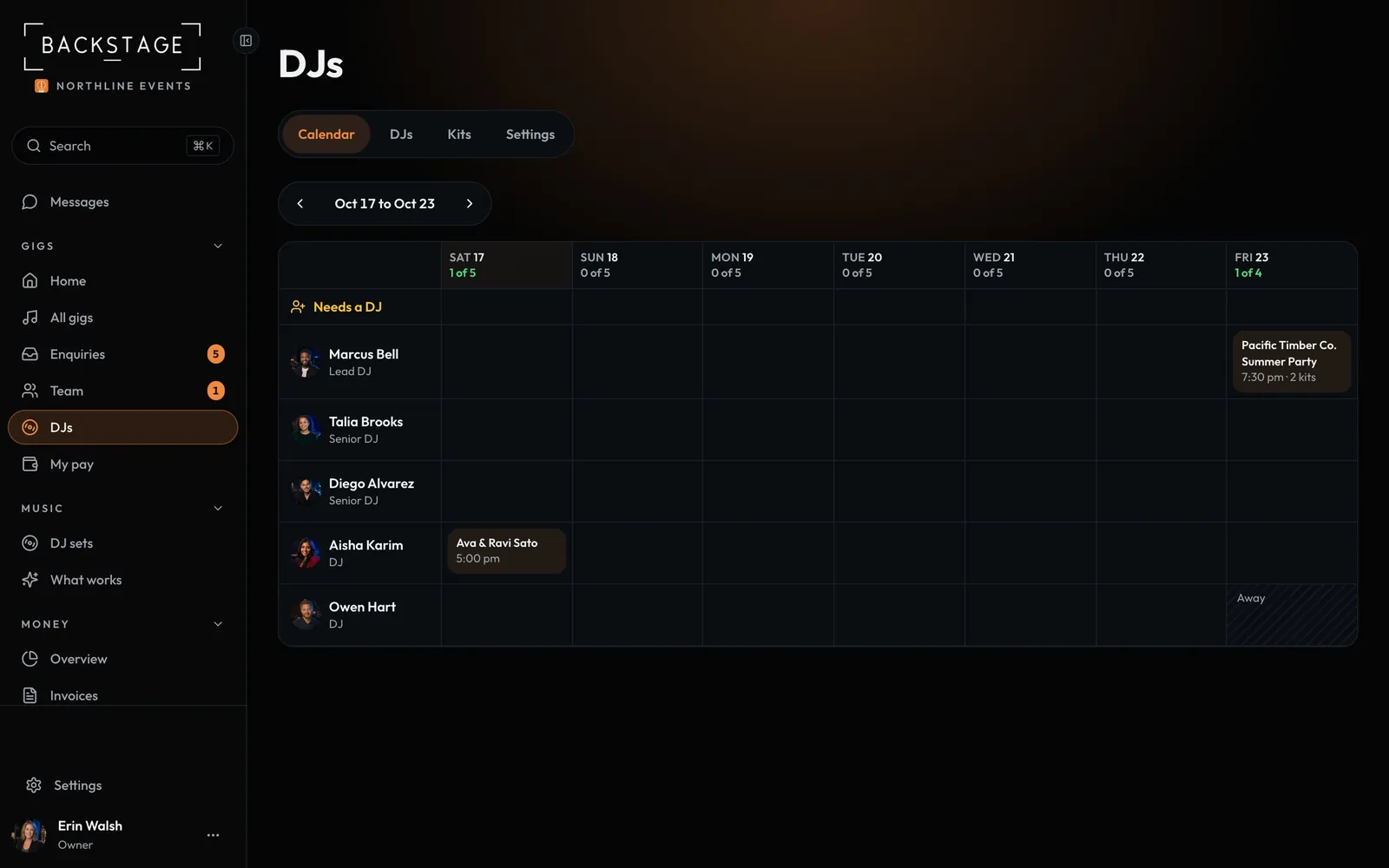
One row per DJ, one column per day. See who's on which gig, who's free and how full each date is, with the gigs that still need a DJ on top. A date only shows Full when no DJ or speaker kit is free.
Swipe sideways to see the whole screen. Tap a number for its tip.
- Week by weekSeven days from today.
- CapacityDJs booked out of those working that day.
- Needs a DJBooked gigs with no DJ yet.
- A gigTap to pick the DJ, crew and kits.
How to
- Pick the DJ company preset in Settings → Features, then add your DJs and crew on DJs.
- Open DJs. The Calendar shows this week. Use the arrows for the next.
- Tap a day for who's free, who's away and which kits are free.
- Tap a gig to book or change its DJ, add crew or pick kits.
Tip
Tip
Capacity shows on the calendar, in enquiries and on busy dates too, so you never sell a date you can't staff.