Everyone · Phone or iPad
Go live with no setlist
For nights you call songs as you go. One tap and you're live: pick what's next from your song library, hit Go, and every phone in the band follows. Save it as a played setlist after.
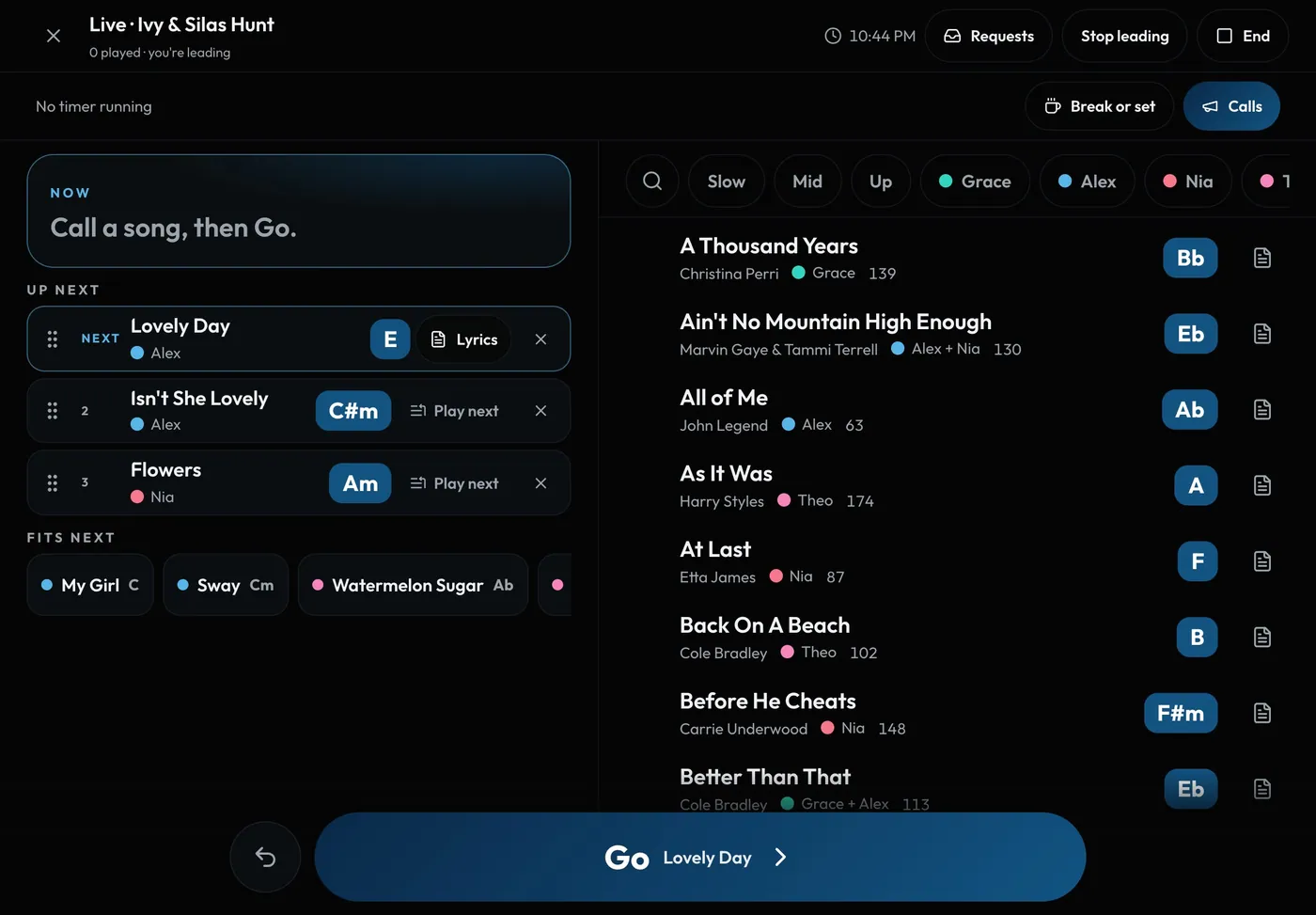
Swipe sideways to see the whole screen. Tap a number for its tip.
- NowThe song playing, its key and singer, and a Chart button.
- Quick filtersSlow, Mid, Up, each singer, requests, hide played.
- Up nextDrag to reorder, or tap Play next.
How to
- Tap Go live on Home (on a gig day), on the gig, or in Studio > Shows > ....
- Tap a song to put it in Up next. Tap more to line them up.
- Press the big Go button to move to the next song. The last one is checked off as played.
- Made a mistake? Undo reverses the last move.
- Press End and save it as a setlist and to the gig recap.
Tips
Tip
Songs you're still learning are included, with a small tag. Turn on Ready only to hide them.Tip
Forgot to end it? After 12 hours it saves itself if anything was played.