Band leaders
Stage plots and tech riders
Draw the stage, set monitor mixes and build the input list once per lineup. Already have a plot or a rider? Upload it. Each gig gets its own share link and a two-page PDF.
Swipe sideways to see the whole screen. Tap a number for its tip.
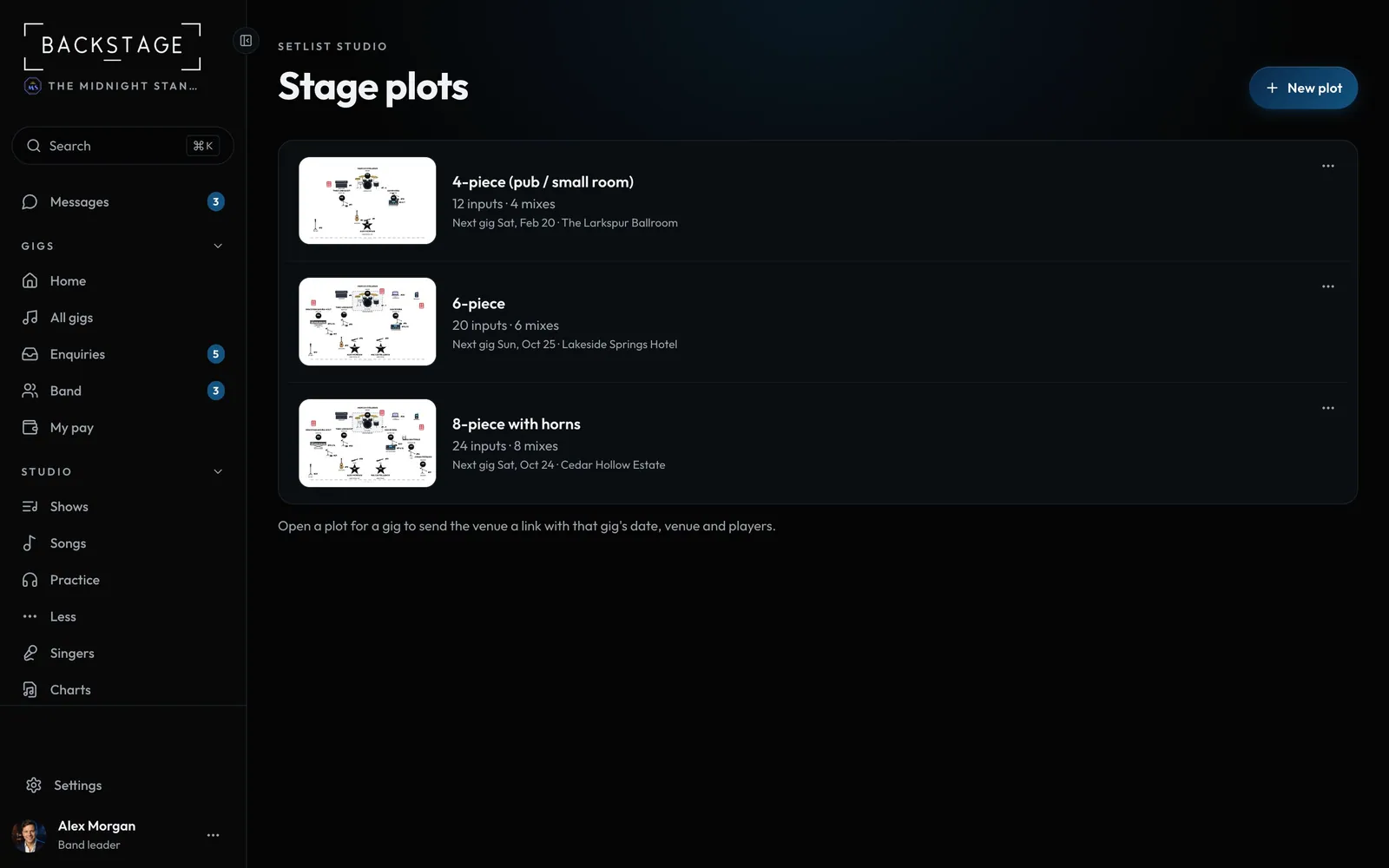
- New plotStarts with a stage, mixes and an input list.
- One plot per lineup4-piece, 6-piece, 8-piece with horns. Tap one to open it.
Swipe sideways to see the whole screen. Tap a number for its tip.
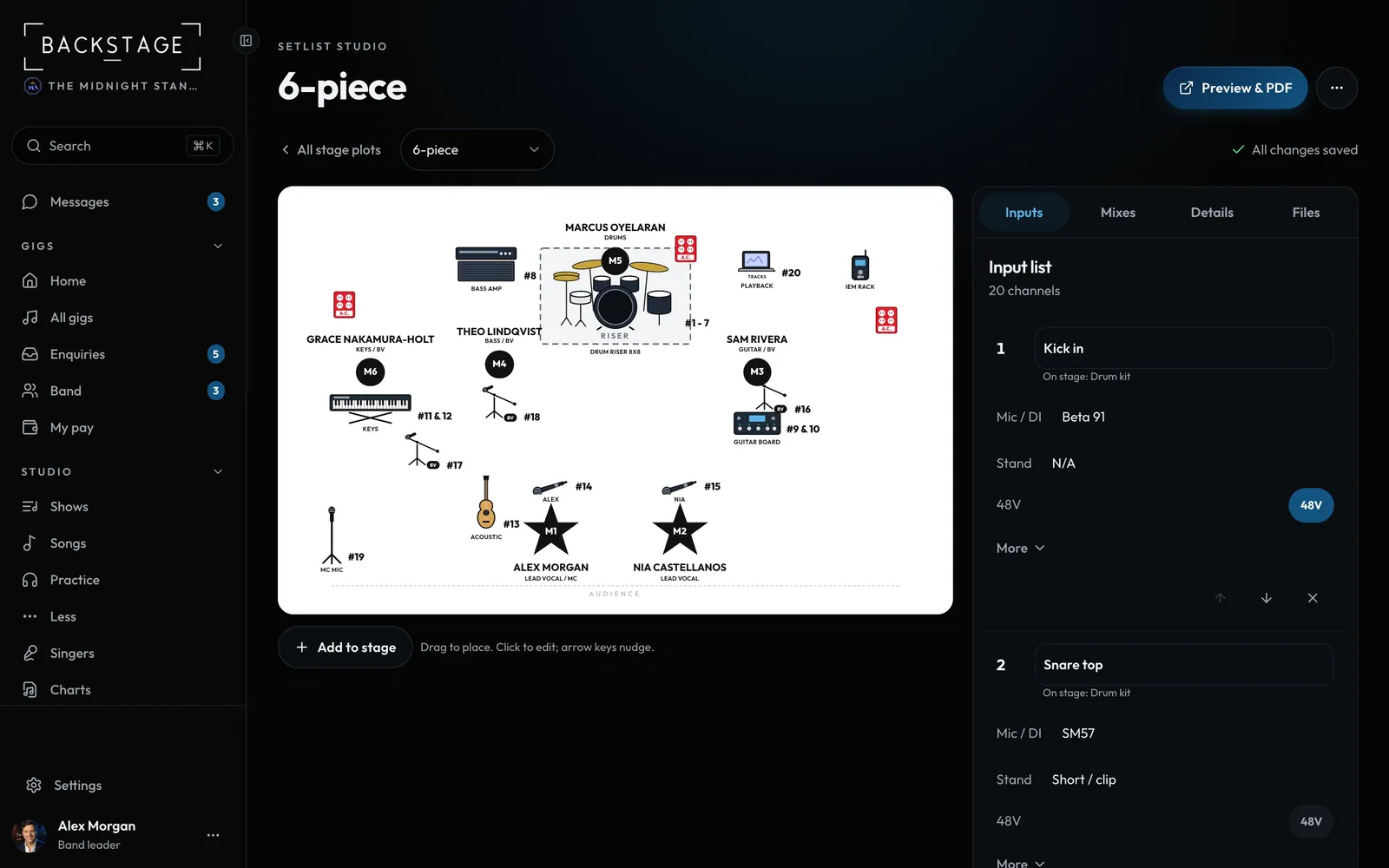
- Preview & PDFThe rider your sound tech sees.
- Drag to placeGear and people on the stage. Click one to edit it.
- Inputs, mixes, details, filesEverything else sits beside the stage.
- Add to stagePeople, gear, or gear with its channels.
Swipe sideways to see the whole screen. Tap a number for its tip.
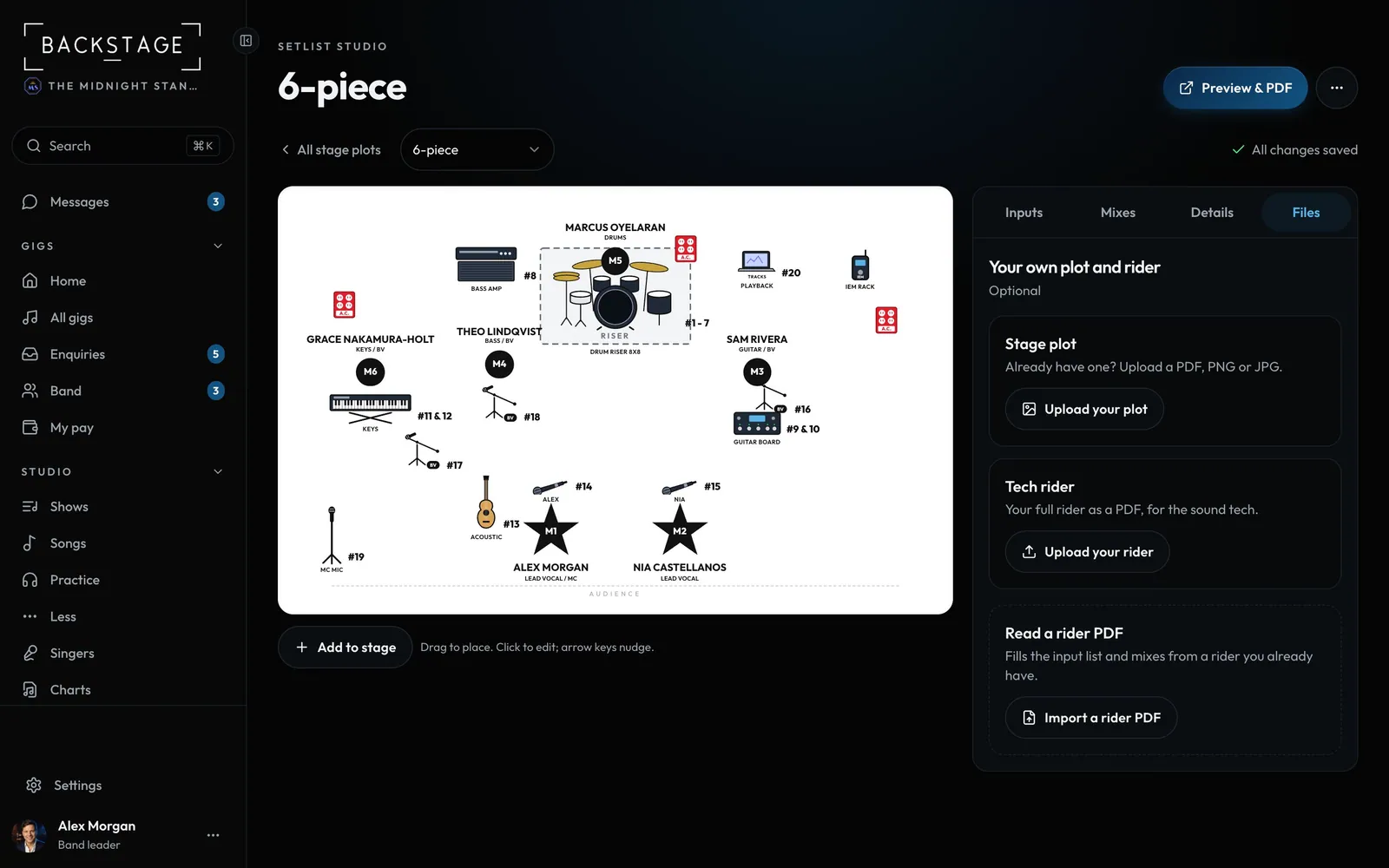
- Your own filesOptional. Keep the plot and rider you already have.
- Upload your plotA PDF, PNG or JPG. Phone photos work too.
- Upload your riderYour full tech rider as a PDF.
How to
- Open Stage plots and tap a lineup, or New plot. Drag gear and people onto the stage; Add to stage has the rest.
- Beside the stage (on a phone, under it): Inputs, Mixes, Details and Files.
- Have a plot or rider already? Upload it under Files, or ... > Import a rider PDF to fill the lists from it.
- Pick a gig under Details > For a gig, then ... > Copy gig link to send it.
Tip
Tip
Pick who's under Details > Contact on the rider. Their phone and email print on the PDF.