Everyone
Home
What needs you now, and nothing else: your next gig with its next step, the top of Needs you and this week's gigs. Everything else is one tap away.
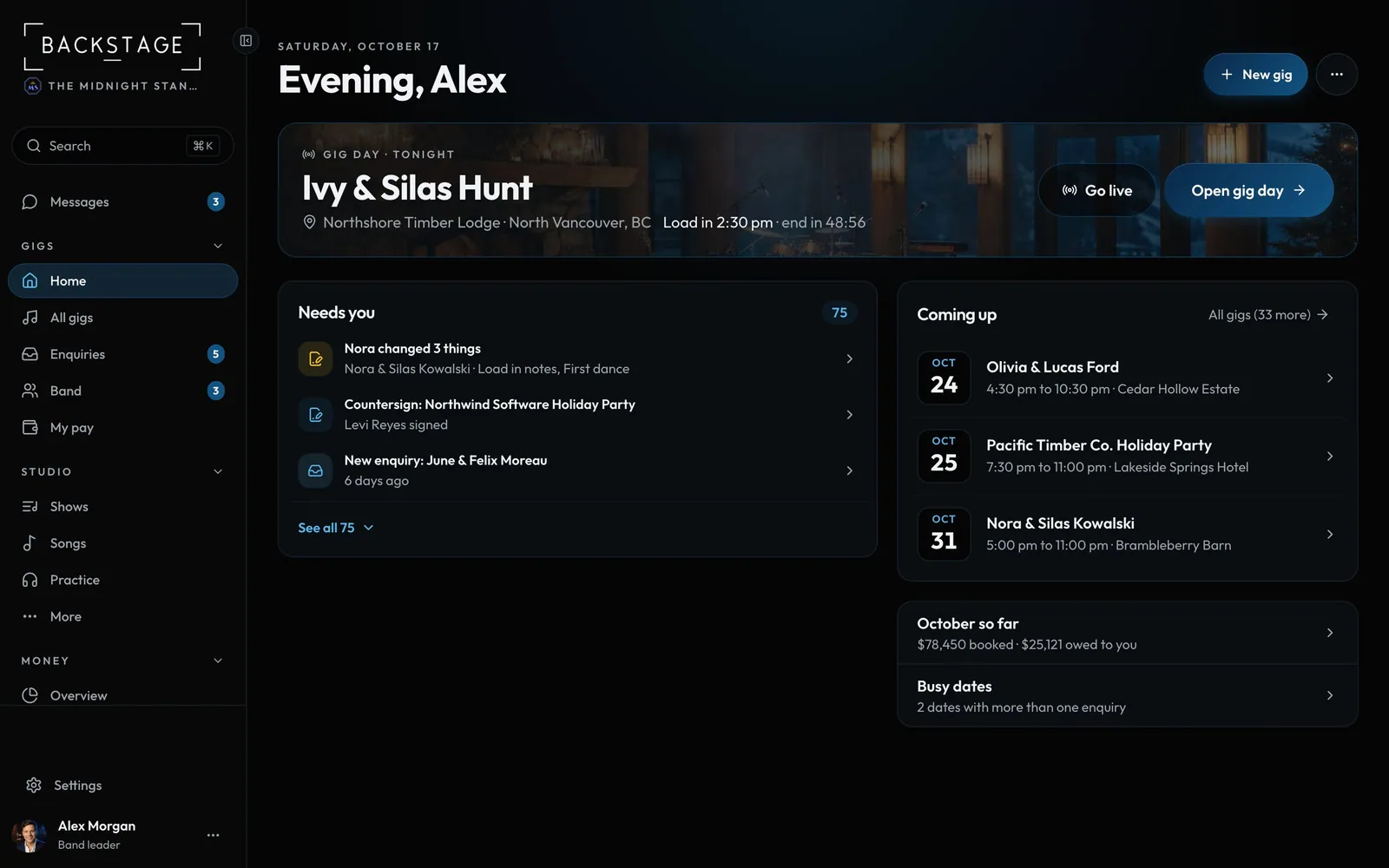
Swipe sideways to see the whole screen. Tap a number for its tip.
- Go liveOn a gig day, straight into live mode.
- Needs youThe three things to do next, clients first. See all opens the rest.
How to
- The top card is your next gig: when, where and the one thing it needs next, with its button. On a gig day it's the gig day card, with Go live.
- Work down Needs you. Tap a row to sort it in one view; See all shows everything, grouped.
- Under the week's gigs, a row each opens this month's money and busy dates. New gig is top right; New task and Add an enquiry are in the ... menu.
Tip
Tip
Players see their next gig with their call time and what to wear, "Can you make it?" with I'm in for anything they haven't answered, and their pay.