Band leaders
Split Calculator
Settle every gig properly: the fee, commissions, players, expenses and the partner split, with GST held back for remittance.
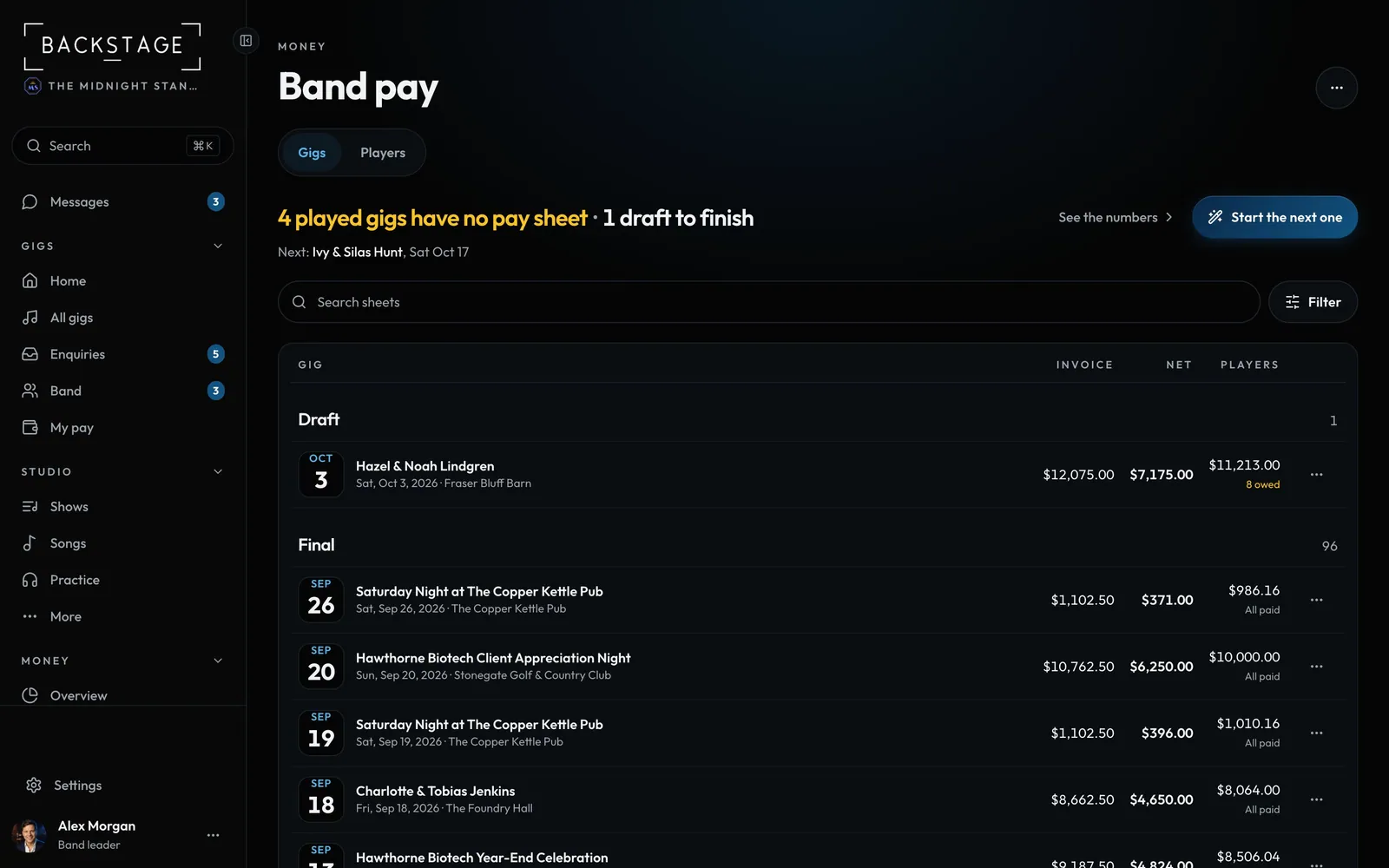
Swipe sideways to see the whole screen. Tap a number for its tip.
- MoreNew sheet, New from gig and the Directory.
- To settlePlayed gigs with no sheet yet.
- The totalsSheets, invoiced and net profit.
- Start the next oneThe fee and crew filled in from the gig.
How to
- Open Money, then Band pay.
- The top line says how many played gigs have no pay sheet. Tap Start the next one.
- The answer is on top: what's left to split and Who gets paid. Tap a step (Fee, Deductions, Musicians...) to check or change it.
- Tap Mark final when it's settled. Drafts stay at the top of the list until you do.
Tip
Tip
Need a blank sheet, a sheet for a different gig or everyone's usual fee? They're in ... at the top.