In the demo · EveryoneFor everyone
Grooves and parts
A bracket that says "8 bars of groove" is fine for the bass player. Write it out as bars when the rest of the band needs the chords, and mark the bars a part sits out.
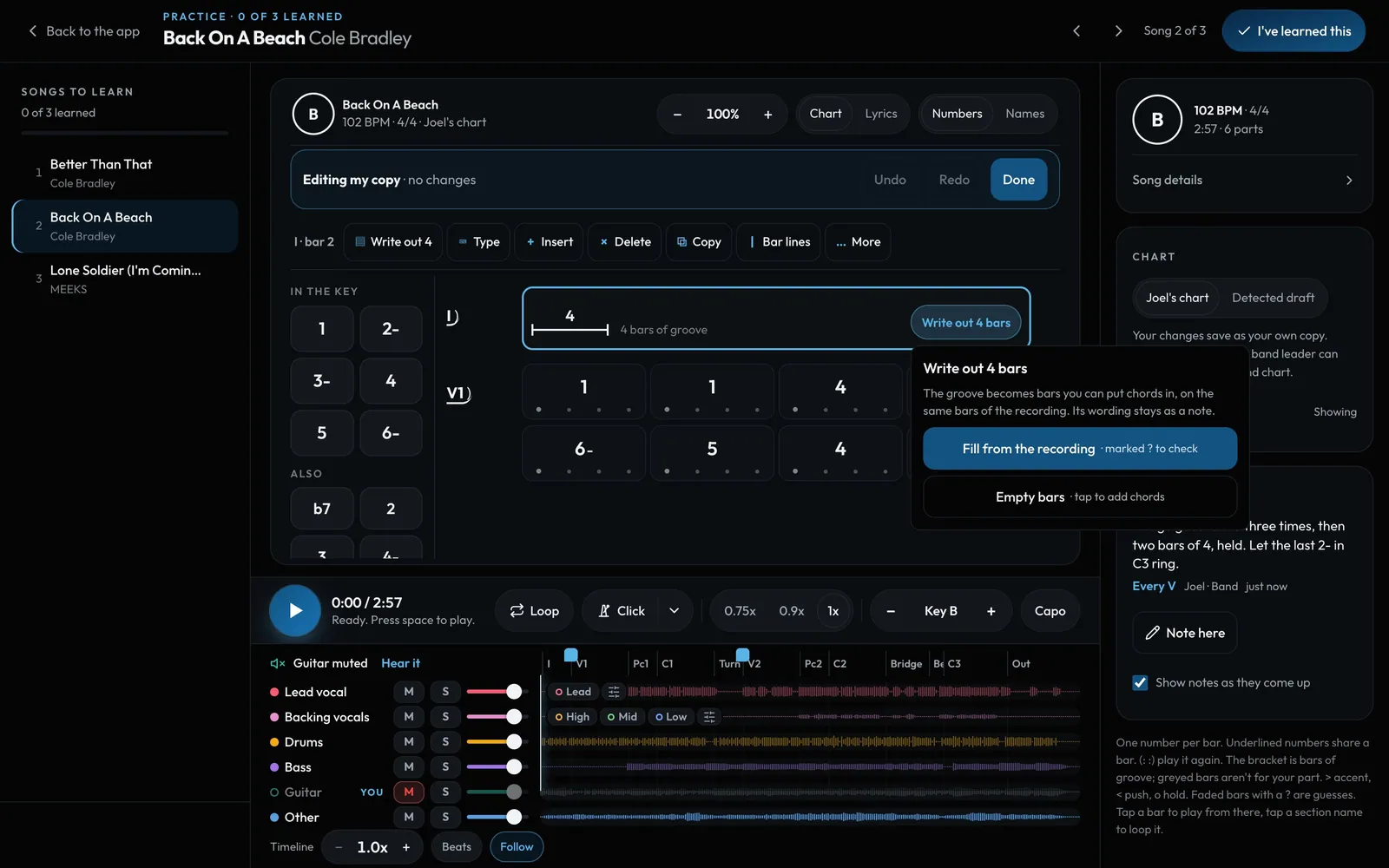
Swipe sideways to see the whole screen. Tap a number for its tip.
- The groove4 bars of groove, as written.
- Fill from the recordingThe chords heard in each bar, marked ? to check.
- Empty barsThen tap a chord into each one.
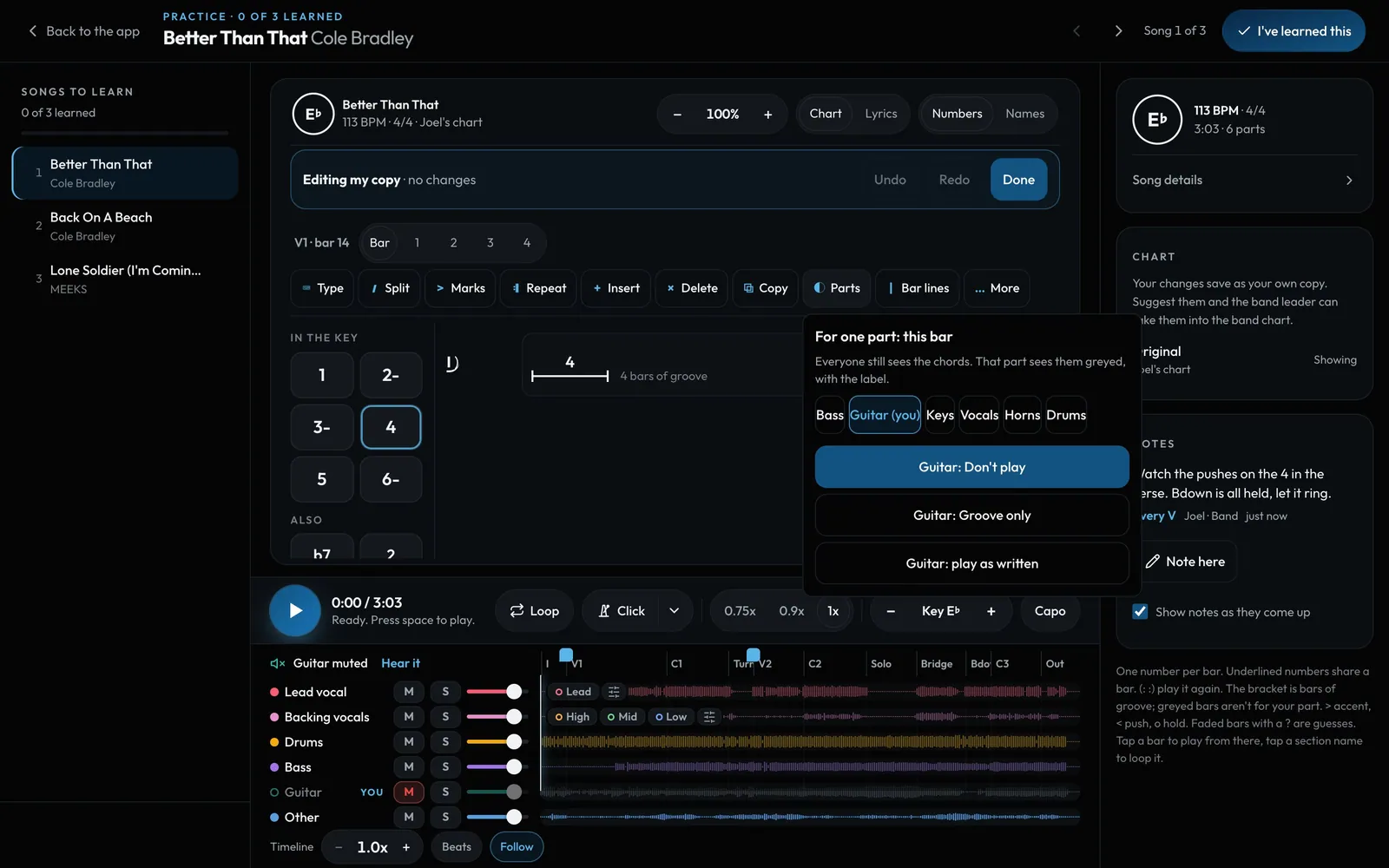
Swipe sideways to see the whole screen. Tap a number for its tip.
- Don't playThose bars are greyed for that part.
- Groove onlyEveryone still sees the chords.
How to
- In Edit, tap Write out 8 bars on a groove bracket.
- Pick Fill from the recording (marked ? to check), Empty bars, or %. Nothing moves in time.
- Select bars, then Parts: Don't play or Groove only for a part.