Everyone · PhoneFor touring acts
Show day on your phone
On a tour day, your home screen opens on the day: travel, the hotel and the day sheet first, for everyone on the tour. The day sheet starts with your calls and your room, and the whole tour is one tap away.
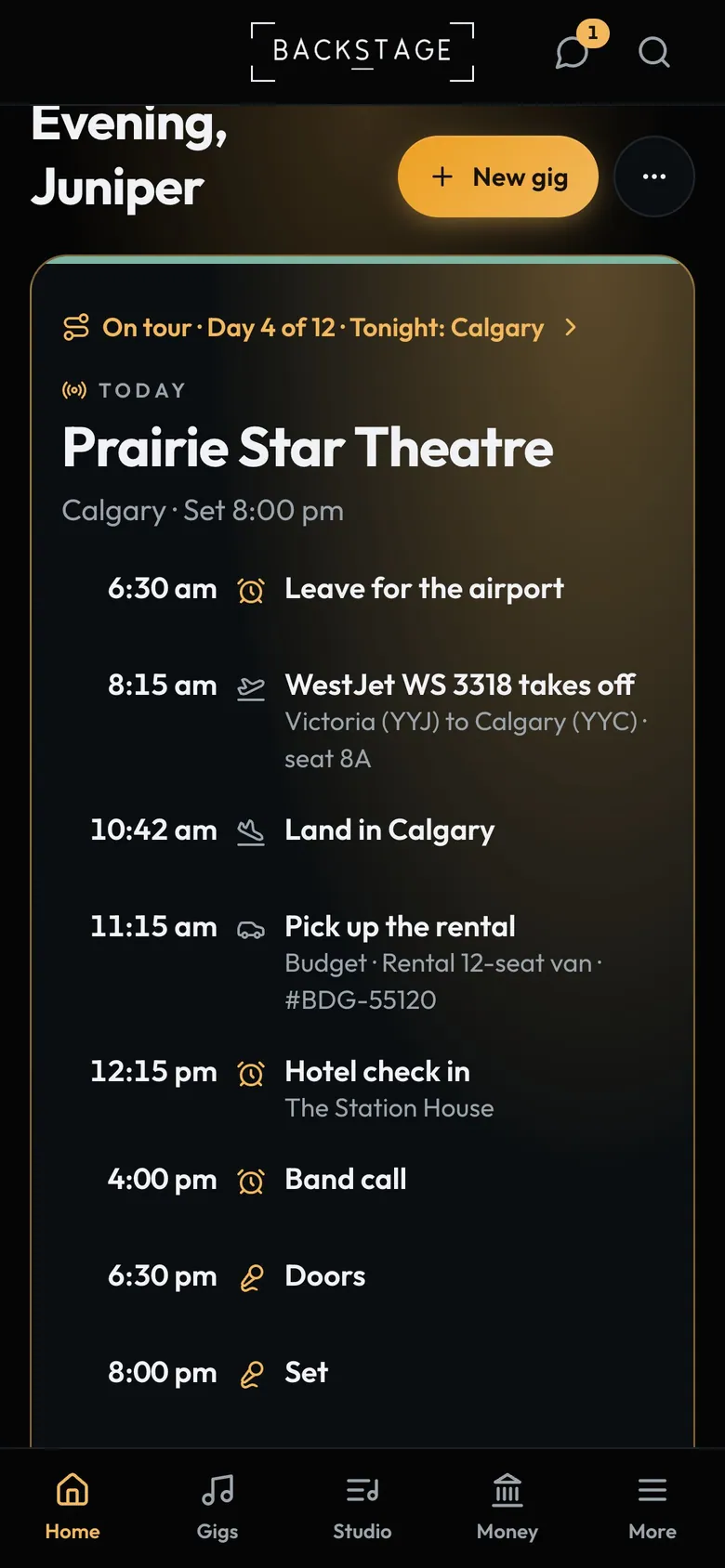
- TourThe whole tour, one tap.
- TodayShow, travel or day off.
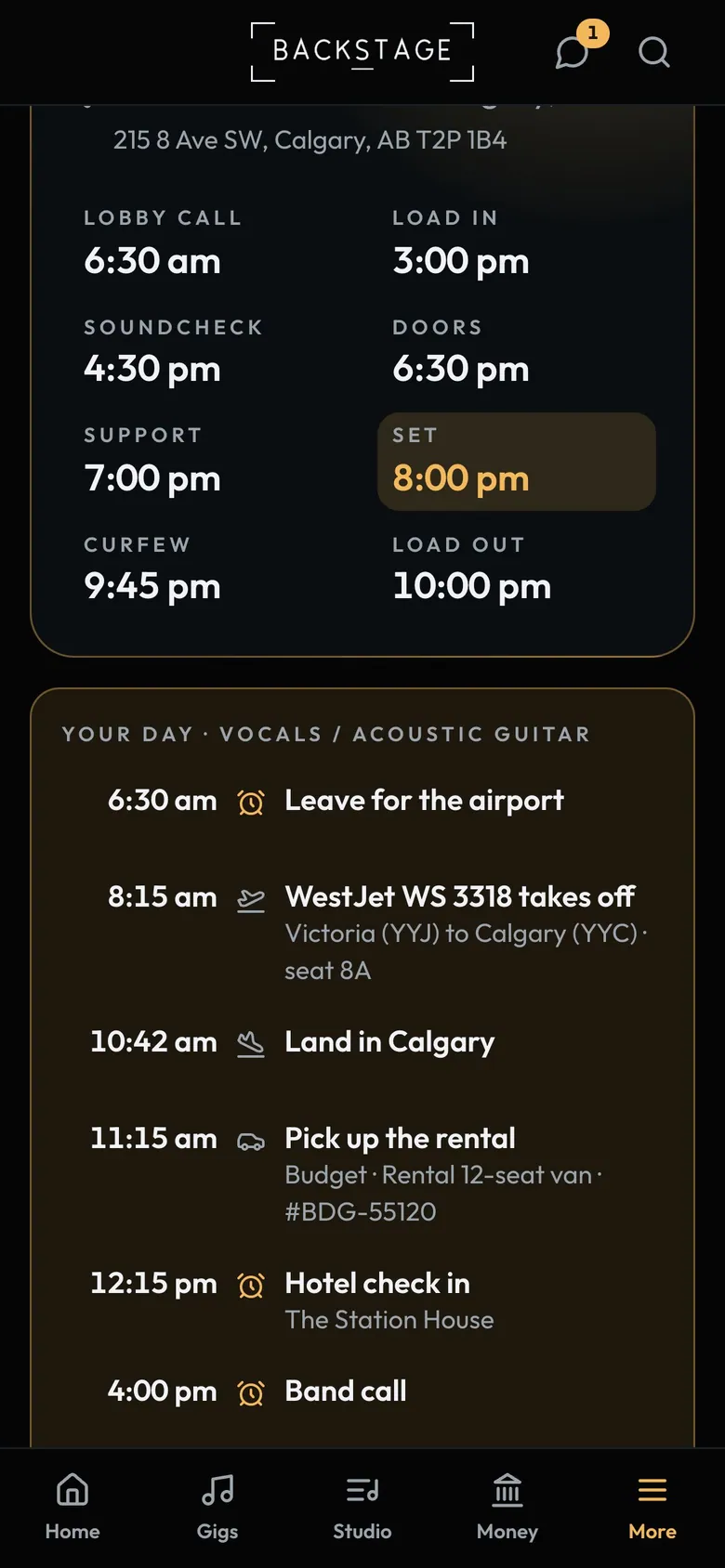
- Show timesThe whole day at a glance.
- Your dayYour calls and your room.
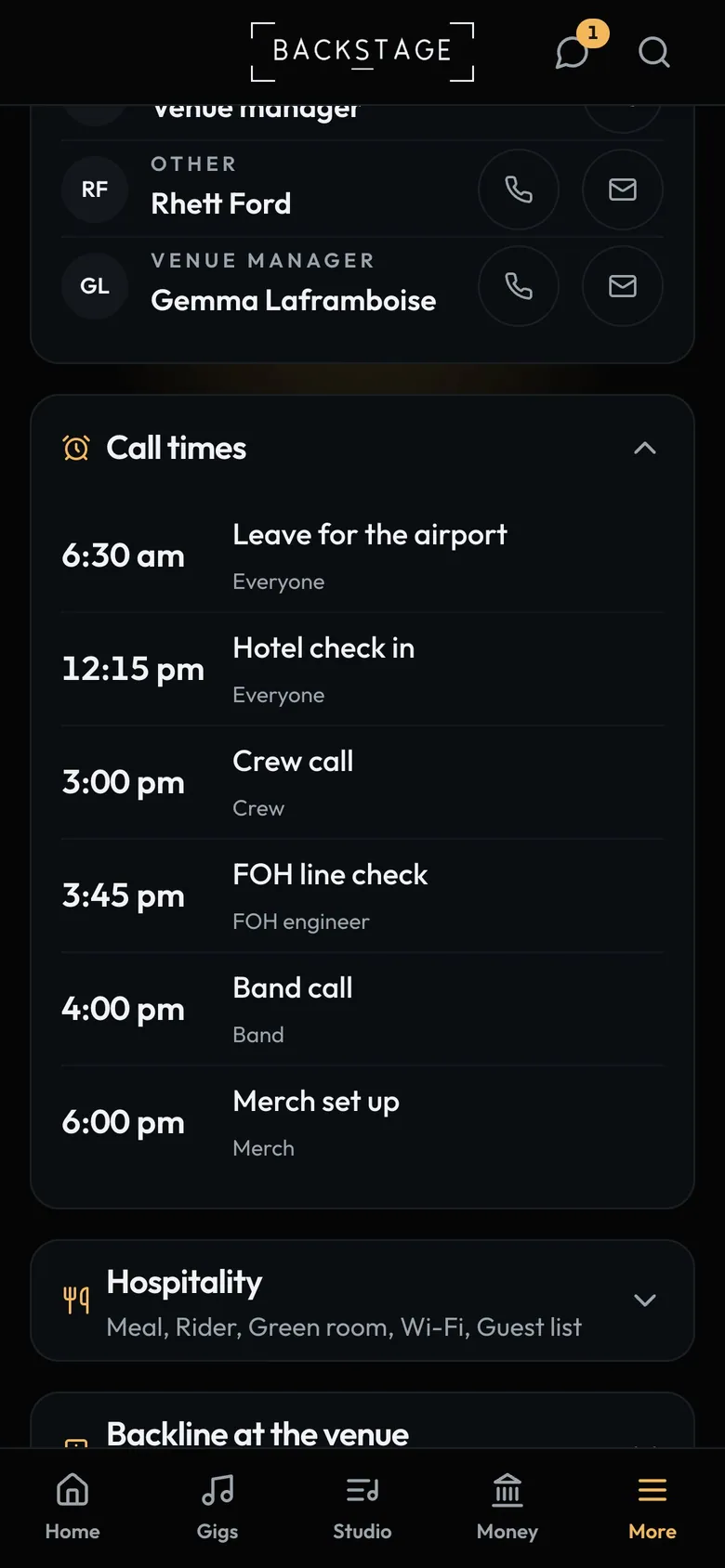
- Call times by roleCrew, FOH and band.
- Each role's callMerch and the rest too.
How to
- On a tour day, tap Day sheet at the top of Home. Read Your day first.
- The hotel and contacts follow. Call times and the rest are rows: tap one to open it.
- Watch for the Lobby call reminder the evening before.
Tip
Tip
Players and crew get Tour in the menu while they're on a tour. Their day sheet never shows the promoter, venue or client contacts.