Everyone · iPad
Charts and lyrics on stage
Open any song's chart or lyrics full screen. It scrolls itself at the song's pace, and transposes on the spot.
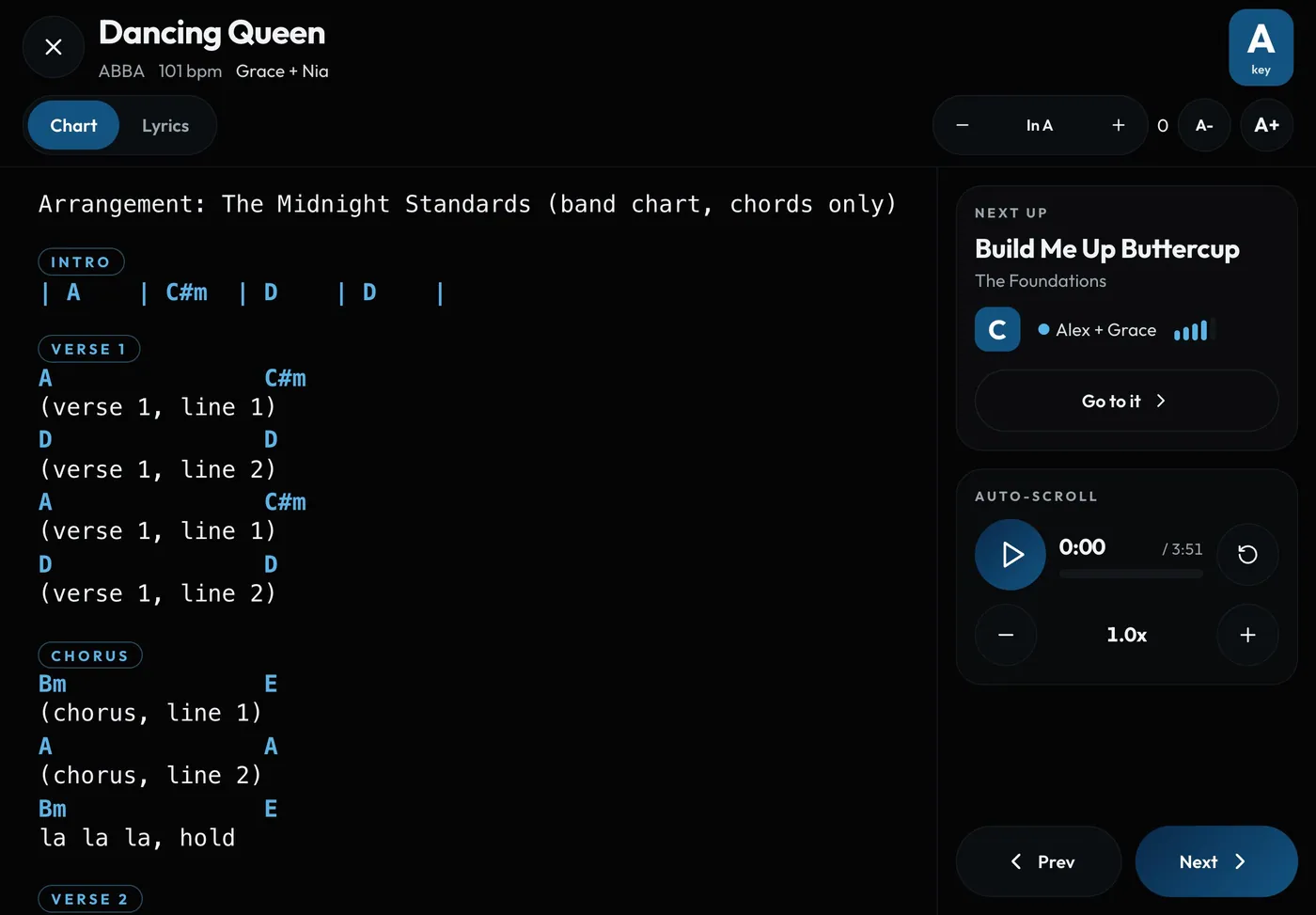
Swipe sideways to see the whole screen. Tap a number for its tip.
- Text sizeA- and A+ for your eyes and your stand.
- TransposeShift the key; chords update instantly.
- Auto-scrollPlay, then speed up or slow down.
- Chart or LyricsSwitch views any time.
- Prev and NextMove through the show without closing.
How to
- In stage mode, tap Chart or Lyrics on a song (or press Enter).
- Tap play under Auto-scroll; use − and + to set the speed.
- Tap Save for this song so it scrolls at that speed next time.
- Use the transpose control to change key, and A- / A+ for text size.