Players and band leadersFor everyone
Drop-outs
Already said yes and now you can't play? Ask to drop out with a reason. Your band leader OKs it, finds a sub, and the pay goes to whoever fills in.
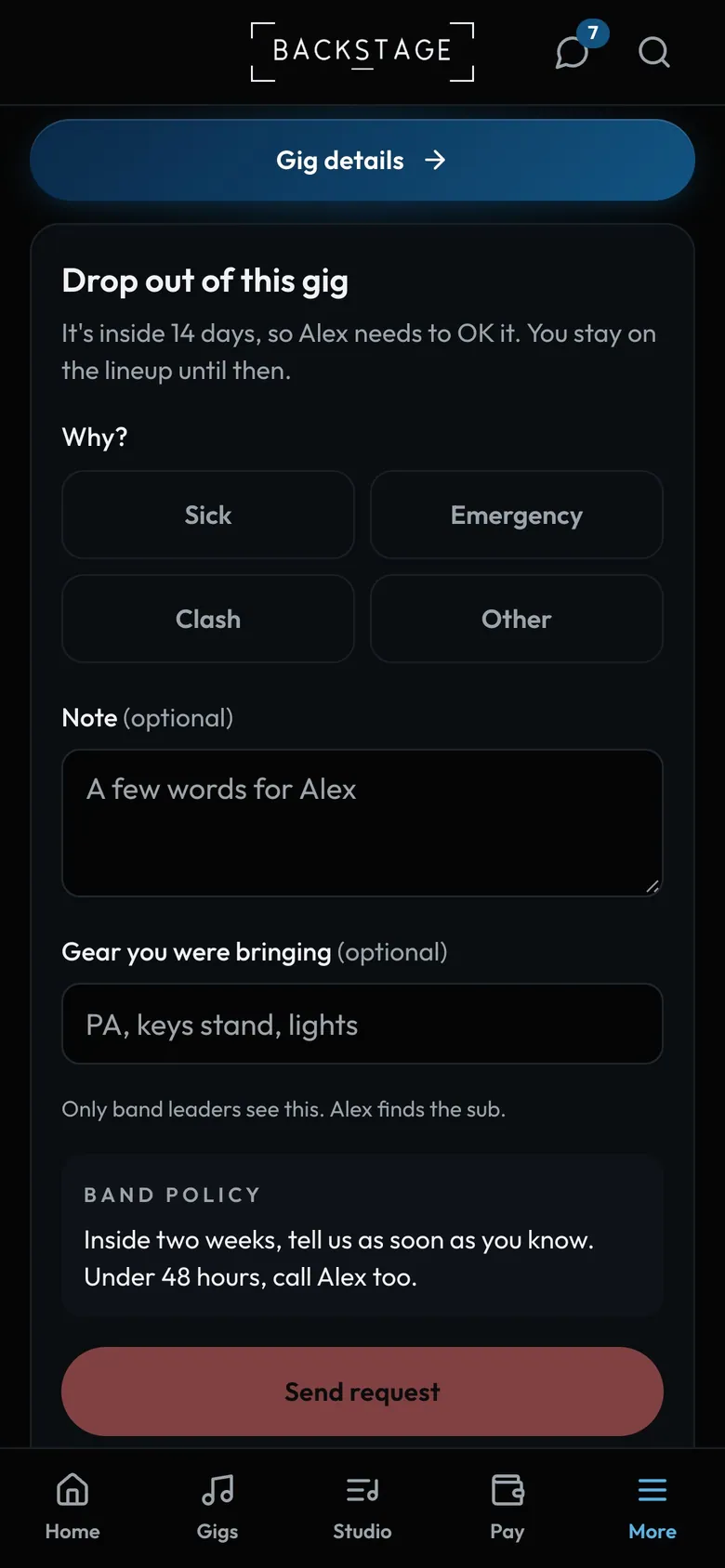
- NoticeInside the band's window, a leader OKs it first.
- WhySick, emergency, clash or other.
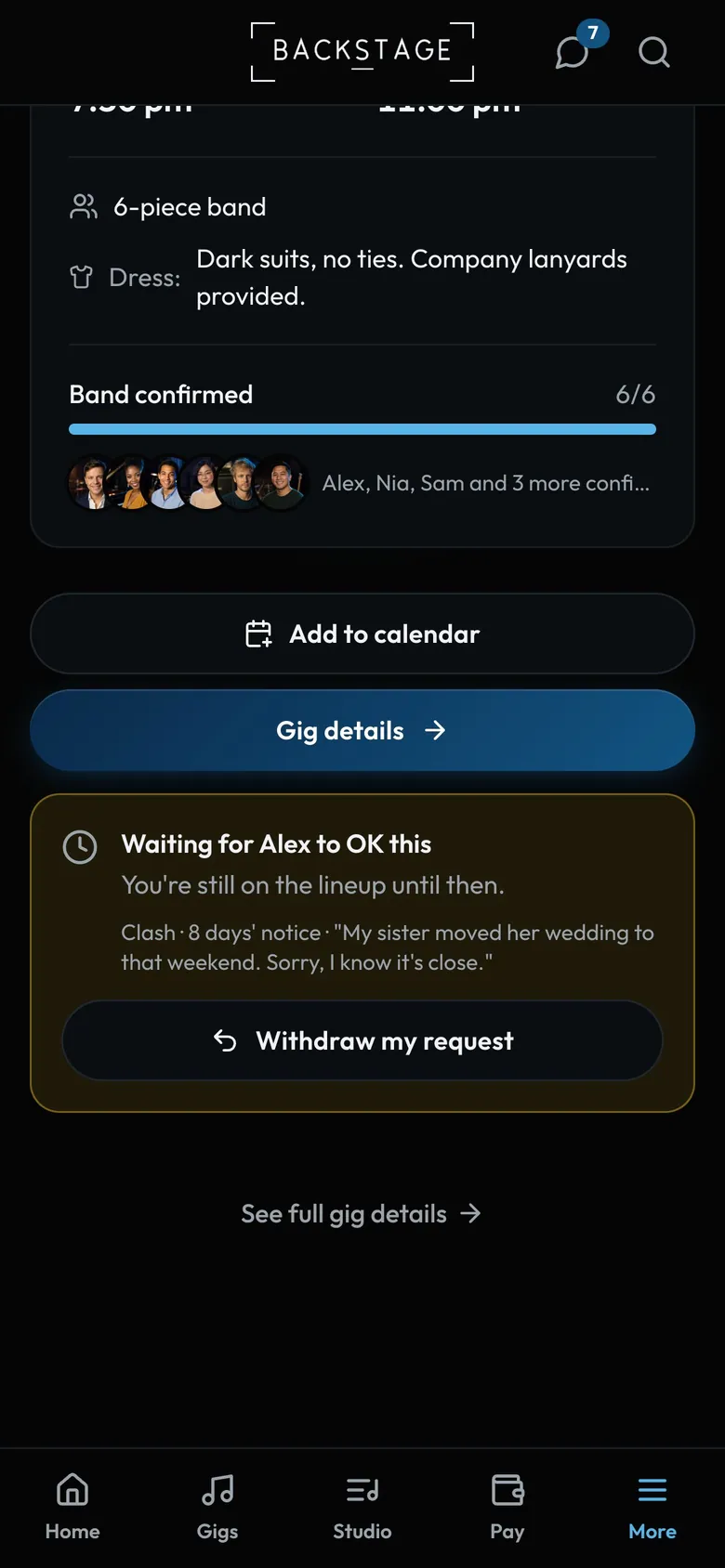
- Where it standsWaiting, OK'd, or asked to stay on.
- Still on until thenYou play unless your leader OKs it.
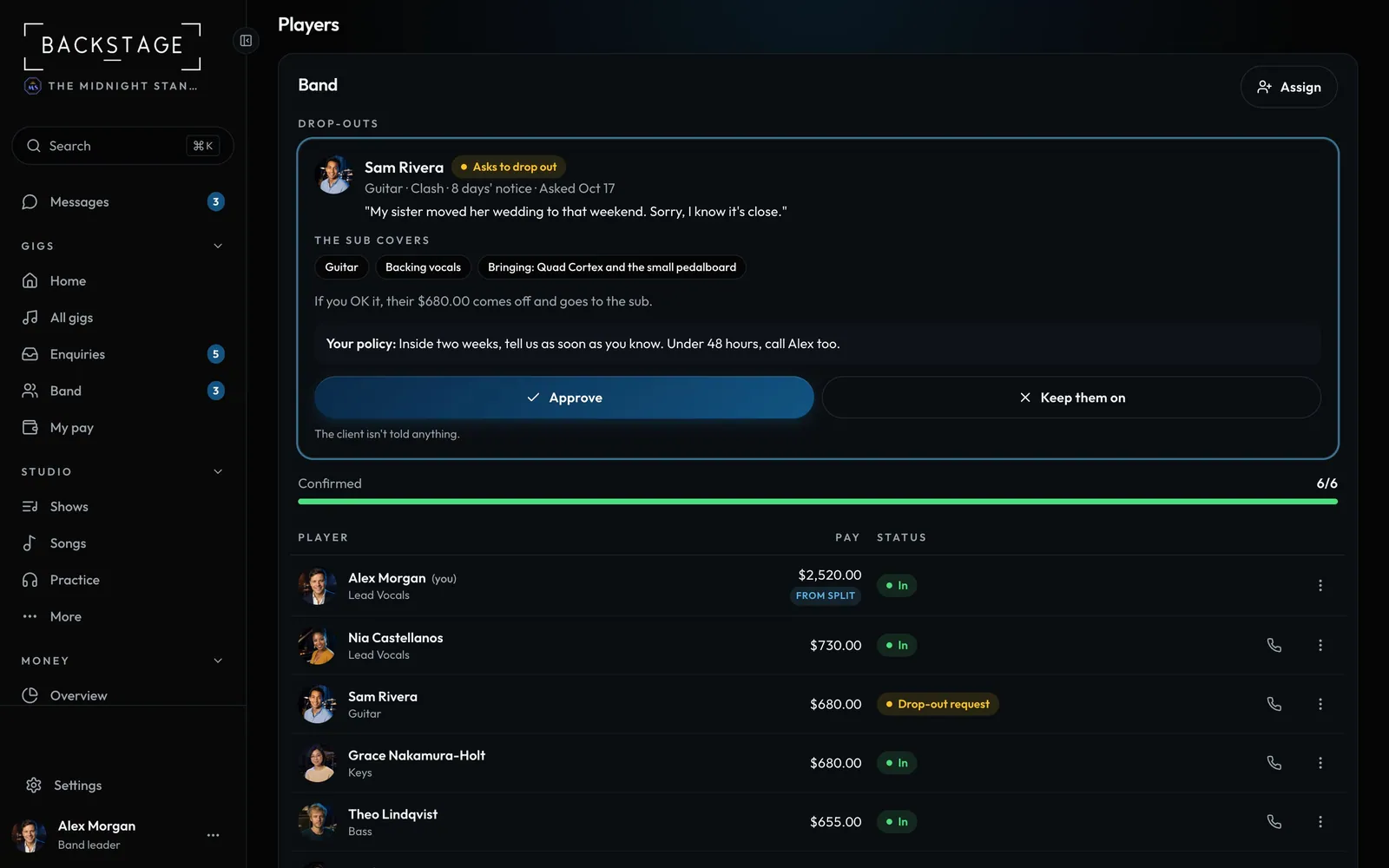
Swipe sideways to see the whole screen. Tap a number for its tip.
- The requestReason, notice and note. Urgent inside 48 hours.
- ApproveThen start the sub finder in one tap.
How to
- Players: open the gig, tap I need to drop out, pick a reason and send. Tap Withdraw my request if things change.
- Far enough out, you're off at once. Inside the notice window, you play unless a leader OKs it.
- Leaders: open the request from Needs you, click Approve or Keep them on, then Start sub finder.
Tip
Tip
The sub gets the pay. Set the notice window in Settings → Profile → Drop-outs. The client is never told.