Everyone · iPad
Cue and reorder on stage
The night never goes to plan. Line up a different song or shuffle the order, and every screen updates.
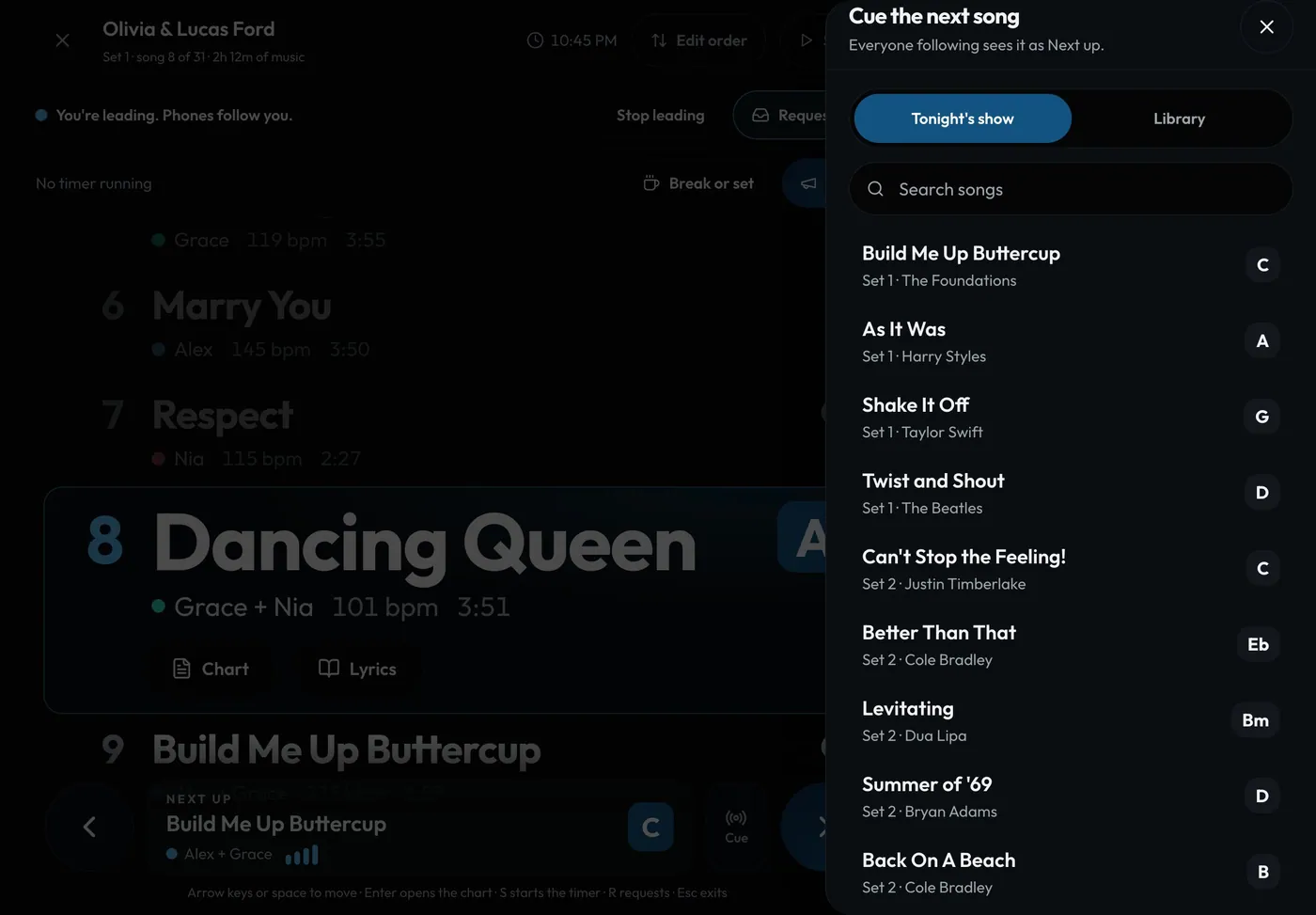
Swipe sideways to see the whole screen. Tap a number for its tip.
- Tonight's show or LibraryCue anything, even songs not in the show.
- SearchFind it fast.
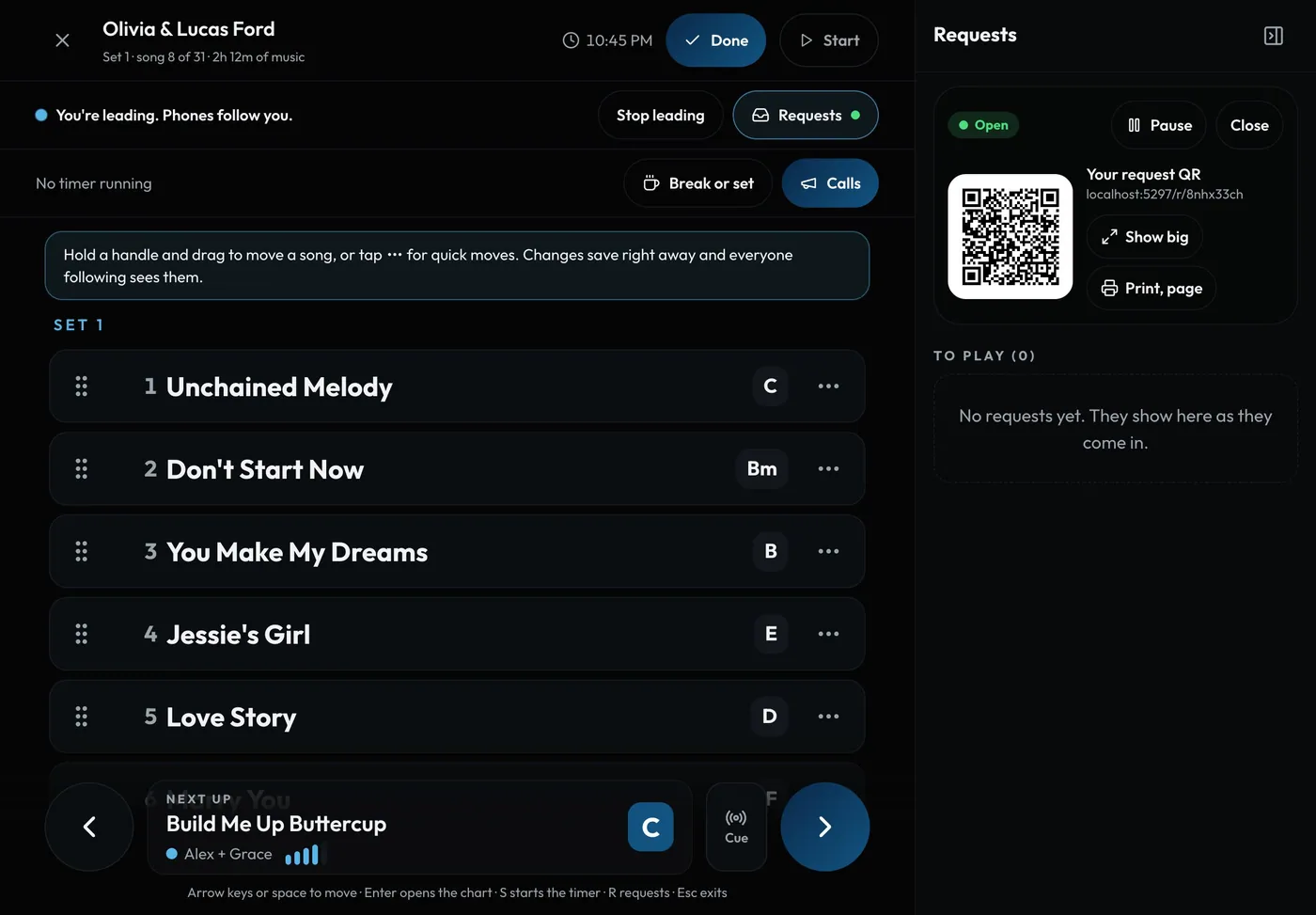
Swipe sideways to see the whole screen. Tap a number for its tip.
- DoneChanges save right away for everyone.
- Drag to moveOr tap ⋯ for quick moves.
How to
- Tap Cue and pick a song: everyone following sees it as Next up.
- Tap Edit order, then drag a song, or tap ⋯ for Play next, Move to end of set or Skip tonight.
- Tap Done. Skipped songs can be brought back any time.