In the demo · EveryoneFor everyone
Fix a chord
The same charts are used on stage, so they have to be right. Tap a bar, tap a chord, and the next bar is ready for the next one.
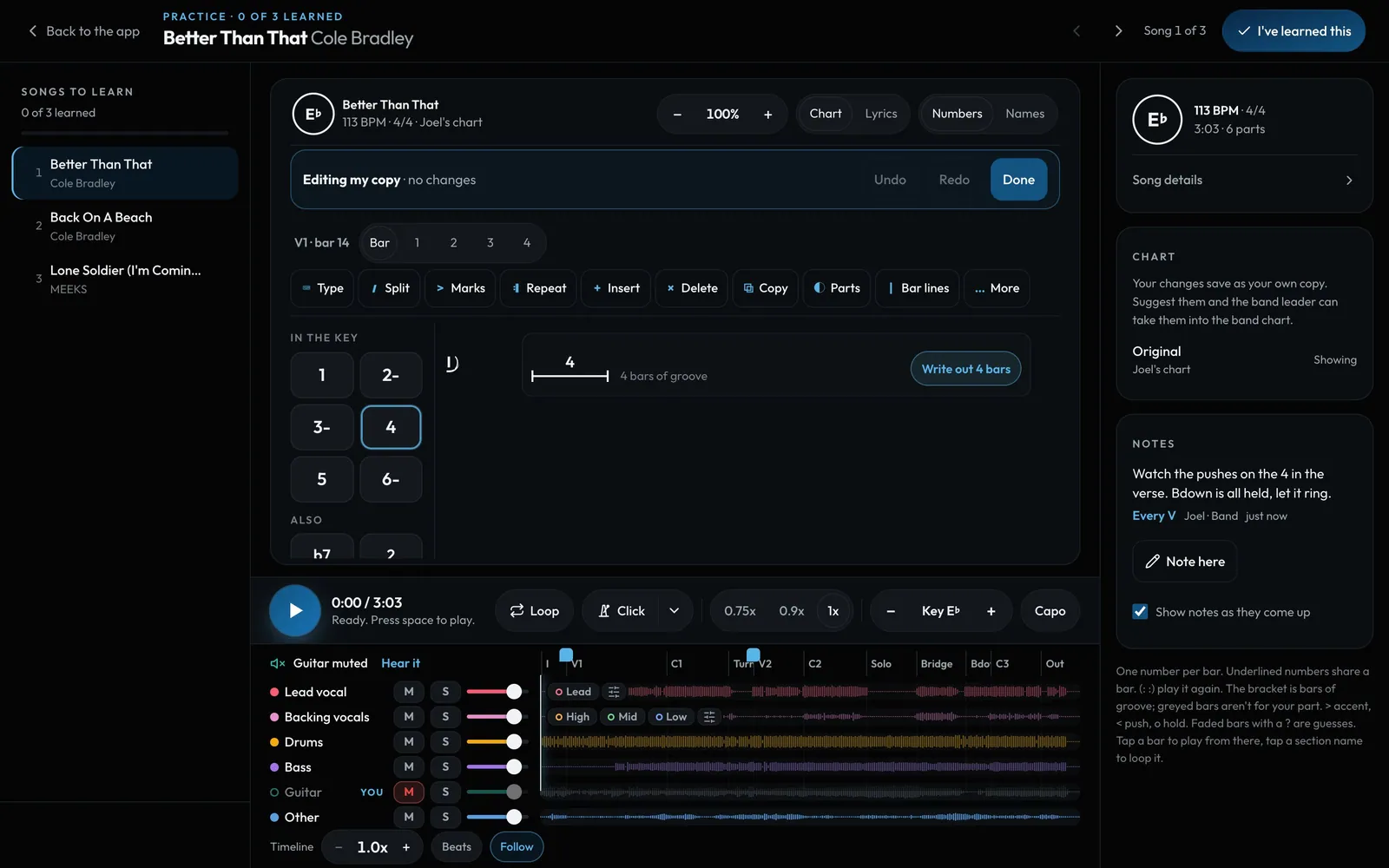
Swipe sideways to see the whole screen. Tap a number for its tip.
- Your copyA player's edits are their own copy. A leader's change the band chart.
- SaveUndo and Redo as you go. Save when you're happy.
- ToolsType, split a bar, accents and pushes, repeats, insert and more.
- Chords in the keyTap one to put it in the bar. More… has any chord.
How to
- Tap Edit. The chart turns into bars with their beats.
- Tap a bar, then a chord. It fills the bar and moves to the next one, so a verse goes in tap by tap. Tap a beat first to split the bar there.
- Rather type? Select a bar and type, like 4 5 or 6- 5/7. Enter goes to the next bar.
- On a computer you can drag a chord to another bar, or drag the line between two chords to change their beats.
- Faded bars with a ? are guesses from the recording. Tap one to Confirm or Change it, or tap to check to go through them all.
- Save keeps a version. A player's change saves as My copy, with Suggest to the band for the leader to take or decline. Every version can be restored.