Band leaders
Deposits, payments and reminders
Each invoice tracks its deposit and every payment. Send it, remind the client, and give them a link to view and pay.
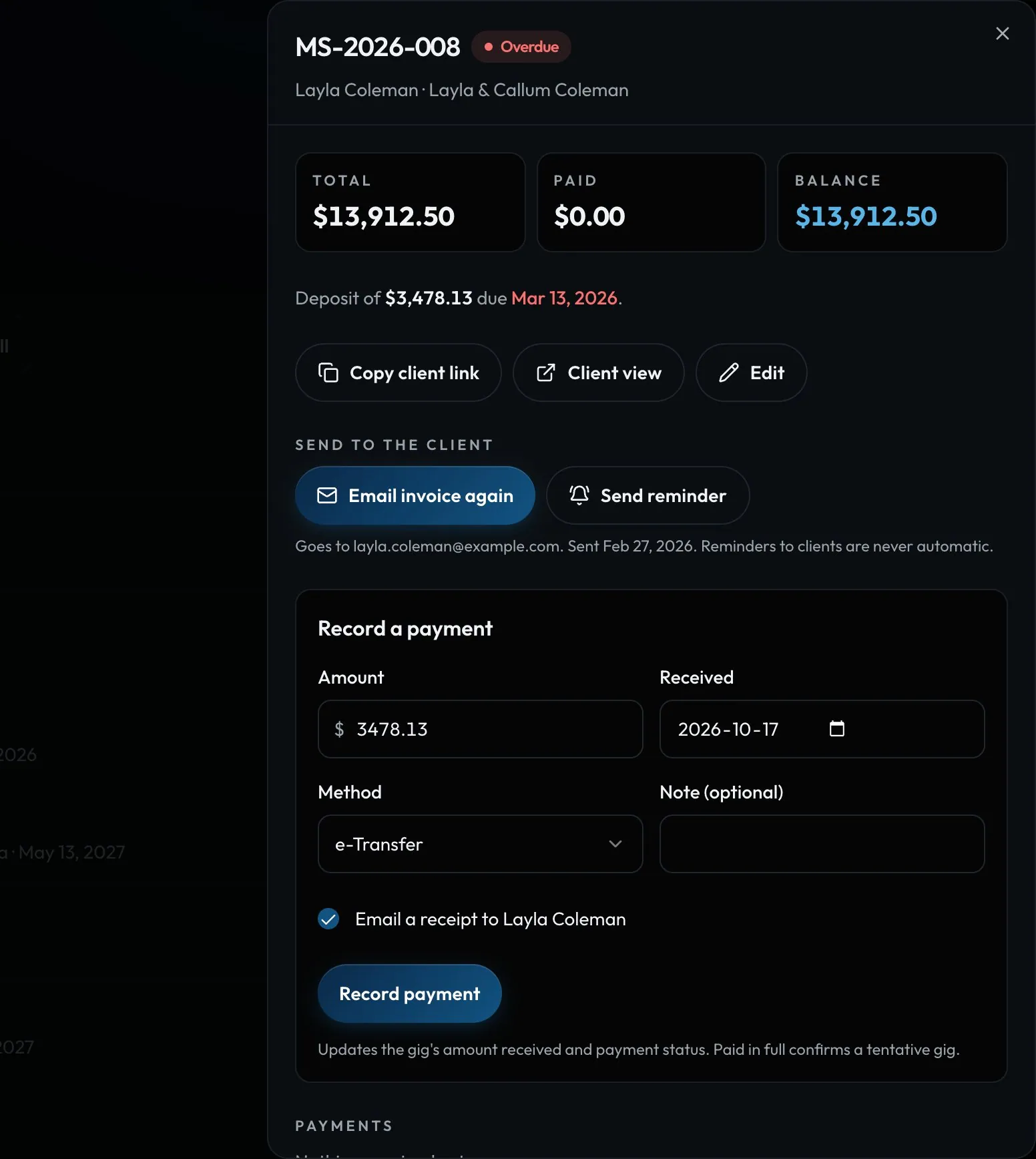
Swipe sideways to see the whole screen. Tap a number for its tip.
- DepositAmount and due date.
- Client linkThey view and save it as a PDF.
- Record a paymentAmount, date and method.
- ReceiptOn by default. Untick it for this payment.
How to
- Click an invoice to open it.
- Use Email invoice to send it, or Copy client link.
- When money arrives, fill in Record a payment and click Record payment. Email a receipt to the client is ticked for you.
- Typed it wrong? Tap the pencil on the payment, fix it and Save. If the amount or method changed, the client gets an Updated receipt.
- Tap Send reminder if a balance is late. Reminders are never automatic.
Tip
Tip
Recording a payment updates the gig too. Paid in full confirms a tentative gig automatically.