Guests · PhoneFor clients and guests
What guests see
Guests scan your QR code and get a page made for tonight: a welcome, your songs to browse and search, and a list to send. No app, no sign-in, and it works on bad venue signal.
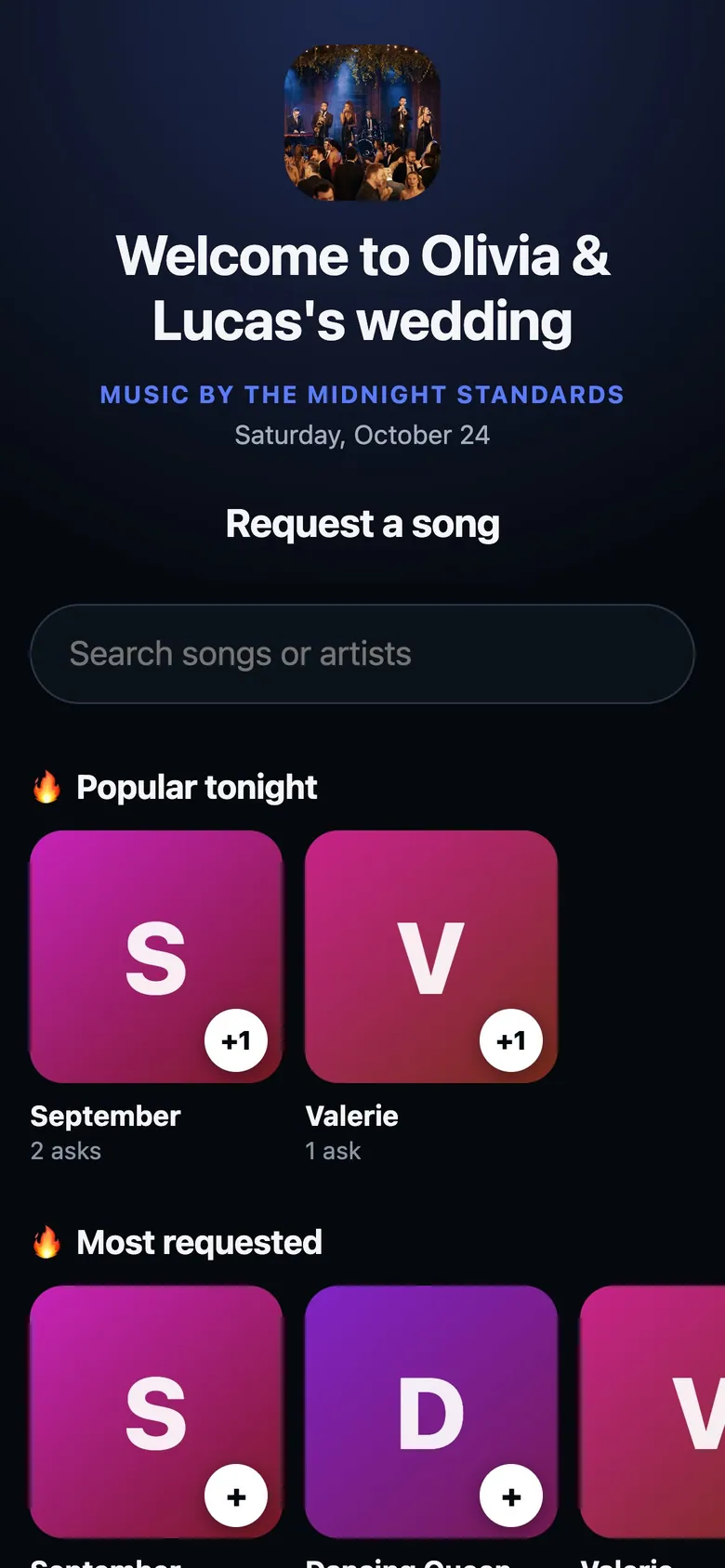
- WelcomeMade from tonight's gig, like "Welcome to Chloe & Hudson's wedding".
- SearchFrom the first letter. Forgives typos. Title or artist.
- ShelvesYour request groups. Tap a song to add it to the list.
How to
- Guests scan your request QR. It's the same code every night, so it can live on a banner.
- During a show: a welcome, shelves of your songs, a search and Popular tonight. Up to 5 songs go on My list, with a name and a dedication.
- Not on the list? Not here? Ask anyway. You see it as Off the list.
- Paused or Closed: a short note that checks by itself. Later today: when requests open.
- No gig today: your page, with your photo, socials and Book us. Bad signal? The list sends when it's back.
Tips
Tip
Pick the shelves in Settings > Profile > Song requests, and hide a song from requests on its sheet.Tip
Change tonight's headline in the gig's Client section, under Request page.