DJs · Setting up
Set up as a DJ
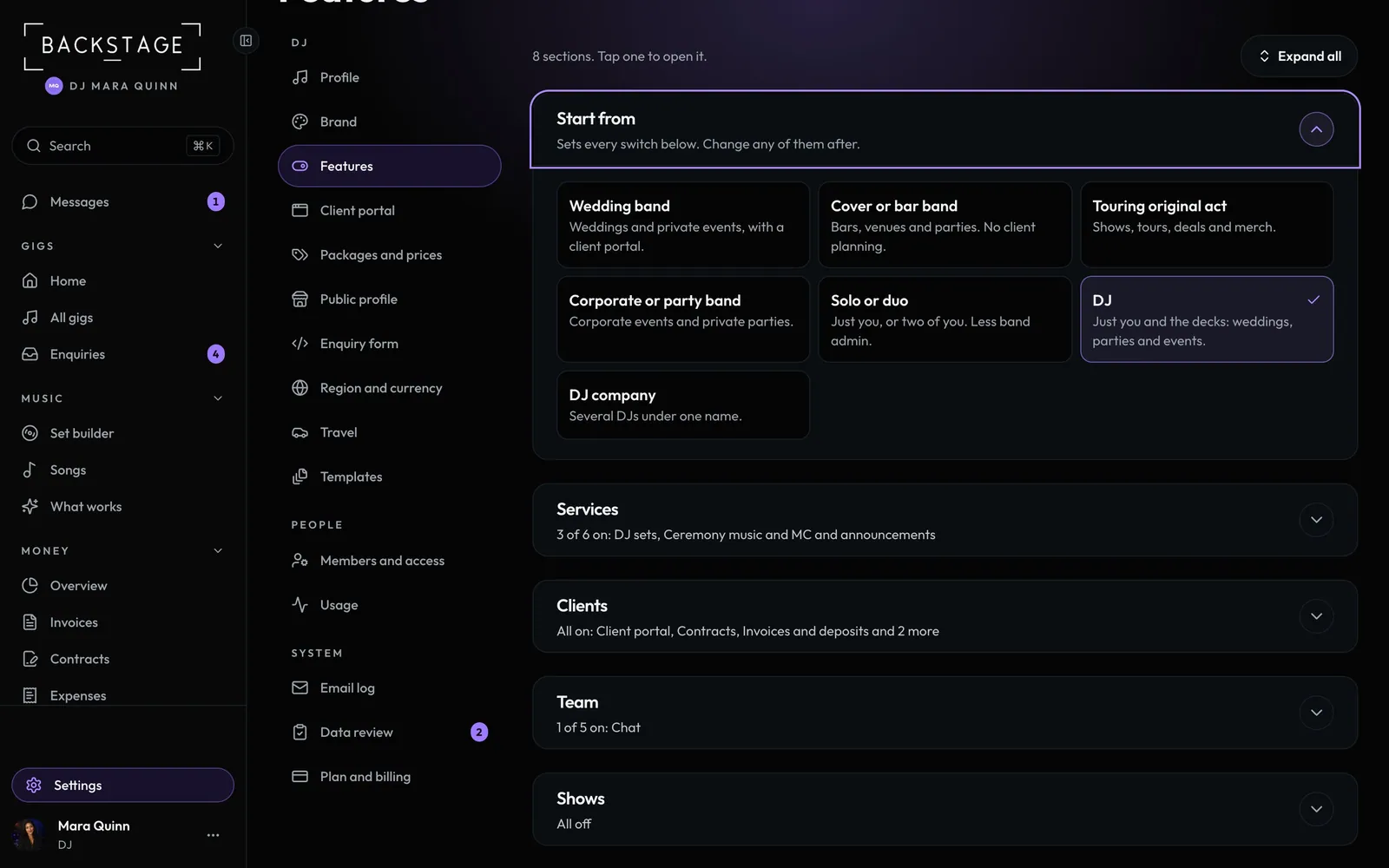
Pick the DJ preset and the app fits one person and the decks. Band admin goes away, Music takes the place of Setlist Studio, and each gig gets a DJ setup sheet instead of a stage plot.
Swipe sideways to see the whole screen. Tap a number for its tip.
- The DJ presetSets every switch for one DJ. Change any after.
- MusicSet builder, songs and What works.
Swipe sideways to see the whole screen. Tap a number for its tip.
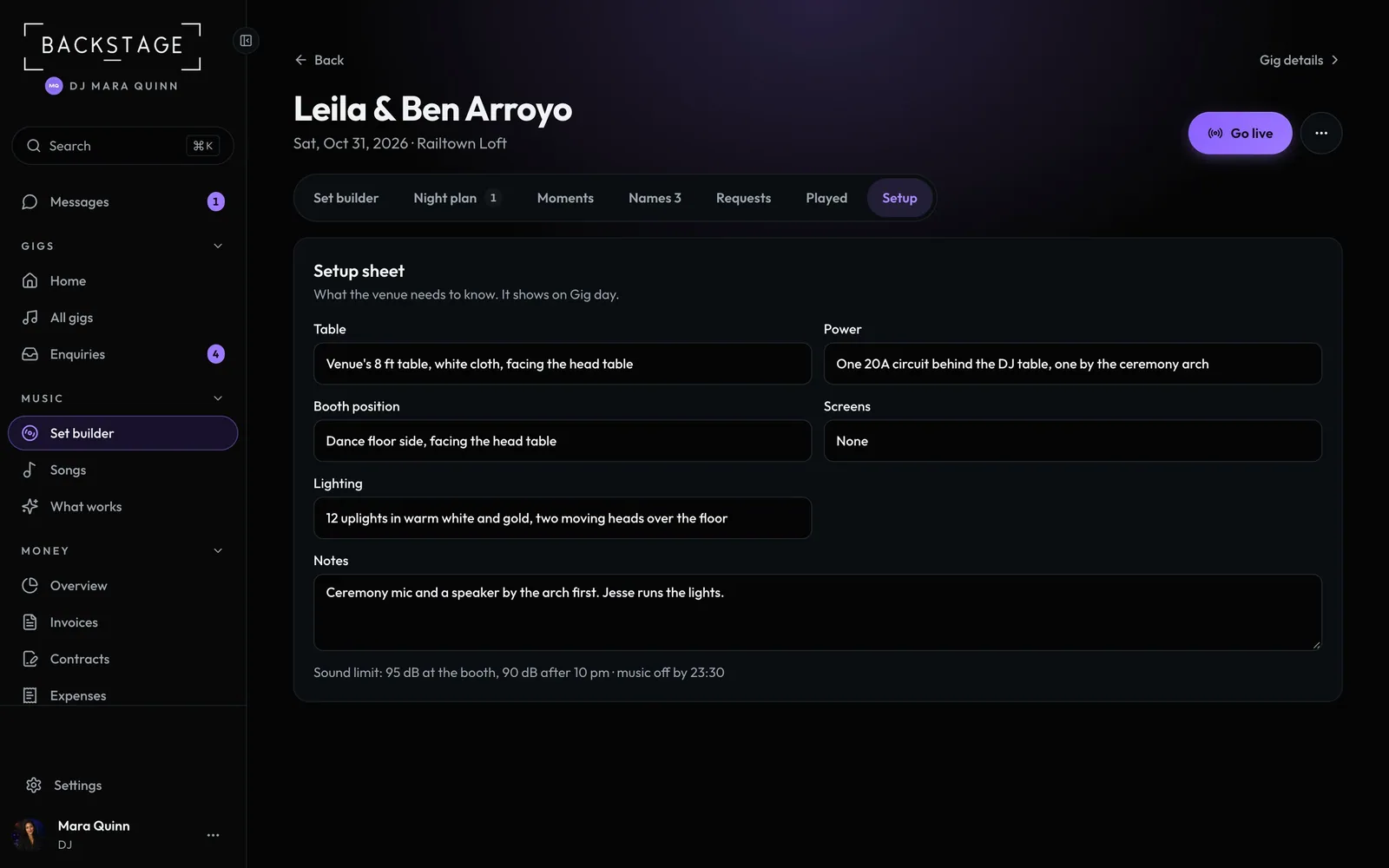
- SetupOne per gig, in place of a stage plot.
- Sound limitAnd when the music has to stop.
How to
- Open Settings → Features and pick DJ under Start from.
- Your products are now Gigs, Music and Money. Music holds the Set builder, your songs and What works.
- Open a gig's Set builder and its Setup tab: table, power, booth position, screens and lighting.
- The setup sheet shows on the gig's Plan tab and on Gig day.
Tip
Tip
Members and access is just you, plus crew or an assistant if you add them. Contracts, the client app and emails speak for one DJ.