DJs and MCs
Names on the mic
Never guess a name again. The client adds everyone you'll announce, how to say it, and a short recording. You set the order and when each is called.
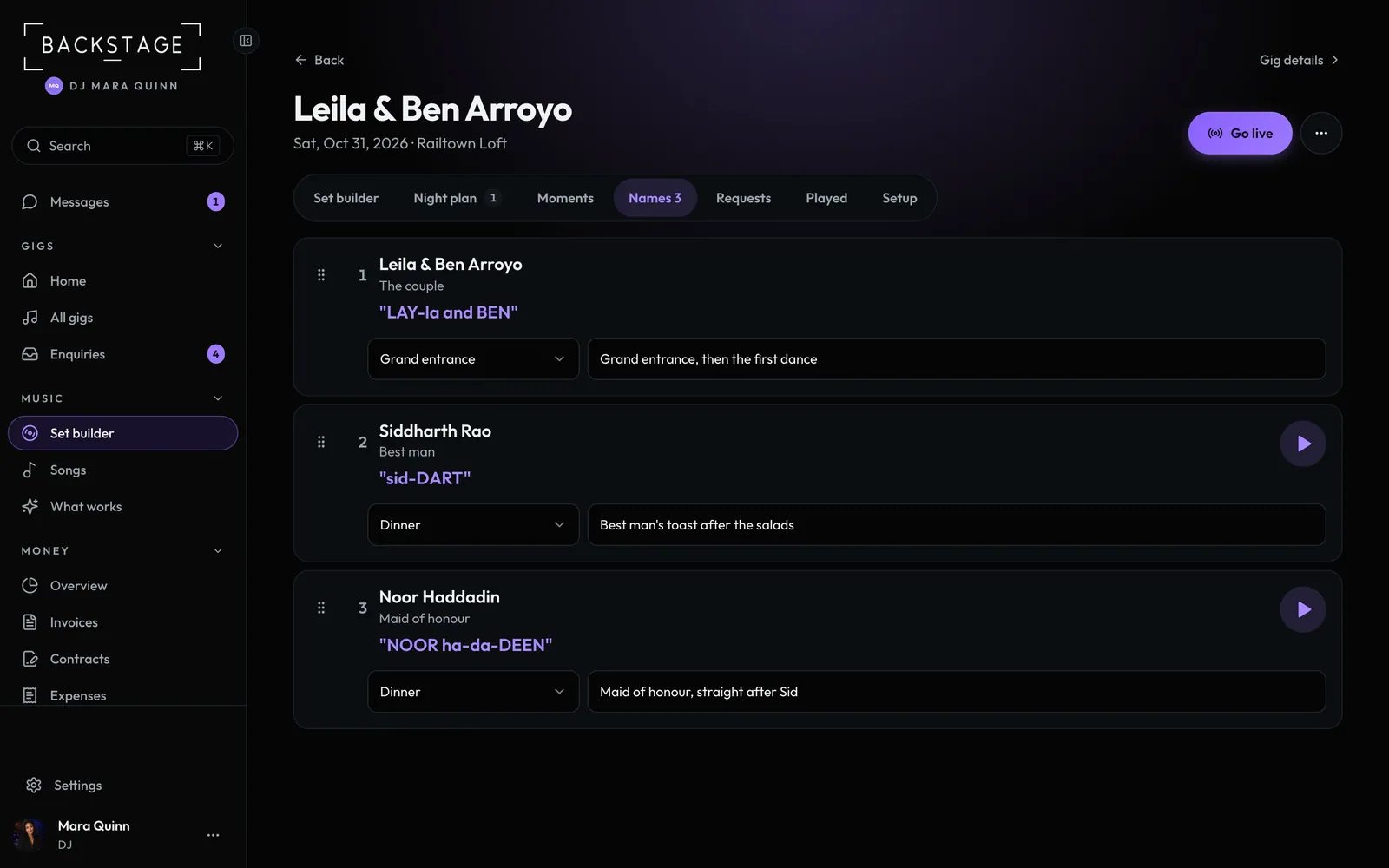
Swipe sideways to see the whole screen. Tap a number for its tip.
- Their recordingUp to 20 seconds, in their voice.
- Say it likeWritten the way it sounds.
- WhenThe block it's in, and a cue note.
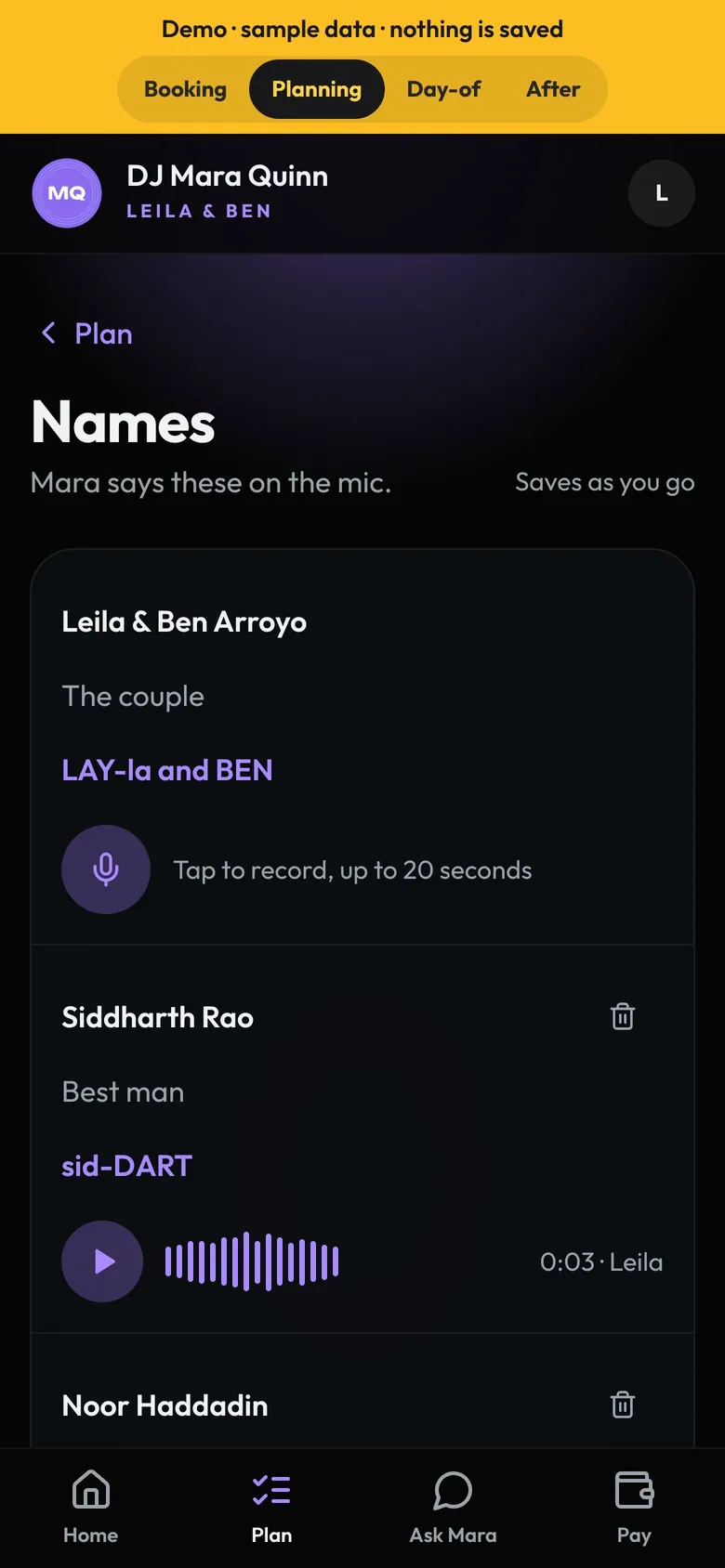
- RecordTap and say it. On iPhone too.
- RecordedPlay it back, or record again.
How to
- The client fills in Plan → Names: the name, who they are and how to say it, with a recording if they like.
- Open the gig's Names tab. Tap the play button to hear each one.
- Drag to set the order, pick When each is announced and add a cue.
- The names print on the cue sheet and pop up in the booth before each moment.
Tip
Tip
Recordings only reach you (the Owner, for a DJ company) and the gig's DJ. Nobody else can play them.