Band leaders
Assign players
Pick your lineup from the roster. Time off shows right in the list, and you choose whether players get an email.
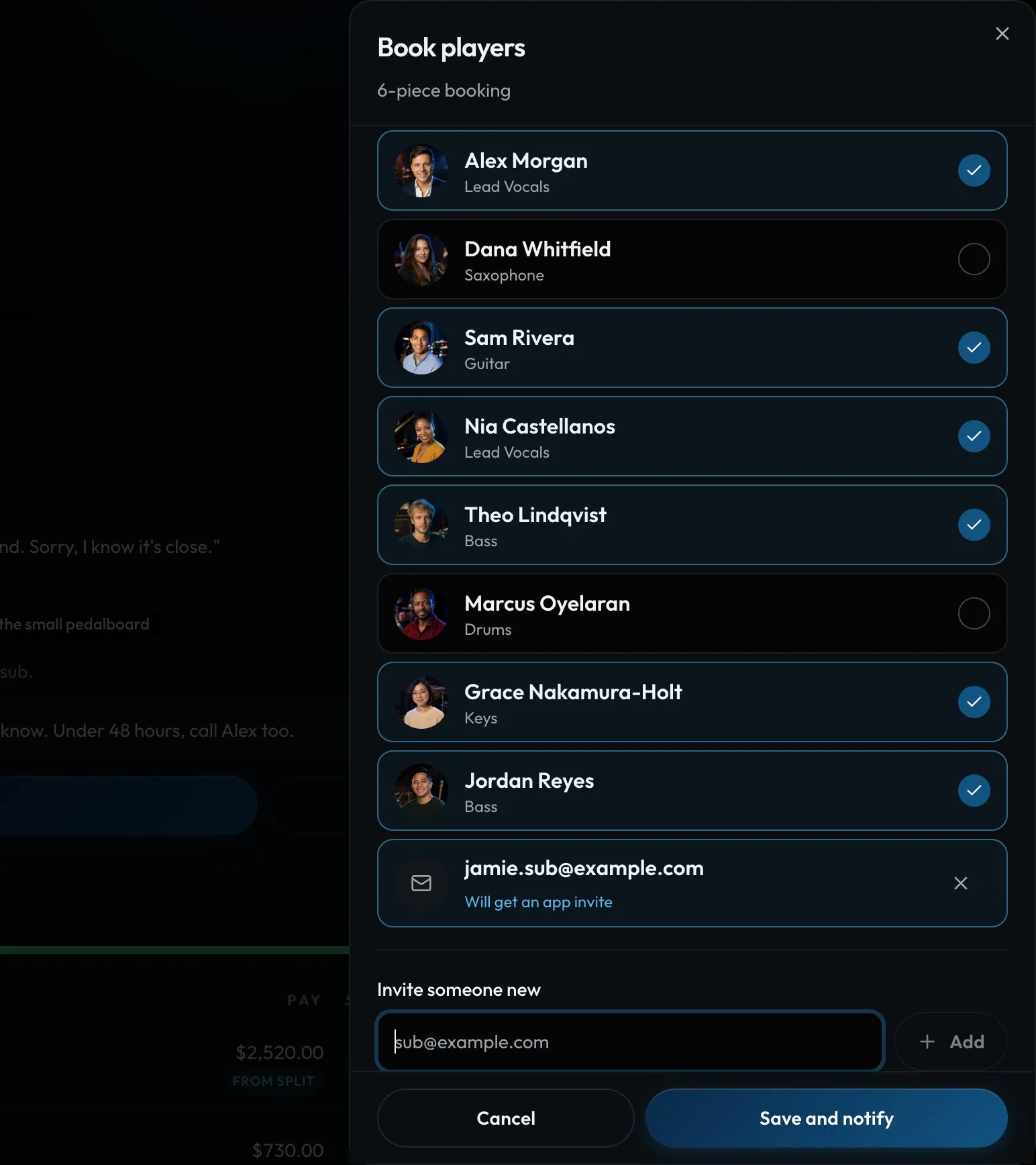
Swipe sideways to see the whole screen. Tap a number for its tip.
- Subs and new playersA sub you're asking, or anyone new, gets an invite to the app.
- Invite someone newType an email to add a sub.
- SaveBecomes Save and notify when someone new gets the email.
- Email or quiet addAdd someone and a switch appears: send the gig email, or add them quietly.
How to
- Open the gig and tap Lineup, then Assign. Book players opens.
- Tick the players you want. Anyone on time off is tagged.
- Leave the email switch on to send the gig with I'm in and Can't make it buttons.
- Switch it off to add someone quietly: no email, but they'll still see it in the app.
- Click Save and notify (or Save).
Tip
Tip
Need someone new? Type their email under Invite someone new and they're added and invited in one go.