Everyone · Phone
Put the app on your home screen
No app store needed. Add it from your phone's browser once and it opens full screen from its own icon, updates itself, and can send you lock-screen alerts.
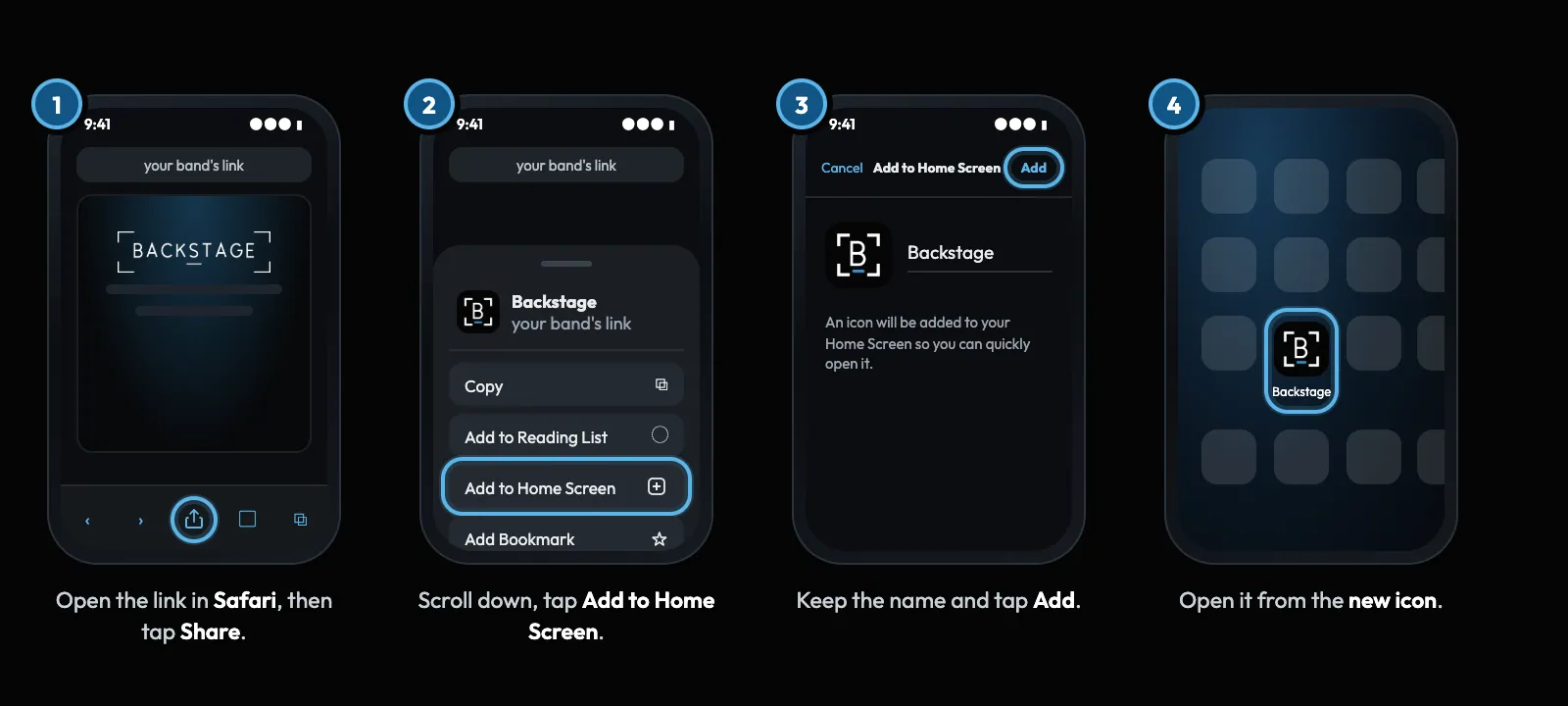
Swipe sideways to see the whole screen. Tap a number for its tip.
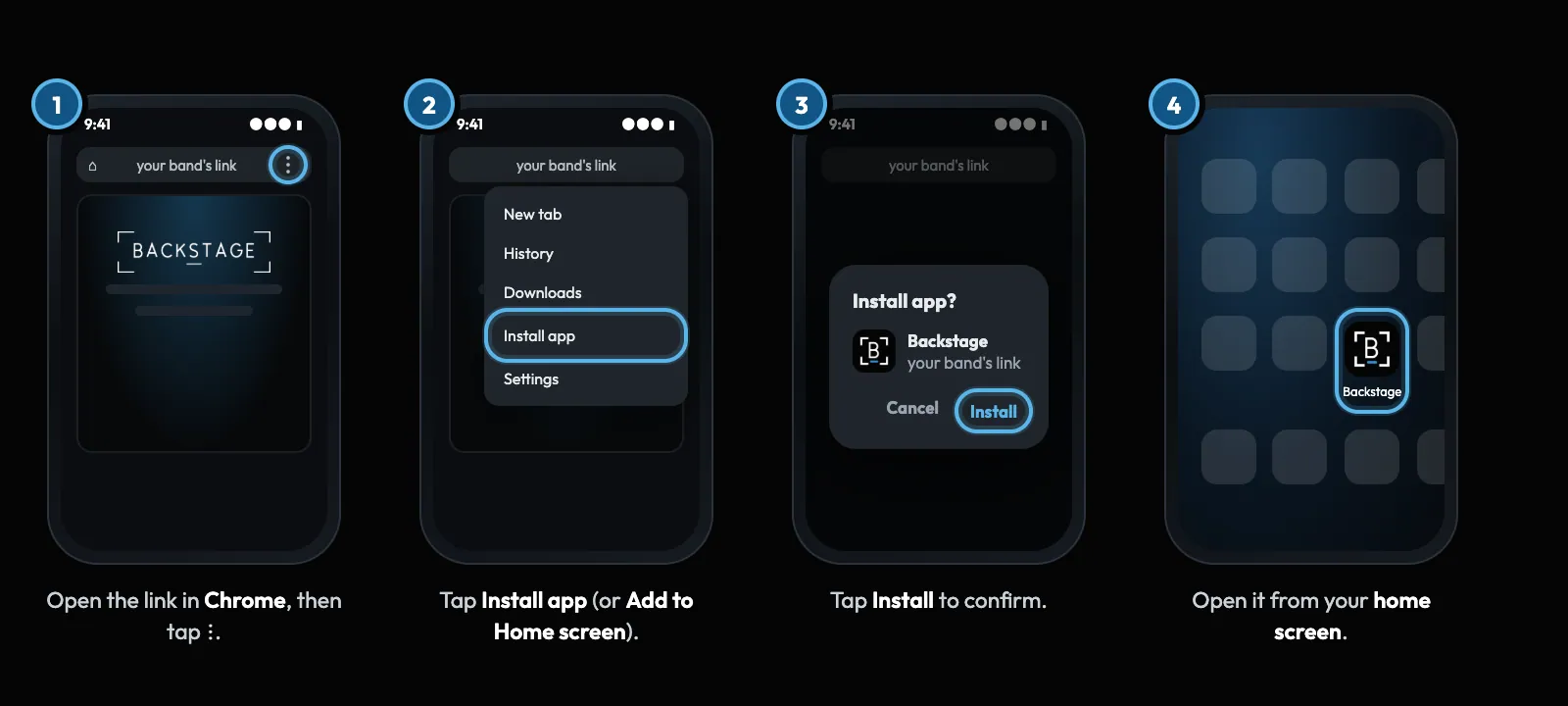
Swipe sideways to see the whole screen. Tap a number for its tip.
How to
- iPhone: open the link in Safari, tap Share, then Add to Home Screen, then Add.
- Android: open the link in Chrome, tap ⋮, then Install app (or Add to Home screen).
- Open the app from its new icon. From then on it updates itself.
- Switch on notifications in My Profile → Notifications.
Tip
Tip
Opened the link from Instagram, Facebook or an email app? Those in-app browsers can't install. Tap ⋯ and choose Open in Safari (or Open in Chrome) first.