Band leaders
Sub finder
A player can't make it? The sub finder asks your subs one at a time, in your order. The person being asked only fills the spot once they say yes.
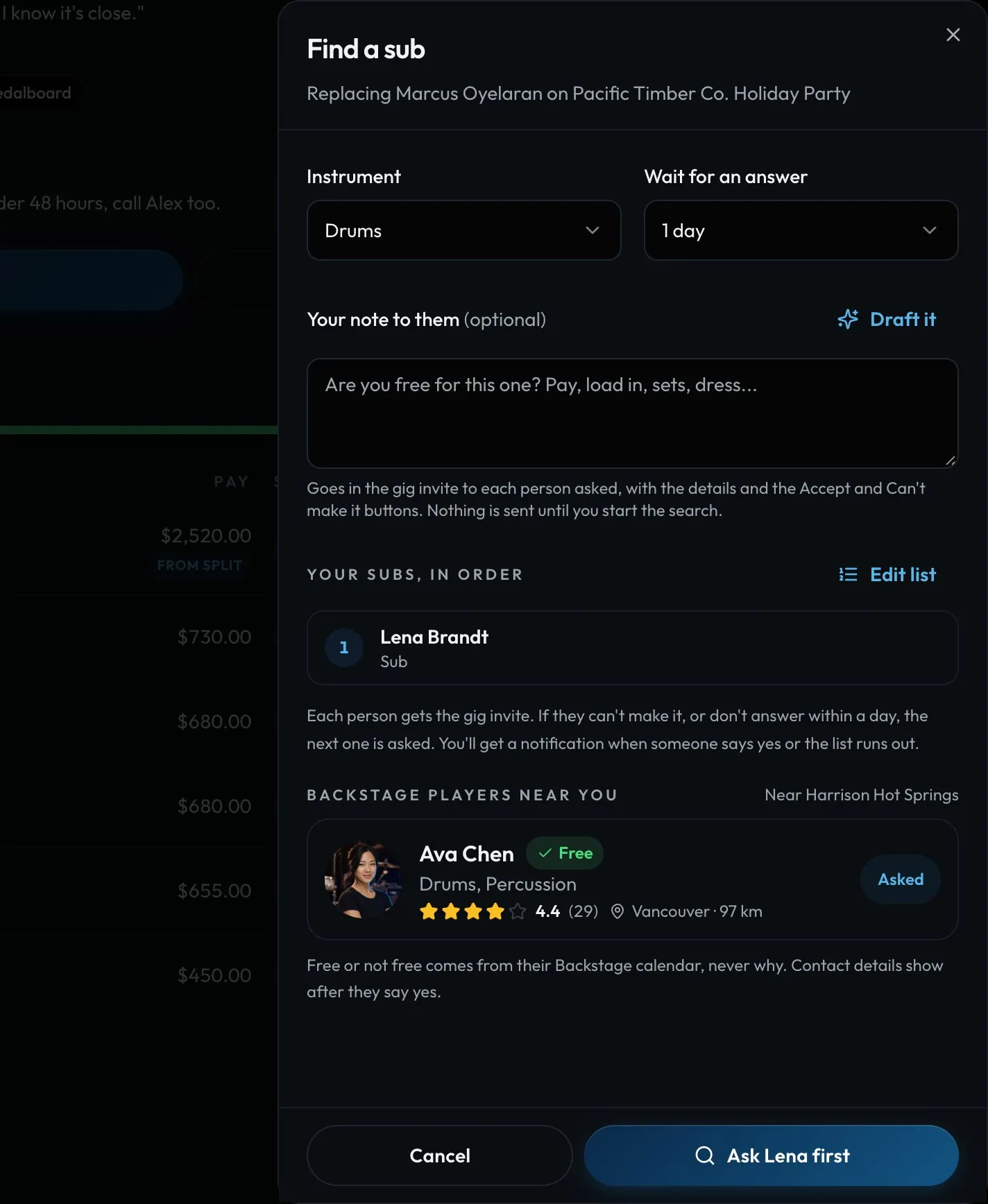
Swipe sideways to see the whole screen. Tap a number for its tip.
- InstrumentWhich spot you're filling.
- Wait for an answerHow long before the next ask.
- Who gets askedYour sub rankings, by name.
- Start the searchAsks the first sub in line.
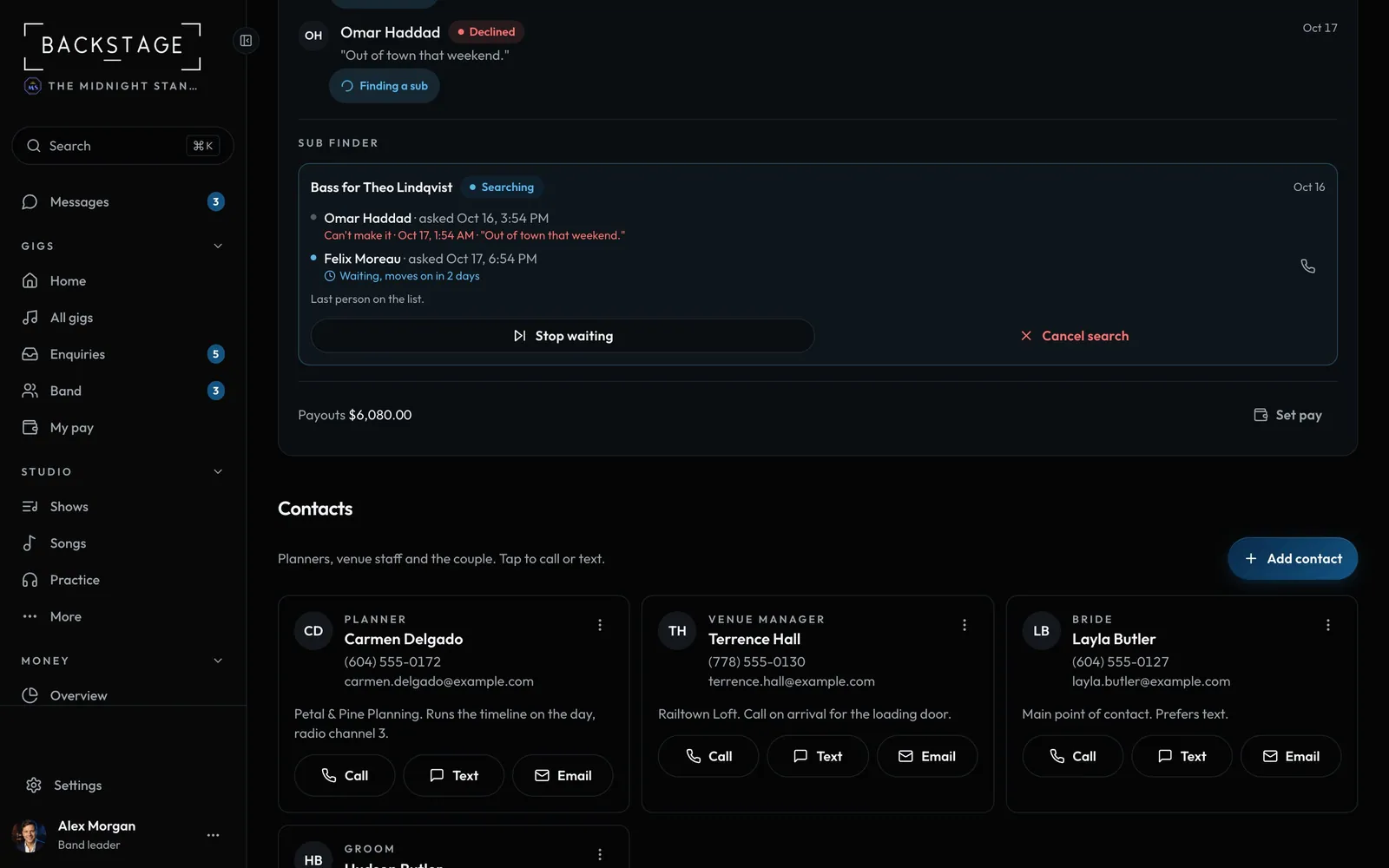
Swipe sideways to see the whole screen. Tap a number for its tip.
- Sub finderEvery search on this gig.
- Asking nowOpen until they say yes.
- Ask next nowSkip ahead to the next sub.
- Cancel searchStop asking anyone else.
How to
- Click Find a sub on an open spot, or after a drop-out.
- Check the instrument and the wait, then click Ask (like Ask Lena first).
- Needs you shows who's being asked. They fill the spot once they say yes.
- Ask next now skips ahead. Rank subs in Settings → Profile.
Tip
Tip
Subs show by name only. Players never see a sub's email or phone.