Band leaders
Recap and thank-you
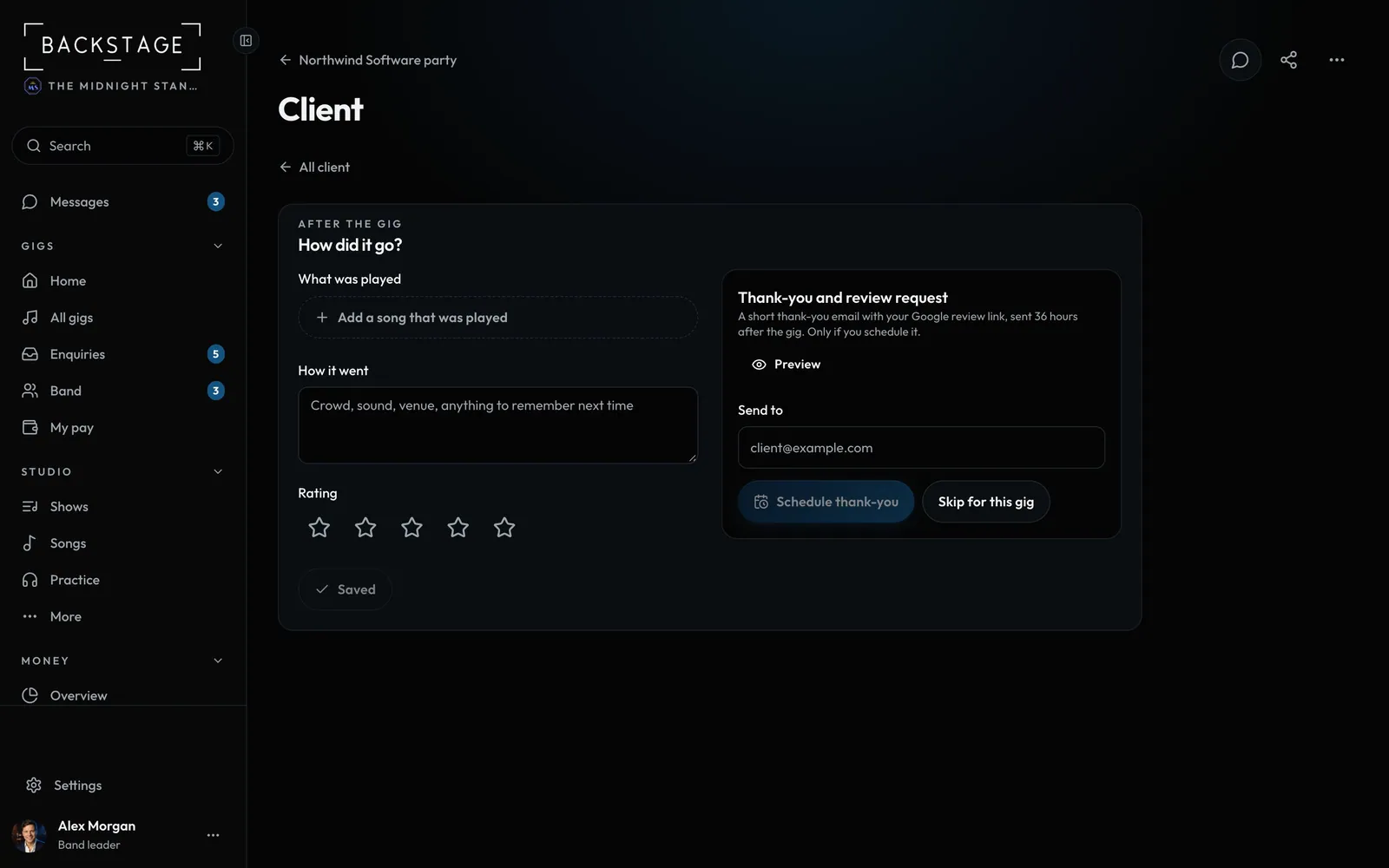
After the gig, note what was played and how it went. Then schedule a short thank-you with your Google review link.
Swipe sideways to see the whole screen. Tap a number for its tip.
- What was playedBuilds your most-played stats.
- PreviewSee the email before it goes.
- Schedule thank-youSent after the gig, only if you schedule it.
- How it wentRating and notes for next time.
How to
- On Home, Needs you lists recent gigs to recap. Or open the gig: its Client section asks How did it go? with Add the recap, or tap the After the gig row.
- Add the songs that were played and a rating.
- Pick who gets the thank-you and click Preview.
- Click Schedule thank-you, or Skip for this gig. A scheduled one can be cancelled until it goes.
Tip
Tip
Set your Google review link and the send delay once in Band settings → Reviews.