Band leaders · 10 minutes
Set up your band in ten minutes
Tell the app what your band does and what you charge, invite the band, then send your first booking link. Everything else can wait.
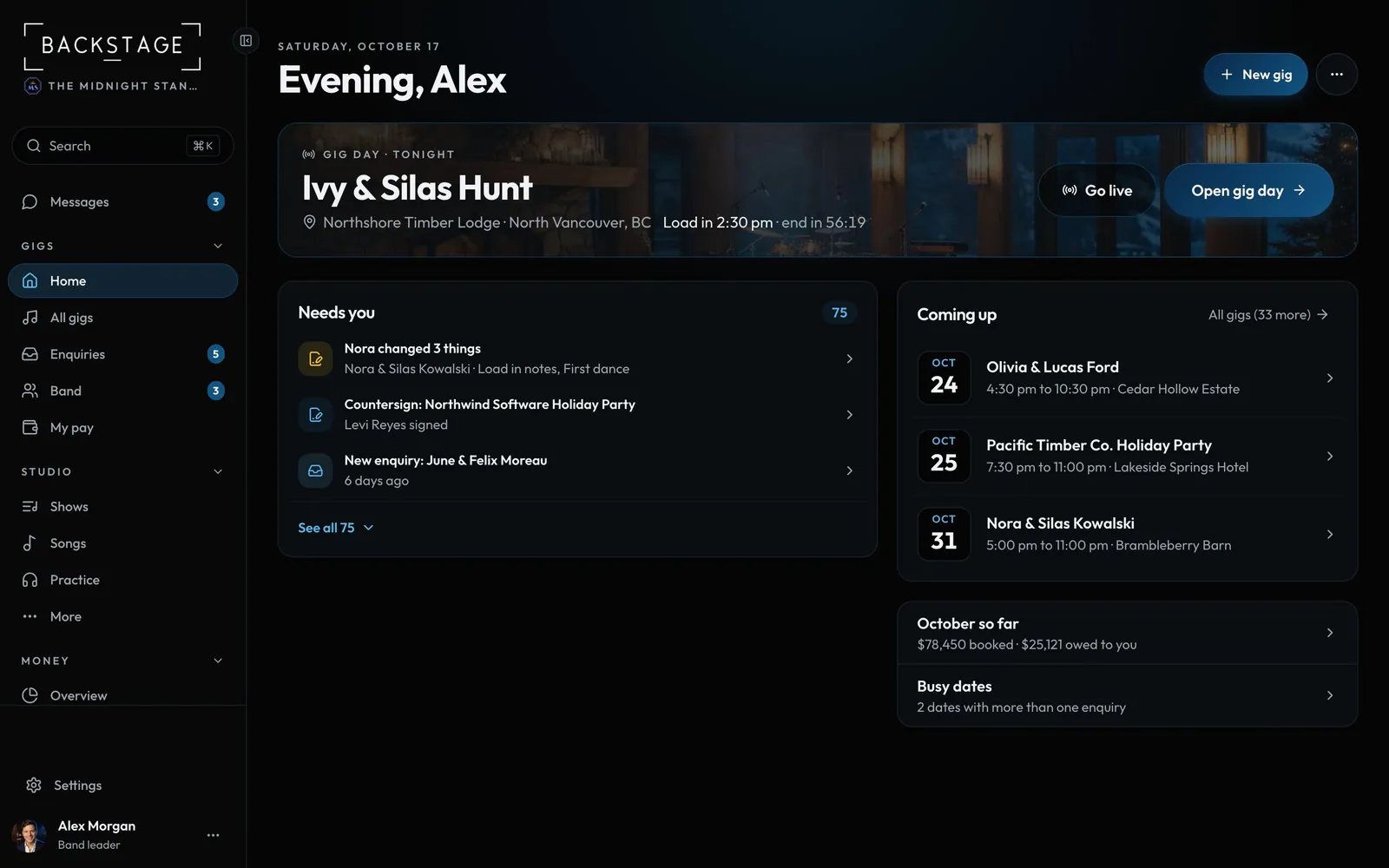
Swipe sideways to see the whole screen. Tap a number for its tip.
- Needs youAnything waiting on you, in one list. Tap a row to deal with it.
- EnquiriesNew booking requests land here.
- SettingsFeatures, prices, travel and deposits all live here.
How to
- Settings → Features: pick the preset closest to your band (wedding band, cover or bar band, touring original act, corporate or party band, solo or duo, DJ). Switch off anything you don't use. More
- Settings → Features → Lineups: the lineups you offer, from solo to a full band. Star the one you play most.
- Settings → Packages and prices: a price for each lineup, your add-ons, a few packages, how you charge travel and your deposit. Add a package works straight away: set a lineup's price right in the package form. More
- Busy dates (same page): add a little for summer Saturdays or New Year's Eve, if you like.
- Band → Invite player: send each player a sign-in link by email. They get their own gigs, pay and charts. DJ companies: Team → Invite DJ or crew.
- Enquiries → Add enquiry: paste a message from anywhere, then Send booking link. Your client builds the booking, you confirm the price, they sign and pay. More
Tips
Tip
Brand new band? The first time you sign in, a five-minute setup walks you through most of this, and Your setup on Home shows what's left. MoreTip
Not sure what a setting does? The Settings reference lists every one with its default.