DJs · Laptop or iPad at the booth
The booth
Go live and the screen turns dark with big type: the block you're in, the next song, the next key moment with its cue, and the live request queue. Every song you mark played goes in the played log.
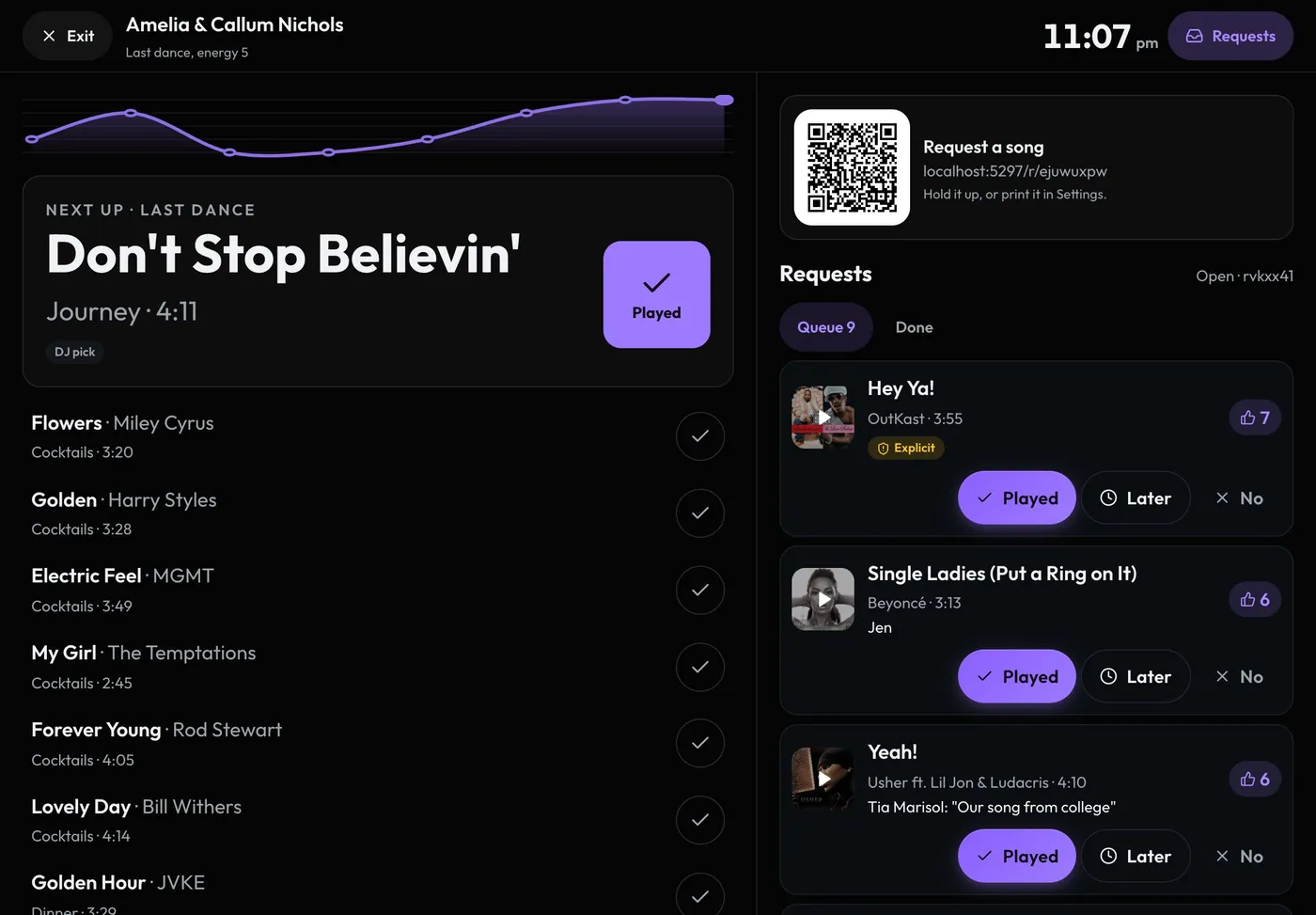
Swipe sideways to see the whole screen. Tap a number for its tip.
- Venue timeThe cue card counts down to each moment.
- Live requestsThe queue, updating as guests ask, with your request QR on top.
- PlayedTap, or press Space. It goes in the log.
- Next upFrom the block on now. Do-not-play songs are skipped.
How to
- Open the night from Set builder and tap Go live, or Go live on Gig day.
- Mark each song Played as you go. Space bar works on a laptop.
- Before a key moment, its cue card shows the song, version, start, fade and the names to announce.
- The requests sit beside the songs on a laptop or an iPad held sideways, with your request QR on top to hold up. Press R or Requests to hide or show them.
- After the night, the night's Played tab has every song with its time. Add a song by hand, or undo a wrong tap.
Tip
Tip
The screen stays on while the booth is open. On a phone or an iPad held upright, Songs and Requests are two tabs.